Introduction
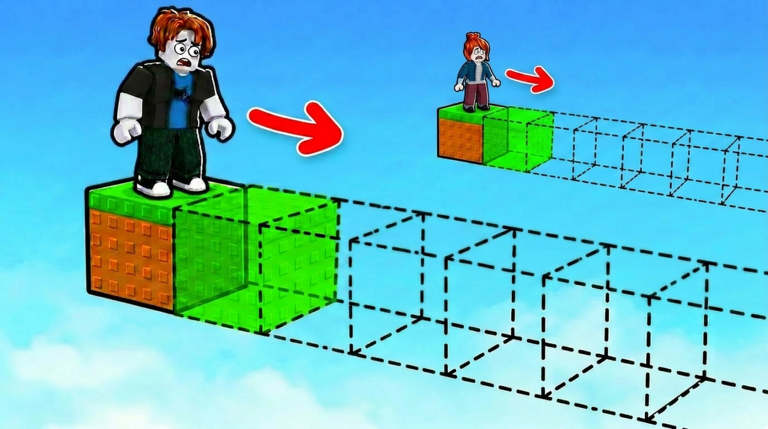
Welcome to the 1 Blocks Per Click community hub. At its heart, this Roblox experience is a simple clicker: every click adds a block to your inventory, and you spend those blocks on bridges that lead you to WINS. You can also mine ores for passive block income and upgrade your pickaxe to speed up your gathering. But what turns a solo grind into a shared adventure is the community that surrounds the game. Players exchange strategy on YouTube, forums, and Roblox groups, and they keep each other informed whenever the developer releases new codes. Right now, there are no codes to redeem for 1 Blocks Per Click, but that can change at any time. This guide explains how the community coordinates around those releases and how you can make the most of every update.
Overview of Social and Multiplayer Systems
1 Blocks Per Click does not have built-in chat or a party system. There are no leaderboards, no guilds, and no in-game friends list. The multiplayer layer lives outside the game. Content creators post videos whenever a new code drops, and players gather around those videos to confirm the exact text. Game code sites like the one you are reading now track every release. This shared watching creates a real-time social experience. When a new code is announced, hundreds of players rush to redeem it at the same time, and the community quickly verifies which codes work and which have expired.
The game treats codes as a reward for being part of that community. The developer announces codes through update videos and social posts. Because codes are case-sensitive, getting the exact spelling from another player is essential. That is why the community is so important: one typo can waste a reward.
How to Find or Form a Group
If you want to stay on top of every code drop and strategy shift, start by following a few content creators who specialize in 1 Blocks Per Click. Search YouTube for recent uploads about the game and subscribe to the channels that post frequent updates. Those creators often share the timing of new releases and show the best routes to WINS platforms.
You can also join a Roblox group dedicated to the game. Many of these groups have discussion boards where members post the moment a new code appears. If you have friends who play, form your own group. Agree on a routine: check the code list after every bridge you build, and share screenshots of any new announcements.
Roles and Team Composition Tips
Because 1 Blocks Per Click has no classes or character builds, you can assign informal roles within your group. Assign one person to be the click-rate tester. That player tries different clicking techniques, such as using a mouse versus a trackpad, and records which method gathers blocks faster. Assign another person to map ore locations. Ores appear at specific spots on the map, and knowing where they spawn lets you plan your bridge routes. A third person can be the code watcher. That role involves refreshing this page and the game's official channels every hour. A fourth person can track the developer's social media for hints about upcoming updates.
Dividing these tasks does not change the gameplay itself, but it means the whole group learns faster. When a new code is released, your team can test it at the same time and confirm whether it works for everyone. If the code involves a potion, you will know how the potion behaves because several players used it together.
Trading and Cooperative Mechanics
There is no trading system in 1 Blocks Per Click. You cannot give blocks, WINS, or potions to another player. The cooperative mechanic is shared information. Below is a typical example: a player discovers that a certain ore appears every time you complete a bridge. That player posts the discovery on a community forum. Other players confirm the pattern, and soon everyone benefits. The same happens with codes. When a new code is released, the community confirms the exact text and the reward it grants. No one can trade a code, but sharing the code is a form of cooperation.
Groups can also coordinate around the redemption process. Because you must finish the tutorial before the code box appears, a group can help new members complete the tutorial quickly and then guide them to the correct screen.
Solo Alternatives for Group Content
Every feature in 1 Blocks Per Click is fully playable alone. You can buy and upgrade your pickaxe, mine every ore, and reach every WINS platform without ever interacting with another player. The game is designed for solo progression, so you should never feel locked out of content because you play alone.
For solo players, the best path is to follow the same community channels but read them silently. Check this page for code updates. Watch a YouTube video once a week to learn about new strategies. Use the community as a resource rather than a team. Your progress will be identical to that of a social player; you simply gather information at your own pace.
How Code Redemption Works
When codes are released, redemption follows a simple sequence. First, launch 1 Blocks Per Click in Roblox and complete the tutorial. The code box is locked until that tutorial is done. Next, click the Shop button in the game menu. Scroll all the way down to the bottom of the shop interface. You will see an Enter Code box. Type the code exactly as it appears in the announcement, because codes are case-sensitive. Then click the Redeem button. If the code is valid, the reward appears in your inventory immediately.
Right now, there are no codes to redeem for 1 Blocks Per Click. This page is checked around the clock, and the live list below will update the moment a new code is confirmed. Some codes expire after a few days, while others remain active for weeks. Always redeem a new code as soon as you see it, and tell your group so no one misses out.
Frequently Asked Questions
Q: Do I need to complete the tutorial before using codes in 1 Blocks Per Click? A: Yes. The code redemption box only appears in the shop after you finish the opening tutorial. If you attempt to enter a code before that, the box will not be visible.
Q: What is the fastest way to earn WINS in 1 Blocks Per Click? A: The most reliable strategy is to upgrade your pickaxe as soon as possible. A stronger pickaxe collects blocks more quickly, which shortens the time needed to build each bridge. Mining ores also provides passive block income, so place your character near an ore spawn before you start clicking.
Q: Why are codes case-sensitive in 1 Blocks Per Click? A: The developer created the code system to match the exact wording in announcements. If you type a lowercase letter where an uppercase letter belongs, the game will not recognize the code. Always copy codes from a trusted source and paste them directly into the code box.
Conclusion
1 Blocks Per Click may play like a solo building sandbox, but the community turns it into a shared adventure. By following content creators, joining groups, and coordinating with friends, you can always be the first to know about new codes and the fastest ways to progress. Even if you prefer to play alone, you can still benefit from community knowledge. Remember to finish the tutorial so that the code box is ready when the next reward appears. Bookmark this page and check back often, because the developer can release a new code at any moment. Happy building, and may your pickaxe always be sharp.
Active 1 Blocks Per Click Codes (October 2026)
No verified active codes yet for 1 Blocks Per Click; 5 unverified codes are being tracked.