Why Optimization Matters in Barber Simulator
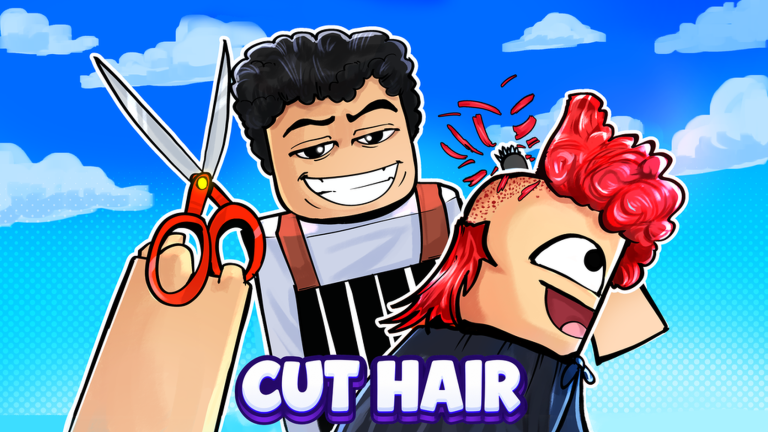
Barber Simulator, the free Roblox simulation from 67 Studio Games, is currently sitting on its [UPD 2] version, and the players who pull ahead are not simply cutting hair faster. They are optimizing three systems at once: the photo-match scoring loop, the skill and level curve, and the staff economy that keeps earning while you are offline. This guide breaks down the advanced strategy layer, from the secret rainbow star to pet reroll farming, so every minute in the shop pushes you toward the 12-chair flagship goal.
Strongest Advanced Tip: Squeeze the Photo-Match Cut
The core scoring system in Barber Simulator is photo matching. Every customer arrives with a reference photo, and your job is to cut, shave, dye and wash the interactive hair until the result matches. The official description confirms the target: match the customer photo for 3 stars, or the secret rainbow star for a perfect result.
Because exact score thresholds are not published outside the game, treat the rainbow star as a hidden mechanic you test for yourself. The practical approach is to work the hair in a fixed order every time, for example wash first, then cut length, then shave edges, then dye last. Dye applied early is the step most likely to push the result away from the reference photo, so leaving color until the final pass keeps your earlier precision intact.
Do not restart a cut because you lost a star. Finish the customer, note which step diverged from the photo, and correct that single step on the next identical hairstyle. Over a long session this micro-correction habit is what separates a 3 star average from consistent rainbow star runs.
Cash Skills First, Then Expansion
Skill choice is the fastest lever on income. The skill tree includes cash skills, and experienced players treat those as the priority pick because they directly raise how much each completed customer pays you. Money skills compound with everything else: the more each cut earns, the faster your next expansion pays for itself.
Leveling has a hard milestone attached to it. At level 10 you can expand to your next shop, which adds capacity and lets you serve more customers without new effort. The efficient route is therefore: dump early skill points into cash, hold your big spending until the level 10 expansion unlocks, then immediately fill the new shop with hired staff rather than running it yourself.
Efficient Setup: Staff, Furniture and Offline Cash
Barber Simulator is designed around automation, and the setup you build determines your offline income. Four staff roles are hireable: barbers, cleaners, receptionists and waiters. The offline line specifically names barbers, so if you only hire one role, hire barbers first, because your barbers keep working and earn cash for you even when you are away from the game.
Furniture is not purely cosmetic. Unlocking unique furniture increases your shop appeal, and a higher appeal attracts rare, high-paying clients. The optimal build order looks like this:
- Fill barber chairs with hired barbers so every seat generates offline cash.
- Add furniture pieces that raise shop appeal before spending on purely decorative items.
- Hire cleaners, receptionists and waiters once barbers cover the chairs, so your own character stays free to run photo-match cuts personally.
- Reinvest into the next expansion as soon as you can afford it, since more chairs multiply both staff income and furniture appeal.
The endgame target of the shop system is a 12-chair flagship, and every setup decision above should be measured against how quickly it gets you there.
Pet Rerolls: The Hidden Money Multiplier
Pets are one of the least obvious profit engines in the game. Pets give you extra money, and they are opened with pet rerolls. Rerolls are earned by simply playing the game, leveling up and completing normal activities, which means your passive play already funds the system.
The optimization here is patience with a plan. Bank rerolls instead of spending them the moment you get one, then open pets in bursts so you can compare which pet income bonuses you actually unlocked. Stack pet income on top of cash skills and barber offline earnings and you get three separate income lines running at the same time, which is the real reason advanced players progress so much faster.
Hidden Mechanics Worth Knowing
Several systems do not announce themselves clearly:
- The rainbow star is a secret result tier beyond the normal 3 star photo match, and its threshold stays unpublished, so track it manually.
- Rebirth exists as a long-term reset option, and it should be timed after you have already secured staff and pet income, not before.
- Offline cash continues while you are away, but only hired barbers are confirmed to contribute, so an empty chair is lost income around the clock.
- Official links for the game, the developer group and the Discord are only reachable through the Roblox game page and Roblox Social. Community wikis warn that fake invites and fabricated resources circulate, so verify anything through the official Roblox hub.
Practical Strategy Examples
Example one, the first hour: Take every customer manually, keep to the wash, cut, shave, dye order, and spend every early skill point on cash skills. Save your money until level 10, then expand immediately and hire barbers into the new chairs. Open your first pets from the rerolls you earned leveling up.
Example two, the overnight session: Before logging out, confirm all chairs are staffed with barbers and that at least one furniture piece has pushed your appeal up for rare clients. Log in expecting a full offline cash balance, then spend that balance on the next furniture unlock instead of cosmetic items, because appeal feeds rare client spawns.
FAQ
Q: How do I get the rainbow star in Barber Simulator?
You match the customer photo perfectly during a cut. The official description says matching the photo earns 3 stars, or the secret rainbow star, but the exact score threshold is not published outside the game, so it has to be discovered through repeated cuts.
Q: Do my hired barbers still earn money when I leave the game?
Yes. The official description states that your barbers continue to work and earn offline cash while you are away. Cleaners, receptionists and waiters are also hireable, but the offline income line specifically names barbers.
Q: When should I expand my shop in Barber Simulator?
Expansion unlocks at level 10, when you can move to your next shop. The efficient timing is to prioritize cash skills before that milestone, then expand and immediately fill the new chairs with hired barbers so the extra capacity starts paying off right away.
Conclusion
Barber Simulator rewards players who treat the shop like a system rather than a haircut mini game. Lock down the photo-match order for consistent 3 star and rainbow star results, route early skill points into cash skills, expand at level 10, staff every chair for offline cash, push furniture appeal to spawn rare clients, and bank pet rerolls for a stacked income bonus. Run those loops together and the path from a single chair to a 12-chair flagship gets a lot shorter.
Active Barber Simulator Codes (November 2026)
No verified active codes are available right now for Barber Simulator.