Unlocking Your Potential: A Guide to Code Redemption in Be Flash For Brainrots!
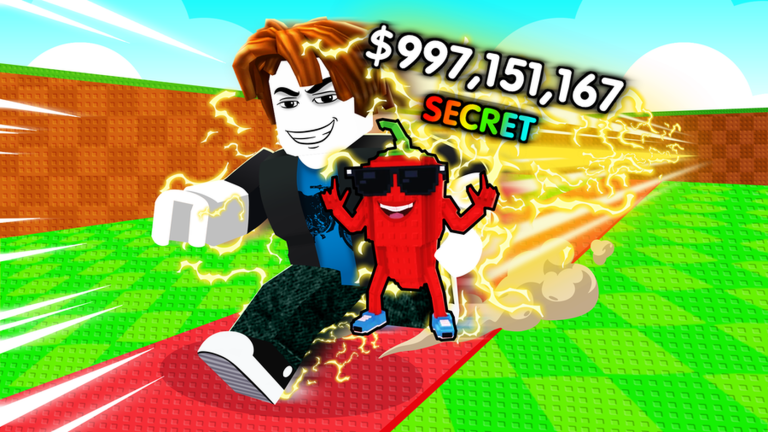
Welcome, aspiring speedsters and Brainrot collectors! In the fast-paced world of Be Flash For Brainrots!, every advantage counts. This Roblox simulator challenges you to sprint, collect unique meme characters called Brainrots, and continuously upgrade your speed to reach new heights of progression. While the core gameplay loop of running, earning, and rebirthing is incredibly addictive, a crucial element for accelerating your journey is the strategic use of in-game codes. These valuable rewards can provide significant boosts, especially in the early stages, helping you acquire better treadmills and rarer Brainrots faster. This guide will walk you through the essential aspects of code redemption, from finding the input area to troubleshooting common issues and staying ahead of the update curve, ensuring you master the art of claiming your freebies for optimal progress in May 2026.
How the Code System Works in Be Flash For Brainrots!
The code redemption system in Be Flash For Brainrots! is designed to be straightforward, allowing players to quickly claim their well-deserved rewards. Typically, you'll find the code input area within the game's user interface. In many Roblox titles, including similar 'Brainrot' experiences, this is often accessible via a 'Settings' icon, usually represented by a gear, located in a corner of your screen, most commonly the top right.
Once you locate and click this icon, a menu should appear, presenting various game options. Within this menu, look for a designated text box or field labeled something like 'Enter Code' or 'Redeem Code'. This is where you will accurately type in any active codes you've discovered. After entering the code, a simple press of the 'Enter' key or a 'Redeem' button will process your input. If successful, your rewards, often in-game cash or boosts, will be instantly added to your account, ready to be used to enhance your speed, purchase superior treadmills, or upgrade your Brainrots.
Where Players Often Miss Redemptions
While the process seems simple, players can sometimes encounter issues when redeeming codes. One of the most frequent culprits is a simple typo. Codes are almost always case-sensitive, meaning that 'CODE' is different from 'code'. Even a single incorrect letter, number, or symbol can render a code invalid. Always double-check your input against the source where you found the code.
Another common pitfall is attempting to redeem an expired code. Developers release codes for a limited time, and once they pass their expiration date, they can no longer be used. Relying on outdated lists from unofficial sources can lead to frustration. Furthermore, some players might overlook the correct redemption location within the game, searching for a dedicated 'Codes' button when it's actually nestled within a broader 'Settings' menu. Familiarizing yourself with the game's interface is key to a smooth redemption experience.
The Cadence of Code Drops and Updates
Understanding how often new codes appear is vital for maximizing your free rewards. While Be Flash For Brainrots! specifically doesn't have a publicly detailed code release schedule, similar 'Brainrot' games on Roblox often tie new codes to significant events or milestones. For instance, games like 'Steal a Brainrot' feature weekly updates, often on Saturdays, accompanied by special 'Admin Abuse' events that last for a limited time and offer opportunities for rare items.
Be Flash For Brainrots! itself regularly hosts limited-time events such as hacker, lightning, blizzard, lava, and candy modes. These events not only change the game's visual landscape but also increase the chances of acquiring specific Brainrot mutations. It's highly probable that new codes are often released in conjunction with these major updates, game milestones (like a certain number of likes or visits), or during seasonal celebrations. Staying connected with official channels is the best way to anticipate these drops.
Troubleshooting Failed Redemptions
Encountering a 'code invalid' or 'code expired' message can be disheartening, but there are several troubleshooting steps you can take:
- Double-Check for Typos: This is the most common reason for failure. Carefully compare the code you entered with the original source, paying close attention to capitalization, spacing, and special characters.
- Verify Expiration: Ensure the code is still active. If you're using a list from a third-party website, it might not be updated. Prioritize official sources for the most current information.
- Restart the Game: Sometimes, a quick restart of Be Flash For Brainrots! can resolve minor glitches that prevent codes from being recognized.
- Check Your Internet Connection: A stable internet connection is necessary for the game to communicate with the server and process your code.
- Consult Official Channels: If a code isn't working, the official Discord server or Roblox group for Be Flash For Brainrots! is the best place to check for announcements regarding code issues or corrections.
Developing Smart Update-Tracking Habits
To ensure you never miss out on valuable codes and game enhancements, cultivating good update-tracking habits is essential. The primary sources for official information and new code announcements are typically the game's official Roblox page and its associated social media channels, particularly Discord.
Make it a routine to visit the Be Flash For Brainrots! Roblox game page regularly. Developers often post updates, event details, and sometimes even codes directly in the game description or through their linked social media. Joining the official Discord server, if available, is perhaps the most effective method. Discord channels dedicated to 'announcements' or 'codes' are where developers frequently drop new codes first and provide real-time updates on events and game changes. Following the game's developer on Roblox or other social platforms can also provide timely notifications. By actively engaging with these official communities, you'll be among the first to know when new opportunities for free rewards arise.
Frequently Asked Questions
Q: How do codes in Be Flash For Brainrots! contribute to my overall progression?
A: Codes in Be Flash For Brainrots! typically provide free in-game cash or boosts, which are crucial for accelerating your progress. This extra currency allows you to purchase better treadmills, upgrade your existing Brainrots, and unlock new areas faster, directly impacting your speed and ability to collect rarer Brainrots, ultimately helping you reach higher rebirths and become a top player.
Q: Where is the most reliable place to find new codes for Be Flash For Brainrots!?
A: The most reliable places to find new codes for Be Flash For Brainrots! are the game's official Roblox page description and any linked social media channels, especially the official Discord server. Developers frequently announce new codes during updates, special events, or when the game reaches new milestones, making these official platforms the best sources for verified and active codes.
Q: What should I do if a code I found for Be Flash For Brainrots! isn't working?
A: If a code for Be Flash For Brainrots! isn't working, first double-check for any typos, ensuring correct capitalization and spacing. Then, verify that the code hasn't expired by checking official game sources. If it still fails, try restarting the game, and if the issue persists, consult the official Discord server or Roblox group for any known issues or updated codes.
Conclusion
Codes are a fantastic way to supercharge your journey in Be Flash For Brainrots!, offering a valuable shortcut to accumulating wealth and enhancing your speed. By understanding the simple redemption process, being mindful of common errors like typos and expired codes, and diligently tracking official announcements on platforms like the game's Roblox page and Discord, you can consistently leverage these free rewards. Staying engaged with the game's community and its update schedule ensures you're always ready to claim the latest boosts, propelling you further into the exciting world of Brainrot collection and high-speed progression. Keep flashing, keep collecting, and enjoy the accelerated path to becoming the ultimate Brainrot master!
This article was compiled by the RoUniverse automation pipeline in May 2026 using publicly available sources and is kept up to date as new information becomes available.
Active Be Flash For Brainrots! Codes (May 2026)
0 verified codes available for Be Flash For Brainrots! · 11 unverified
This article was researched and generated using AI tools, then reviewed by the RoUniverse editorial team.