Introduction: Start Building Smarter, Not Harder
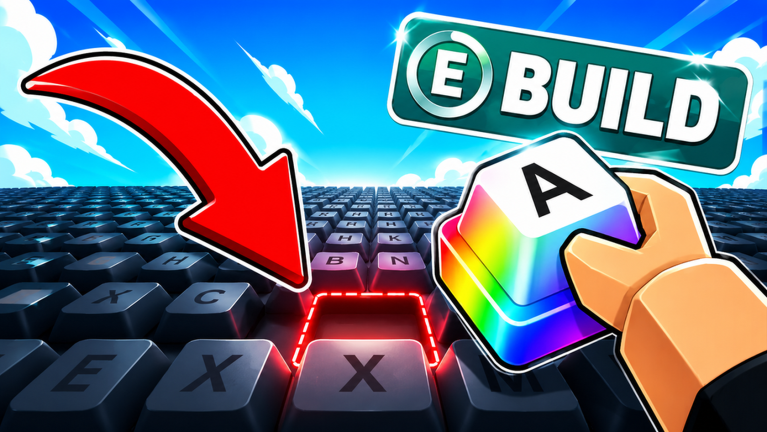
Build A Keyboard brings the joy of custom mechanical keyboards to Roblox. You start with a basic workbench and a handful of generic parts, then work your way up to crafting high-end builds with lubed switches and premium keycaps. The game rewards efficient play, and while code redemption offers a nice boost with XP, Dumpling Boxes, and temporary money multipliers, there are currently none to redeem. The developer typically releases codes via the official Discord and Twitter, and this page updates the moment they drop. For now, the best way to get ahead is to master the game's core systems from the start. This guide will show you exactly how to accelerate your progress without relying on codes.
What to Focus on First: The Starter Bench and Daily Orders
When you first enter the game, complete the tutorial quests. They teach you the basics: mounting switches, attaching keycaps, and testing sound. Your first purchase should be the Budget Build Kit (500 coins) from the shop. It gives you balanced parts to complete earliest orders. After that, focus on unlocking the Quick Build orders from the bulletin board. These require minimal parts and take under two minutes, making them perfect for coin farming early on. Don't forget to claim your daily login bonus—it accumulates into valuable parts and coins over a week. The Scrapyard near your workbench gives free scrap parts every hour; collect them regularly to trade for extra coins.
How the Progression Loop Works
The heart of Build A Keyboard is its order system. You pick order tickets from the bulletin board, each specifying a desired configuration (e.g., linear switches, SA keycaps, blue color scheme). You then gather or craft required parts, assemble the keyboard, and submit it for review. Successfully filling an order earns coins and experience points. Experience unlocks new workbench upgrades, better parts (like lubed switches or foam dampeners), and access to the Sound Lab where you can test acoustics. To progress faster, follow this loop: take an order, check if you have the parts (if not, grind coins via Quick Build orders), assemble, submit, use rewards to buy better equipment. A key upgrade to prioritize is the Part Stocker (unlocked at level 5), which automatically restocks common parts every 15 minutes. Another tip: save up for the Switch Lubing Station early—it increases build quality, earning you higher pay from orders.
How Code Redemption Fits Into Progression
Code redemption is a bonus feature in Build A Keyboard. When the developer releases a code—usually through the official Discord or Twitter—it can grant coin packs, exclusive keycaps, or temporary boosters like 2x Money. Because codes expire quickly (often within 48 hours), check back frequently. Our live widget below will automatically display working codes the moment they are announced. To redeem a code, follow these steps: open the game, click the Settings (gear) icon in the upper-left corner, scroll to the Enter Code section, type or paste the code exactly, and press Redeem. Even without codes, you can progress steadily through orders and daily bonuses. Once codes become available, they will give you a helpful nudge, but the core game is fully playable without them.
Game-Specific Mistakes to Avoid
New players often stumble on a few common pitfalls. First, don't waste coins on cosmetic items early. Functional upgrades like the Keycap Mold Set or Switch Puller will accelerate your progress much more than a fancy desk skin. Second, always check the parts list before accepting an order. If a ticket requires a part you haven't unlocked (e.g., clicky switches at level 7), it will sit unfinished and waste your time. Third, use the Sound Test feature before submitting. An order that demands a quiet, thocky sound will fail if your build clacks loudly—adjust your foam and switch type accordingly. Fourth, don't ignore the Marketplace (unlocked at level 8). You can trade spare parts with other players, which helps when you're missing a specific keycap or switch. Finally, avoid hoarding coins; invest in upgrades that boost your efficiency, like the Assembly Speed perk.
Frequently Asked Questions
Q: How do I unlock Quick Build orders?
A: Quick Build orders become available after completing the first few tutorial quests. Check the bulletin board next to your workbench; they appear as smaller, simpler tickets requiring only basic parts.
Q: What are Dumpling Boxes and how do I get them?
A: Dumpling Boxes are special loot crates that contain random parts, coins, or temporary boosts. They can be obtained through code redemption or as rare rewards from high-level orders. Opening them gives a small but helpful surprise.
Q: What is the best way to earn coins quickly without codes?
A: The fastest method is to chain Quick Build orders. They require only common parts and offer a steady coin payout. Combine this with the daily login bonus and hourly Scrapyard visits to maximize your income.
Conclusion: Keep Building and Check Back for Codes
Build A Keyboard offers a satisfying loop of creation and progression. By focusing on Quick Build orders, upgrading your workbench wisely, and avoiding common mistakes, you can climb the ranks without ever redeeming a code. However, codes remain a great way to get a quick boost—so keep an eye on this page and the developer's social channels. Happy building!
Active Build A Keyboard Codes (October 2026)
3 verified codes available for Build A Keyboard.