Introduction
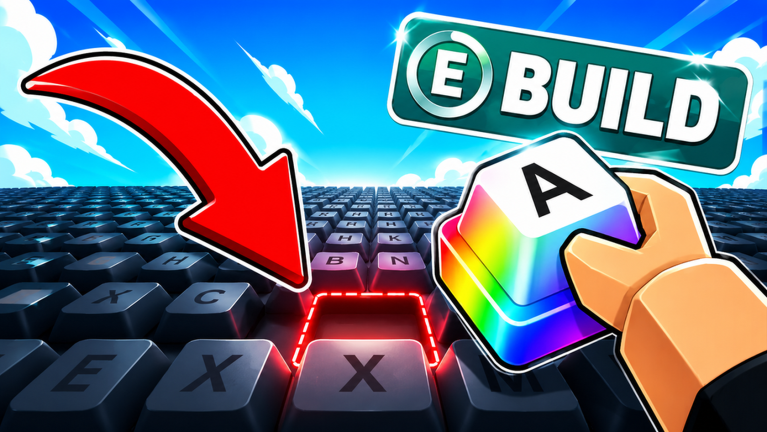
Build A Keyboard has carved a niche for itself among Roblox crafting games by letting players assemble virtual mechanical keyboards from scratch. But beyond the satisfying click of placing keycaps, the game has developed a lively community around trading rare parts and sharing builds. In this July 2026 review, we evaluate the social ecosystem of Build A Keyboard, including the Discord server, in-game social features, trading economy, moderation, and newcomer friendliness.
Discord and Social Media Activity Level
The official Build A Keyboard Discord server is the primary hub for players. It features dedicated channels for code announcements, trading, showcase, and feedback. Activity is steady, with hundreds of messages per day during peak hours. The server recently celebrated 50,000 likes on Roblox, which triggered a community milestone code (THANK5K). The developer is active, posting updates and teasing new part sets. However, the server can be chaotic, with frequent spam and off-topic chatter. There are also fan-run groups on social media platforms like Twitter and TikTok, where players share their keyboard builds and trading hauls. Overall, the social media presence is moderate but engaged.
In-Game Social Features Quality
Build A Keyboard offers a limited set of social features. Players can visit each other's workbenches, see their collections in profile windows, and trade directly via a trade menu. The trade menu is straightforward: you offer parts from your inventory for another player's parts or coins. There is no chat system beyond Roblox's built-in chat, which can be filtered. The game does not support private messaging or friend lists specific to the game; it relies on Roblox's friend system. This means coordinating trades often requires external communication via Discord. The lack of an in-game guild or club system is a missed opportunity. For a game centered on collecting, having a way to form teams or share a community workshop would enhance the social experience.
Trading Economy Health
The trading economy in Build A Keyboard is surprisingly active. Rare keycaps and limited-time event parts hold significant value. For example, parts from the "Dumpling" series, which were available via the DUMPLINGCRATE code, are now traded for multiple high-tier items. The economy is player-driven, with no official pricing system. Scams exist, where players offer fake trades or take items without giving agreed-upon parts. However, the community has developed informal trust systems and middleman services, often coordinated on Discord. The game's premium currency (Robux) can be used to buy crates, which has led to a slight inflation of parts, but overall the trading volume is healthy. New players may struggle to join the economy because they lack high-value items to trade. The developer has not introduced any trade taxes or fees, which keeps the market frictionless but also allows for rapid inflation of rare items.
Toxicity and Moderation Issues
Like many Roblox games, Build A Keyboard has its share of toxicity. Scammers, beggars, and rude players are common in public servers. The in-game moderation is minimal; there is no report button specifically for trade scams. Players often resort to recording evidence and contacting moderators on Discord. The developer has stated that they are working on a better anti-scam system, but as of July 2026, it is not yet implemented. Toxicity levels are moderate compared to competitive games, but the trading-focused nature means disputes over value can turn heated. Many experienced players ignore chat or play in smaller private servers to avoid conflict.
Content Creator Ecosystem
Build A Keyboard has a modest content creator presence. YouTube, a small cohort of creators produce videos focusing on "best builds," "rare keycap hunts," and code updates. The video from the research source (A_WrMCS8_8w) is an example of a creator sharing new codes. However, the game does not have official support for streaming or content creation, such as a dedicated creator program or exclusive items for streamers. This limits the growth of the creator ecosystem. Most content is driven by the novelty of new part sets. The lack of replayability for viewers means creators often move on to other games. Still, the community appreciates guides, and there is a small but dedicated group of builders who produce high-quality showcase videos.
Is the Community Welcoming to Newcomers?
New players often find the community mix of helpful and gatekeeping. On Discord, there are dedicated help channels where veterans answer questions about assembly and trading. Many players are happy to trade starter parts for free to help newcomers get started. However, the trading economy can be intimidating; new players may be taken advantage of if they don't know part values. The in-game tutorial is basic, and social cues are learned through trial and error. The developer has not implemented any mentor system or new-player protection in trades. Overall, the community is welcoming in intention, but the lack of safeguards can make the first few hours frustrating. Players who join the Discord and ask questions tend to have a better experience.
Frequently Asked Questions
Q: How do I trade safely in Build A Keyboard?
Always use the official trade menu, never drop items on the ground. If using Discord middlemen, verify their reputation and only trade with trusted users. The game does not have a trade confirmation popup, so double-check the items before confirming. Report scammers to the Discord moderators with screenshots.
Q: Can I trade without using Discord?
Yes, you can trade directly in-game by visiting another player's workbench and using the trade option. However, finding specific trades without communication is difficult. Most active traders use Discord to negotiate and arrange trades beforehand.
Q: What are Dumpling Boxes and how do I get them?
Dumpling Boxes are special crates that contain a random rare keycap set from the Dumpling series. They were given out via a code (DUMPLINGCRATE) for a limited time. They are now only obtainable through trading with other players. They are highly sought after for their unique aesthetic.
Verdict
Build A Keyboard succeeds in creating a social and trading economy that hooks collectors and builders. The Discord community is active, and the trade system, though basic, works well for a Roblox game. However, moderation is lacking, and new players face a steep learning curve in the trading scene. The game would benefit from better in-game social features and anti-scam protections. If you enjoy collecting rare items and bartering, this community is worth joining. If you prefer a curated experience, the current social friction may be off-putting. Overall, Build A Keyboard's community is a vibrant but imperfect ecosystem that rewards patience and social investment.
Active Build A Keyboard Codes (October 2026)
3 verified codes available for Build A Keyboard.