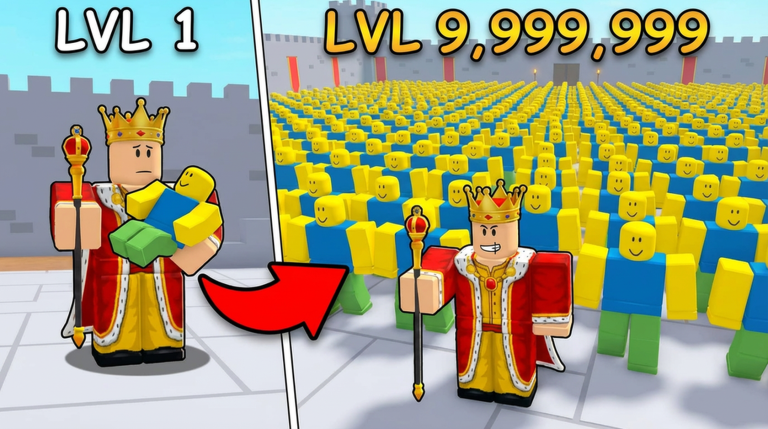
Welcome, aspiring monarchs, to the vibrant world of Build a Noob Kingdom, a captivating Roblox sandbox tycoon experience where your strategic prowess dictates the rise of your empire. Developed by The Noob Bunker, this game challenges players to construct bustling cities, foster a thriving economy, and command formidable armies to dominate the map. While diligent building and tactical conquest form the backbone of progression, a vital aspect for accelerating your kingdom's growth lies in the efficient and timely claiming of in-game codes. Understanding how to reliably find and redeem these valuable rewards can significantly optimize your journey from a humble settlement to a sprawling, powerful empire.
How In-Game Code Rewards Impact Your Kingdom's Progression
The core gameplay loop of Build a Noob Kingdom revolves around several key pillars: housing to grow your Noob population, creating diverse job opportunities to generate essential Gold, and establishing military stations to train units for conquering strategic points across the map. Each of these elements is crucial for expansion and power. Code rewards, though not always abundant, are designed to provide a significant boost to these foundational mechanics. For instance, receiving an influx of in-game currency like Gold can allow you to rapidly construct more housing, expand your economic infrastructure with additional farms or mines, or even upgrade your military units faster. Similarly, temporary boosts to production rates, faster Noob spawns, or army training speed can give you a critical edge in conquering new territories and securing valuable map advantages. By leveraging these free rewards effectively, players can bypass some of the initial grind, allowing for a more dynamic and accelerated progression through the game's challenges and helping them rise on the leaderboards.
Where to Find Official Build a Noob Kingdom Codes
For any Roblox game, the reliability of code sources is paramount. To ensure you're getting legitimate and active codes for Build a Noob Kingdom, it's always best to stick to official developer channels. The primary developer for Build a Noob Kingdom is The Noob Bunker. The official Roblox game page itself is often updated with announcements or links to their community platforms. Players should regularly check the game's description on its Roblox page, as developers sometimes post active codes directly there or provide links to their social media where codes are shared.
Another common hub for Roblox game developers to share codes and updates is their official Discord server. While specific social media links for The Noob Bunker might require a bit of digging, a community Discord server associated with the game can be found, often linked through YouTube content creators or the game's Roblox page. These servers are excellent places to stay informed about new code releases, game updates, and community events. Reputable Roblox gaming news websites and content creators who focus on Build a Noob Kingdom can also be good secondary sources, but always cross-reference with official channels if possible to confirm validity.
Redeeming Codes Quickly After Updates
The window of opportunity for redeeming codes can sometimes be brief, as many codes are time-sensitive or tied to specific updates or milestones. Therefore, acting quickly once a new code is announced is crucial. Unlike general Roblox promo codes, which are redeemed on the official Roblox website for avatar items, codes for Build a Noob Kingdom are typically redeemed directly within the game itself.
To redeem a code for Build a Noob Kingdom, you'll generally follow these steps:
- First, launch Build a Noob Kingdom on Roblox.
- Once in the game, look for a "Codes" button or a similar icon, often located on the side of the screen or within a menu. For similar tycoon games, this might appear as a "Heart" icon or a dedicated "Redeem" section.
- Click on this button to open the code redemption interface.
- Carefully enter the code into the provided text box. Pay close attention to capitalization and spelling, as codes are often case-sensitive.
- Click the "Redeem" or "Confirm" button.
- A success message should appear if the code is valid and successfully applied to your account.
After successful redemption, the rewards will typically be credited to your account instantly. For in-game items or currency, you may need to rejoin Build a Noob Kingdom to see the changes reflected in your inventory or balance. Keeping an eye on official announcement channels and having the game ready to launch can help you claim rewards before they potentially expire.
Signs a Code May Be Expired or Invalid
Encountering issues when trying to redeem a code can be frustrating. There are several common reasons why a code for Build a Noob Kingdom might not work:
- Incorrect Entry: Codes are often case-sensitive and require exact spelling. A simple typo can render a code invalid. Always double-check your input.
- Already Redeemed: Most in-game codes can only be used once per account. If you've previously claimed a code, you won't be able to use it again.
- Expiration: Developers often release codes for a limited time, especially those tied to events, updates, or milestones. An expired code will no longer grant rewards.
- Server Issues: Occasionally, temporary server problems can interfere with code redemption. If you're certain the code is correct and active, try again after a short while or rejoin the game.
If you encounter an error message, it's always best to re-verify the code from its original source and ensure you haven't already used it. If problems persist, checking the official community channels for developer announcements regarding code issues can be helpful.
Q: How often are new codes released for Build a Noob Kingdom?
A: New codes for Build a Noob Kingdom are typically released by The Noob Bunker to celebrate game milestones, such as a certain number of likes or visits, or alongside significant game updates. Players should monitor the official Roblox game page and associated community channels for these announcements.
Q: Do code rewards in Build a Noob Kingdom offer permanent upgrades or temporary advantages?
A: Code rewards in Build a Noob Kingdom usually provide temporary boosts, such as faster production rates or increased army size, or one-time grants of in-game currency like Gold or other resources. While these boosts are temporary, the resources gained can lead to permanent upgrades in your kingdom's infrastructure.
Q: Where is the code redemption button typically located within Build a Noob Kingdom?
A: In Build a Noob Kingdom, like many Roblox games, the code redemption button is generally found within the in-game user interface. Players should look for a prominent "Codes" button, a "Heart" icon, or a similar "Redeem" section, often located on the side of the screen or within the main menu.
Conquer Your Realm with Confidence
In Build a Noob Kingdom, strategic planning and efficient resource management are key to building a dominant empire. By understanding the in-game code redemption system, actively seeking out new codes from official sources, and troubleshooting common issues, you can significantly enhance your gameplay experience. These valuable rewards provide crucial boosts to your economy, military, and overall progression, allowing you to expand your territory and establish your reign faster. Stay connected with The Noob Bunker's official channels, redeem codes promptly, and watch your Noob Kingdom flourish into an unstoppable force.
This article was compiled by the RoUniverse automation pipeline in April 2026 using publicly available sources and is kept up to date as new information becomes available.
Active Build a Noob Kingdom Codes (April 2026)
0 verified codes available for Build a Noob Kingdom · 5 unverified
This article was researched and generated using AI tools, then reviewed by the RoUniverse editorial team.