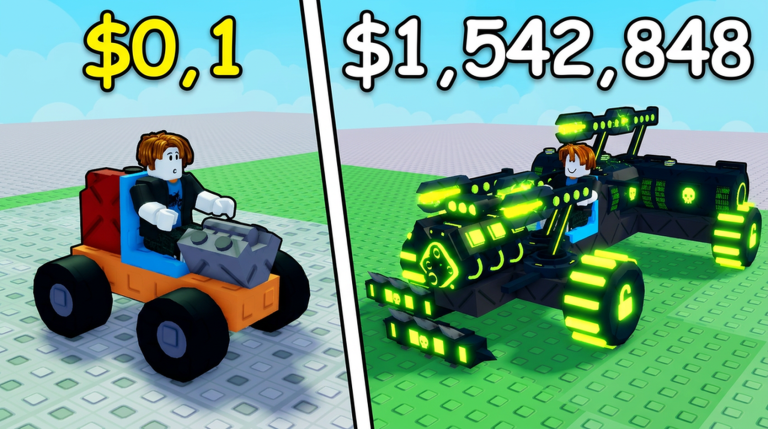
Build and Kill Zombies is a Roblox experience where you construct and upgrade a zombie-slaying vehicle to survive endless waves. The core loop involves acquiring parts, weapons, and resources to enhance your build, and developers often release codes to help players progress faster. Understanding how to verify and use these codes is essential for efficient reward planning without getting stuck in repetitive grinding.
How Codes Integrate with Vehicle Building
Codes in Build and Kill Zombies provide supplementary resources that directly support your car customization and skill upgrades. Instead of relying solely on in-game earnings, redeeming verified codes can grant you boosts that accelerate your ability to unlock new components or talents. This system lets you focus more on strategic assembly and combat tactics, making your zombie-killing journey more dynamic and less time-consuming.
Use the live list below after the ad, then keep reading for redemption fixes and update tracking.
Active Build and Kill Zombies Codes (September 2026)
5 verified codes available for Build and Kill Zombies.
Redeeming Codes in Build and Kill Zombies
To claim your rewards, launch the game and complete the initial tutorial if you haven't already. Once you gain access to the full interface, tap the Shop button on the left side of the screen. Scroll to the bottom of the menu to find the code entry field, type in a valid code, and press Redeem. The resources will be added to your inventory immediately if the code is active.
Common Redemption Issues and Solutions
Codes might fail due to simple errors like typos, incorrect capitalization, or extra spaces. Always double-check your entry and ensure the code hasn't expired, though current evidence shows no expired codes as of September 2026. If problems persist, try refreshing the game or verifying your connection, and consider that some codes may be case-sensitive.
Tracking Code Updates and Sources
New codes for Build and Kill Zombies are typically announced through the developer's official channels, such as their Discord server and the game's Roblox page. Following these sources ensures you receive timely updates, especially when game patches or events occur. Check these platforms regularly to stay informed about the latest verified codes and their availability.
Frequently Asked Questions
Q: How can I tell if a code is still working?
Answer: Verification status is confirmed by multiple trusted sources like community sites and developer posts. Always cross-reference with up-to-date lists to avoid using outdated codes that may no longer function.
Q: Do codes in Build and Kill Zombies expire quickly?
Answer: While some games have short-lived codes, Build and Kill Zombies codes often remain active for extended periods. However, it's best to redeem them promptly upon verification to ensure you don't miss out.
Q: What should I do after redeeming a code?
Answer: Once redeemed, use the acquired resources to upgrade your vehicle parts or unlock new skills in the game's interface. Focus on enhancing your build to tackle tougher zombie waves and progress further.
Conclusion
Mastering the code verification process in Build and Kill Zombies empowers you to optimize your gameplay and resource management. By understanding how codes fit into the building loop, redeeming them correctly, and tracking official updates, you can maintain a competitive edge and enjoy a smoother experience as you conquer zombie threats.