Unlocking Faster Progression in Build Bridge to Brainrots with Codes
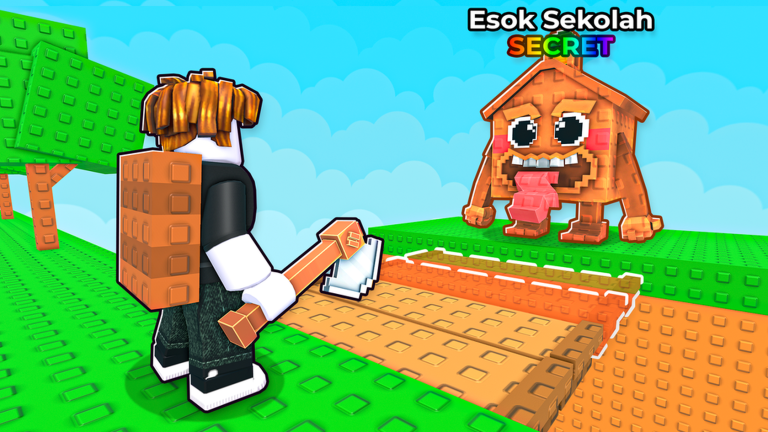
Welcome, aspiring bridge builders and Brainrot collectors! In the ever-evolving world of Roblox, games like Build Bridge to Brainrots offer engaging tycoon experiences where strategic resource management and efficient progression are key. This popular simulation game challenges players to chop trees for wood, construct bridges to new islands, and collect unique Brainrots that generate valuable in-game currency. While the core loop of building and collecting is rewarding, savvy players know that leveraging every available advantage, including promotional codes, can significantly optimize their journey. Understanding the code system in Build Bridge to Brainrots is crucial for maximizing your gains and accelerating your Brainrot empire.
Codes, when available, serve as fantastic boosters within the game's economy. They typically provide essential resources such as in-game cash, which is the lifeblood of your operation, or various boosts that enhance your gameplay. For instance, cash rewards can be immediately reinvested into upgrading your axe for faster wood collection, increasing your wood storage capacity, or purchasing better gear like coils and jetpacks to traverse bridges more quickly. Speed and carry upgrades are vital for reaching distant Brainrot platforms before bridges collapse, allowing you to acquire higher-earning characters more efficiently. Furthermore, codes might offer temporary boosts to your income generation or even exclusive Brainrots, directly impacting your passive earnings and overall progression. By strategically claiming these rewards, players can bypass some of the initial grind, expand their base faster, unlock more Brainrot slots, and ultimately discover rarer, more lucrative Brainrots on far-off islands. This optimization allows you to focus more on the exciting aspects of exploration and expansion, rather than solely on repetitive tasks.
Where to Find Official Build Bridge to Brainrots Codes
Staying ahead of the curve means knowing exactly where to look for new code announcements. Developers of Roblox games, including Build Bridge to Brainrots, typically utilize a few key official channels to distribute codes to their player base. The most common and reliable sources include the game's official Roblox group page, where developers often post updates, announcements, and sometimes codes directly. Another primary hub for code releases is the game's official Discord server. Joining the Discord community not only provides access to new codes as soon as they drop but also connects you with other players, offering tips, community events, and direct communication with the development team. While less common for direct code drops, following the developers' social media accounts (such as Twitter/X) can also provide early hints or direct announcements. It's always recommended to check these official platforms regularly, especially around major game updates or community milestones, as these are prime times for new codes to be released.
Redeeming Codes Quickly After Updates
Once you've found a new code for Build Bridge to Brainrots, quick redemption is key to ensuring you don't miss out on valuable rewards. While the exact location of the code redemption interface can vary slightly between Roblox experiences, it's typically an intuitive process. In many tycoon-style games, you'll often find a dedicated 'Codes' button or a text input field within the 'Store' or 'Settings' menu, usually located on the side or bottom of your screen.
Here's a general guide on how to redeem codes in Build Bridge to Brainrots:
- Launch the Game: Start Build Bridge to Brainrots on Roblox.
- Locate the Redemption Area: Look for a button labeled 'Store', 'Shop', 'Settings', or directly 'Codes' on your screen. This is often a small icon or a tab within a larger menu.
- Enter the Code: Once you've found the code input area, carefully type or paste the code into the designated text box. Remember that codes are often case-sensitive, so ensure correct capitalization and avoid any extra spaces.
- Claim Your Rewards: After entering the code, click the 'Redeem' or 'Verify' button. If the code is valid and active, your rewards should be instantly added to your account.
Redeeming codes promptly after an update is particularly beneficial. Developers often release codes to celebrate new content, features, or bug fixes, and these codes can provide a significant head start in exploring new areas or utilizing new mechanics. Being among the first to claim these rewards allows you to optimize your progression from the outset of fresh content.
Identifying Expired Codes
Unfortunately, not all codes last forever. Promotional codes in Roblox games are often time-sensitive or have a limited number of uses. Knowing the signs of an expired code can save you frustration. The most common indicator is an in-game message stating that the code is 'invalid,' 'expired,' or 'already redeemed'. If you encounter such a message, it's likely the code is no longer active. Other reasons a code might not work include:
- Typographical Errors: Even a single incorrect character or an extra space can render a code invalid. Always double-check your spelling and case sensitivity.
- Already Redeemed: Most codes can only be used once per account. If you've used it before, it won't work again.
- Server Issues: Occasionally, a newly released code might only work on fresh servers. If a code isn't working, trying again after a few hours or joining a new server might resolve the issue.
To ensure you're always using active codes, it's best to rely on up-to-date lists from reputable sources and to redeem codes as soon as you discover them. This proactive approach minimizes the chance of missing out on valuable in-game bonuses.
Frequently Asked Questions About Build Bridge to Brainrots Codes
Q: How do codes specifically enhance Brainrot collection or bridge building in Build Bridge to Brainrots?
A: Codes in Build Bridge to Brainrots typically provide in-game cash or various boosts. Cash can be used to upgrade your axe and wood storage, allowing you to gather resources faster for bridge construction. It also helps you purchase better gear to reach more distant islands quickly. Boosts, on the other hand, might temporarily increase your income from Brainrots or your movement speed, directly accelerating your ability to collect more Brainrots and expand your base efficiently. These rewards directly feed into the core progression loop of building, collecting, and upgrading.
Q: Where are the official announcements for new Build Bridge to Brainrots codes typically made?
A: The most reliable places to find official code announcements for Build Bridge to Brainrots are the game's official Roblox group page and its official Discord server. Developers frequently use these platforms to communicate updates, events, and new codes to the community. Checking these sources regularly, especially after game updates, will ensure you're among the first to know about new code releases.
Q: What are common reasons a Build Bridge to Brainrots code might not work when I try to redeem it?
A: Several factors can cause a code to fail. The most common reasons include incorrect spelling or capitalization, as codes are often case-sensitive. The code might also have expired, as many are time-limited or have a maximum number of redemptions. Additionally, if you've already used a specific code on your account, it cannot be redeemed again. Occasionally, server-side issues or the need to join a fresh server after an update can also prevent a code from working immediately.
Conclusion
Codes in Build Bridge to Brainrots offer a fantastic opportunity to optimize your gameplay, providing a welcome boost to your Brainrot collection, bridge-building efforts, and overall progression. By staying informed about official announcement channels, understanding the redemption process, and acting quickly when new codes are released, you can ensure you're always making the most of these valuable free rewards. Keep an eye on developer communications, redeem codes promptly, and continue building your ultimate Brainrot empire!
This article was compiled by the RoUniverse automation pipeline in May 2026 using publicly available sources and is kept up to date as new information becomes available.
Active Build Bridge to Brainrots Codes (May 2026)
0 verified codes available for Build Bridge to Brainrots · 20 unverified
This article was researched and generated using AI tools, then reviewed by the RoUniverse editorial team.