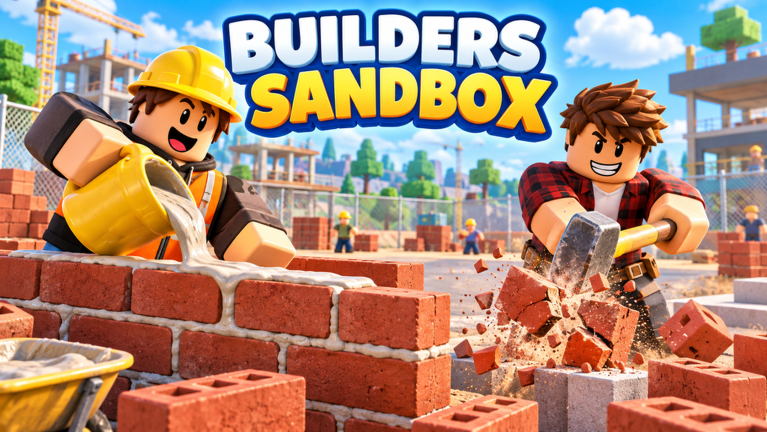
Builders Sandbox is the kind of Roblox experience where the fun lives in the details: placing blocks, lining up a wall, opening a menu, and getting right back to building. That is exactly why the October 2026 update window, framed around balance changes and interface updates, matters so much. It is not the sort of drop that arrives with a giant trailer. It is the sort of drop you feel in your hands the next time you sit down to play.
Why Quality of Life Matters Even Without a Headline Feature
Sandbox games live or die on friction. Every extra click between an idea and a placed piece of furniture is a moment where a player can lose momentum. Balance passes and interface passes target that friction directly. They do not usually trend on social media the way a new map or a limited item does, but they are the updates that decide whether a session lasts ten minutes or two hours.
For Builders Sandbox, the appeal has always been the loop of gathering, arranging, and showing off a build. Anything that tightens that loop pays compound interest across every session afterward. A cleaner menu means faster loadouts. Smoother controls mean fewer misplacements. Fewer soft locks means fewer aborted builds. In practice, this kind of patch is less about new content and more about respecting the time players already put in.
Interface Updates: Less Menu, More Building
The interface half of an October patch is where players notice change first, because the UI is the first thing you touch every session. The quality of life angle here points at the everyday annoyances that accumulate over weeks of play:
- Menu navigation that cuts down on nested screens, so inventory, build pieces, and settings are fewer taps apart.
- Clearer selection feedback, so you can tell at a glance what is highlighted before you commit a placement.
- Consistent panel layout across screens, which reduces the muscle memory resets that happen every time a panel moves.
- Readable text and icon sizing in the build tray, so small pieces are not confused with each other on a phone screen.
None of these are showy. All of them change how a session feels. When a UI update is done well, players stop noticing the interface and start noticing their build again.
Control Improvements That Change Daily Play
Balance changes in a builder are usually less about damage numbers and more about input. Sensitivity, camera behavior, snapping, and rotation are the real balance levers in a sandbox. A patch that steadies camera movement while placing, or that makes rotation steps predictable, quietly raises the skill ceiling: builds get cleaner, and players spend less time fighting the tool.
Camera and placement behavior also have a fairness angle. A builder on a phone with a touchscreen is fighting different physics than a builder on a desktop. Controls that hold up across input types are a balance change in the truest sense, because they narrow the gap between devices rather than between players.
Bug Fixes That Quietly Save Builds
The most valuable lines in any Builders Sandbox patch notes tend to be the unglamorous ones. Fixes around placement glitches, items that would not detach, UI panels that failed to close, and progress that did not register are the ones players actually feel. Losing a half-finished room to a soft lock is the fastest way to end a session early, so stability fixes are content in everything but name.
Performance trims belong in this category too. Smoother frame rates in dense builds mean players can keep expanding instead of stripping back a room to make it run.
Accessibility Additions
Accessibility is where interface work has its biggest reach. Adjustable text size, higher contrast in menus, remappable or alternative control options, and reduced motion settings all widen who can comfortably play. For a Roblox audience that skews young and spans every device tier, these additions are not a niche concern. They decide whether a player can build at all on a given day.
What Builders Are Saying
Sentiment around quality of life patches in the Builders Sandbox community follows a familiar pattern. Players who log in daily tend to welcome them: the fixes remove annoyances they had already worked around, and a smoother build flow is immediately noticeable. The recurring criticism is pacing, with players wishing the same care shown to menus and controls would reach new content at the same speed. That tension, stability versus new stuff, is the standard conversation around any sandbox update, and October's balance and interface focus puts it squarely on the table.
FAQ
Q: What did the October 2026 Builders Sandbox update focus on?
The update centered on balance changes and interface updates, meaning quality of life work: menu and UI improvements, control and camera refinements, bug fixes affecting everyday building, and accessibility options. It is aimed at smoothing existing play rather than adding a headline feature.
Q: Do I need to do anything to get the Builders Sandbox interface changes?
Interface and control updates apply automatically when you launch the game and it finishes updating. If a menu looks the way it did before, close and reopen the experience, and check your device's app store or the Roblox client for a pending update.
Q: Will the balance changes reset my builds in Builders Sandbox?
A quality of life and balance pass is designed to adjust how the game plays, not to wipe what you have made. Your existing builds remain yours. If you notice anything that looks missing after an update, that would be a bug worth reporting to the developers.
Conclusion
The October 2026 Builders Sandbox update is a reminder that the best sandbox patches are measured in seconds saved and frustrations removed. Balance changes and interface updates will not dominate headlines, but they shape every session that follows. Cleaner menus, steadier controls, fixed glitches, and real accessibility options are what keep a builder building. If the pace of new content is your main concern, the hope is that this stability work clears the runway for it. Either way, the game is easier to live in than it was a month ago, and that is a patch worth reading line by line.
Active Builders Sandbox Codes (October 2026)
No verified active codes are available right now for Builders Sandbox.