Introduction
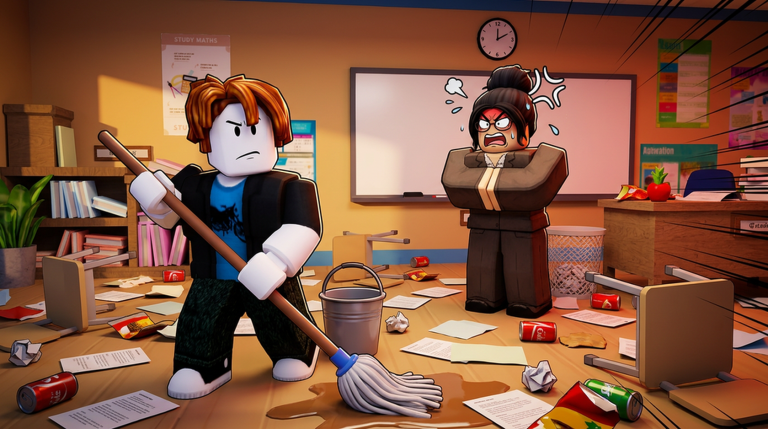
Clean the School! just went through its Full Game Renewal, and this is the perfect time to master the fastest cleaning routes in Roblox. Developed by Fourteam Extra, this cleaning simulator drops you into a school filled with classrooms, hallways, and outdoor zones. Every swipe of your mop or rag earns XP, but how you move between objects makes the difference between a casual play session and a true speedrun. This guide breaks down the best efficiency strategies, from the lobby spawn point to the late-game grind. We also explain how the code system works and what to expect when rewards finally drop.
Why Efficiency Matters in Clean the School!
Clean the School! pushes you to level up through a milestone system. Each new level unlocks better cleaning gear, larger areas, or new tasks. Because the game rewards repetition, the fastest players are those who minimize wasted steps and focus on high-value objects first. The Full Game Renewal added quality-of-life changes to the shop and supplies, but the core math remains: XP per second is king. Learning the best routes now will save you hours of grinding later, especially since the same rooms reset after you leave and re-enter.
The Optimal Early-Game Route
Your first spawn is in the main lobby. Do not run around randomly. Follow this order every time:
- Whiteboard first: It gives the highest XP per swipe and only takes three quick swipes to finish.
- Windows next: Each window pane rewards well, and they sit along the same wall, so a straight line covers them all.
- Desks and chairs: They spawn in clusters, so clean an entire cluster before moving to the next one.
- Trash cans last: They sit near the door, letting you exit the room without backtracking.
Once you clean the lobby, move to the first classroom and repeat the pattern. The game tracks how many times you clean the same object, and repeating a room triggers bonus XP events, so revisit each room after you unlock the hallway.
Mid-Game Time Saves and Skip Strategies
When the hallway opens up, the map grows and the real speedrun begins. Use these tactics to keep your time low:
- Prioritize multi-object rooms: The science lab with sinks, microscopes, and beakers gives far more XP than a plain hallway.
- Skip low-value wall items: Lockers and bulletin boards offer tiny XP per swipe. Only clean them if you are passing directly by.
- Glance at the minimap: The in-game minimap shows you the room layout, so you can plan the next turn without stopping.
- Sweep in straight lines: When you face a row of identical desks, move in one continuous drag instead of lifting your hand between each one.
Also, keep an eye out for the golden mop. It appears in a random room during the mid-game and gives you a 30-second speed boost. If the minimap or a visual cue shows it nearby, change your route temporarily to grab it.
Late-Game Grind Optimization
In the endgame, you have every room unlocked and the best equipment from the shop. Your goal is to hit the highest XP-per-second spots in a loop. The cafeteria and gymnasium are excellent because they have many objects packed into open floors. Use a circular route through each area, cleaning every table, chair, or mat in one pass. Try to complete a full gym rotation in under 90 seconds, then move straight to the cafeteria. If you keep that rhythm going, you will outpace players who wander between rooms. You can also use the backpack to hold a spare rag or mop, which allows you to switch tools without returning to the shop.
Tools and Settings That Help Your Speedrun
Clean the School! has a few settings that serious speedrunners should tweak:
- Camera sensitivity: Set it higher so you can spin around and spot dirty objects faster.
- Auto-center: Turn it off so the camera stays where you want it during a swipe.
- Graphics quality: Lower it to avoid frame drops in crowded rooms, especially on the gymnasium floor.
- Mobile stylus: If you play on a phone, a stylus gives you a faster, more accurate swipe than your finger.
Desktop players should check their mouse DPI as well. A high DPI lets you make long drags without lifting the mouse mid-swipe.
How Codes Work in Clean the School!
Clean the School! is still waiting for its first official redeemable codes. As of the latest check on July 21, 2026, no code or redeem system has been confirmed for this exact Roblox universe. There are currently none to redeem. No rewards can be claimed yet for Clean the School!.
It is important to verify the exact experience, universe 10456038371 by Fourteam Extra, before trusting any code list from another page. A search result for a different universe is unrelated. Do not look for a redemption menu based on a different game. Wait for a creator-listed interface or official announcement before following redemption instructions.
When new codes are released, they will appear in the live list below. This page is monitored and updates the moment codes drop. Keep an eye on the official Roblox description and any creator-owned channels for the redemption interface. Once codes become available, they may expire after a short window, so check back often and redeem quickly.
FAQ
Q: Is there a redeem button in Clean the School! right now?
Not yet. The game does not have a confirmed redemption menu as of the latest check. Once the developer adds one, the live list below will show it.
Q: How can I tell if a code belongs to Clean the School!?
Confirm the universe ID 10456038371 and place ID 132154372694491. Codes from similarly named games will not work.
Q: What should I do if I see a code on another website?
Trust only the official Roblox page and our checked list. Many pages copy codes from namesake experiences that are unrelated.
Conclusion
Speedrunning Clean the School! is all about smart route planning and knowing which objects matter most. Use the early-game order, mid-game skip tricks, and late-game grinding loops to maximize your XP every session. Tweak your settings for smoother swipes, and keep this page bookmarked for code updates. With the Full Game Renewal now live, there has never been a better time to refine your cleaning skills.
Active Clean the School! Codes (October 2026)
No verified active codes are available right now for Clean the School!.