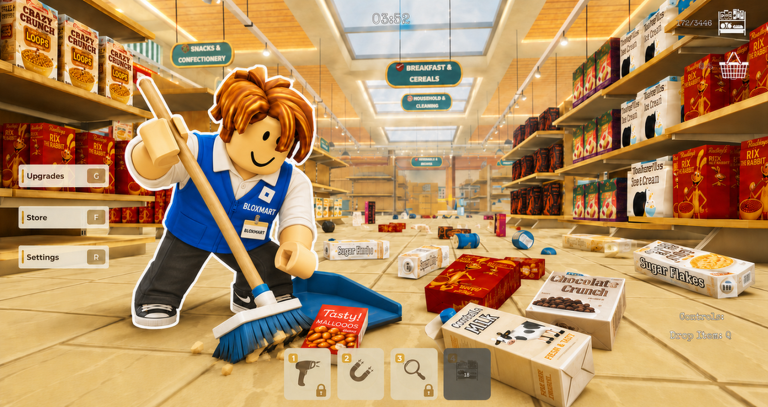
Welcome to the Aisles: Your First Steps
Walking into Clean The Superstore! for the first time can feel like facing a never-ending to-do list. Every aisle has spills, scattered items, and overflowing carts. The satisfying part is that every mess you clean pays you in cash. But you will quickly notice that some cleaning tasks are worth more than others, and how you spend your first earnings determines how fast you grow.
This guide for August 2026 focuses on the starter strategy that gets you past the early grind quickly, the common mistakes that slow down new players, and how to stay ready for future reward drops. While there are no rewards to redeem right now, keeping an eye on the live list below this article is the best way to catch new codes the moment they appear. The developer group, CleanTogether, has not yet introduced a public code system, and no official Trello or Discord channel was listed on public sources as of August 12, 2026. That means this page is your most reliable hub for both gameplay guidance and reward updates.
How to Redeem Codes When They Appear
Clean The Superstore! has not launched a code redemption system yet, so there are currently none to redeem. That situation can change without warning. When the developer introduces codes, they will appear in the live list below this article, and you will be able to redeem them directly in the game.
The typical redemption flow in Roblox games requires you to launch the game, open the menu or settings, find the codes field, and enter the code exactly as printed. Capitalization and numbers matter, so copy the code carefully. Most codes expire within a few days, so redeem them as soon as you see them appear. We will keep this section updated, and the moment a code is confirmed, it will show up on this page. Until then, use the early game strategy below to build a strong foundation so you are ready for any future events.
The Fastest Route to Your First Upgrade
Your first fifteen minutes in Clean The Superstore! should be all about reaching the first tool upgrade. The game starts you with a basic mop that cleans slowly, and every spill you clear adds a small amount of cash. The most efficient path is to head straight to the produce section. Produce spills, loose fruit, and smashed crates tend to pile up quickly, and they pay more per cleanup than the floor messes near the entrance.
Work your way through the produce aisle first, then move to the bakery section if it is unlocked. Once you have about 500 cash, stop cleaning and make your way to the upgrade kiosk. Buying the next tier of mop or broom cuts your cleaning time almost in half. That single purchase turns you into a much faster earner, because you can process more messes in the same amount of time. Every minute you spend with the starting tool is a minute of slower income, so prioritize this upgrade above anything else.
Where Your Early Cash Should Go
After the first tool upgrade, your next priorities are simple: unlock the storage room and buy the grocery cart upgrade when it becomes available. The storage room appears after your first restock cycle, and it lets you drag filled trash bags there for bonus cash. This amounts to a small passive income stream that builds up as you continue cleaning. The grocery cart upgrade, which usually appears around level five or six, lets you carry multiple trash bags at once, cutting down on trips and speeding up your entire routine.
Try to avoid spending money on decorations or cosmetic shelf colors during the first few hours. They look nice, but they do not help you clean faster or earn more per mess. Every piece of cash should go into speed, capacity, or new section unlocks until you feel comfortable with your basic earning rate. Only after you have the cart and the storage room should you consider buying visual updates for your store.
Mistakes That Stall Your Momentum
A few common mistakes send new players into a slow loop. The biggest one is ignoring the restock timer. The store cleans up and then suddenly the floor is covered again. This restock event happens roughly every three minutes, and it hits every section at once. If you are in the middle of dragging a trash bag to the storage room, you might lose track of time and get overwhelmed. Learn to watch the small display in the corner of your screen that shows the restock countdown. Plan your trips to the storage room so you finish before the next wave appears.
Another mistake is rushing to rebirth as soon as you hit level 20. Rebirth resets everything, so if you do it too early you lose your upgraded tools and unlocked sections before you have built a strong base. Wait until you have at least the auto-sweeper drone (available around level 10) and a few key upgrades in place. Only then will the permanent multiplier from rebirth pay off faster than the time you lose from resetting.
Finally, do not spread your early cash across every section like the pharmacy and the checkout area at the same time. New sections cost more than you think, and each one adds more messes on top of your existing workload. Unlock them one at a time, and only when you have the cart upgrade to keep up with the increased volume.
Putting It All Together: A Sample First Hour
Here is a practical route for your first hour in the game. Start by completing the tutorial tasks, because they reward you with your first mop upgrade and a small cash bonus. Then move to the produce section and clean until you hit 500 cash. Buy the upgraded mop. Next, continue cleaning across the produce and bakery areas until the storage room unlocks, and start moving trash bags there.
As soon as you can afford the grocery cart upgrade, buy it. From that point, your loop becomes: clean in the nearest dirty section, fill your cart, haul the bags to storage, collect the bonus, and repeat. Use the restock timer to schedule your trips: finish a haul right before the next restock hits, then start fresh. After you own the cart and the storage room, your income rate climbs quickly, and you can begin unlocking the pharmacy and checkout sections without feeling overwhelmed.
Clean The Superstore! FAQ
Q: What is the restock timer and how does it work?
The restock timer is a countdown in the corner of your screen that shows when every section will refill with new messes. It triggers roughly every three minutes, and when it hits zero, every aisle gets dirty again at once. Use this timer to plan your trips to the storage room so you are not stuck dragging a trash bag when the new wave arrives.
Q: Why should I wait before rebirthing in Clean The Superstore!?
Rebirthing resets your progress, including your tool upgrades and unlocked sections, in exchange for a permanent multiplier. If you rebirth too early, you lose the gear that makes cleaning fast and you have to grind back through the same content. Wait until you have the auto-sweeper drone and a few key upgrades active, so the multiplier multiplies a strong earning setup instead of a weak one.
Q: Which sections should I unlock first after the produce aisle?
After the produce and bakery sections, focus on the storage room as soon as it appears. The storage room gives you bonus cash for dragging trash bags there, which acts like a small passive income. After that, purchase the grocery cart upgrade to increase how many bags you can carry per trip. The pharmacy and checkout sections are more expensive and add more messes, so save them until your cart and storage room are in place.
Final Thoughts
Clean The Superstore! rewards players who plan their early moves carefully. Prioritize the first tool upgrade, unlock the storage room, invest in the grocery cart, and watch the restock timer. Avoid the three common pitfalls: ignoring the timer, early rebirth, and spreading cash across too many sections. Once the developer introduces codes, you will find them in the live list below this page. Until then, use this playbook to turn a messy supermarket into a smooth, profitable routine.
Active Clean The Superstore! Codes (October 2026)
No verified active codes are available right now for Clean The Superstore!.