Welcome, aspiring clickers, to the ultimate guide for mastering code redemption in Clicking Simulator Ultimate! This popular Roblox experience, developed by Tap Creations, challenges players to accumulate clicks, hatch powerful pets, and explore new worlds. While the core gameplay loop is engaging, free rewards obtained through codes can significantly accelerate your journey. Understanding the game's frequent update schedule and where to reliably find new codes is key to optimizing your claim strategy and staying ahead of the curve. With updates often dropping twice a week, a timely approach to code redemption can make all the difference in your clicking adventure, especially with recent additions like the Trading Plaza, Ascendant Pets, and Artifacts.
How Code Rewards Fuel Your Progression in Clicking Simulator Ultimate
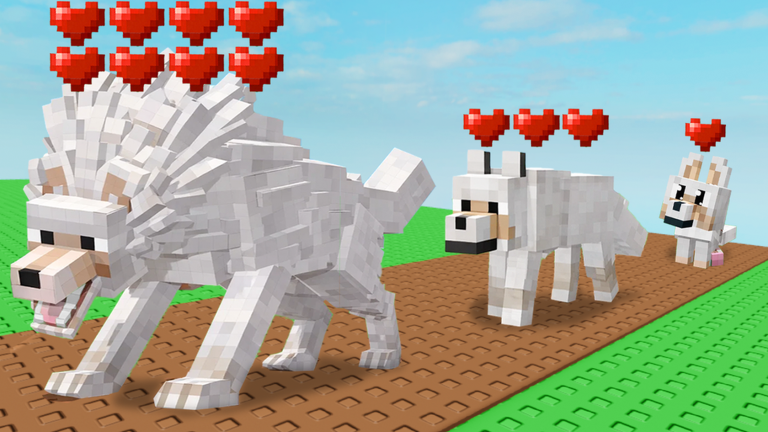
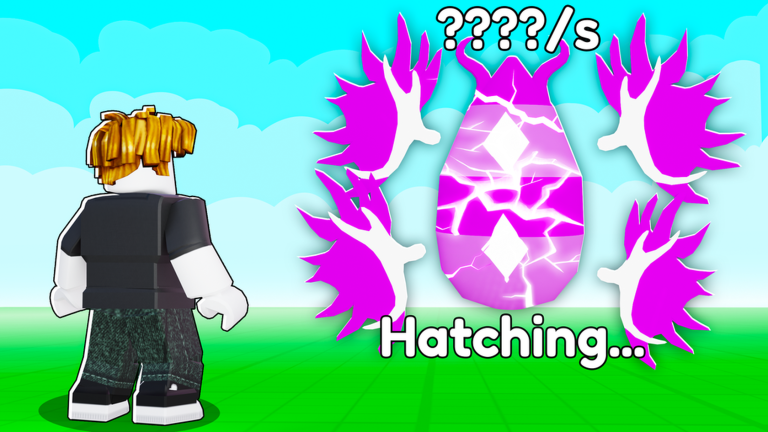
In Clicking Simulator Ultimate, every click brings you closer to unlocking new areas, stronger pets, and valuable upgrades. Codes provide a fantastic shortcut, offering essential items that directly impact your ability to progress. These freebies often include pets, which are fundamental for boosting your click output and are crucial for advancing through the game. Pets are a very important part of the game, offering special clicking multipliers that contribute to more clicks, with better islands yielding better eggs and more powerful pets. Various potions, another common code reward, grant temporary buffs like increased clicks, luck, or gem multipliers, providing a significant, albeit temporary, edge. Lucky Blocks, frequently distributed through codes, can contain enchant tokens, additional clicks, and gems, all crucial resources for enhancing your pets and unlocking advanced features like the upgrade tree and potion crafting. For new players, these initial boosts are particularly impactful, providing a solid foundation to quickly overcome early-game hurdles and delve deeper into the simulator's expansive content. Leveraging these free rewards effectively means you can reach higher click counts, rebirth more frequently for gems, and acquire better pets much faster than by grinding alone, ultimately lessening the overall grind. Rebirthing, for instance, resets your progress but grants valuable gems that can be used to unlock powerful upgrades, making your clicks faster and helping you acquire even more pets.
Where to Find Official Code Announcements for Clicking Simulator Ultimate
Staying informed about new code releases is paramount for any dedicated Clicking Simulator Ultimate player. The developers, Tap Creations, frequently release codes in conjunction with game updates, special events, and significant milestones, such as visit counts. To ensure you're among the first to know, it's highly recommended to monitor the official developer channels. The primary sources for new code announcements typically include:
- The Official Tap Creations Roblox Group: Joining the game's Roblox group often grants access to a free group chest and is a common place for developers to post updates and codes.
- The Official Tap Creations Discord Server: The Discord community is an excellent hub for real-time announcements, sneak peeks, and direct communication from the developers. Many players report finding the latest codes here first, and it's often linked directly from the game's Roblox page.
- Developer's X (formerly Twitter) Account: Following the lead developer, @ZynoDev, on X (formerly Twitter) can also provide timely updates and code drops.
Given that Clicking Simulator Ultimate is known for its frequent updates, sometimes occurring twice a week, keeping an eye on these channels around update times is a smart strategy for code optimization. New codes are also often released for special events, community goals like reaching a certain number of likes or visits, or even as apologies for game issues. For example, recent updates like the 'UPD 7' in April 2026 often coincide with new code drops, making these periods crucial for active players.
Redeeming Codes Quickly After Updates in Clicking Simulator Ultimate
The redemption process in Clicking Simulator Ultimate is straightforward, but acting quickly after a new code drops is crucial due to their potentially limited lifespan. Here’s how to redeem your codes:
- Launch Clicking Simulator Ultimate: Start the game on Roblox and allow it to load completely.
- Locate the Shop Button: On the right side of your screen, you'll find a 'Shop' button, often represented by a basket icon. Click on it.
- Find the Codes Section: Scroll down the Store menu until you see the section dedicated to codes.
- Enter the Code: Carefully type or paste the code into the designated text box.
- Redeem Your Reward: Click the 'Redeem' button to claim your free items.
If a brand new code doesn't work immediately, a common troubleshooting step is to try closing out of the game and re-opening it. This can place you in a new server, which might have an updated build of the game where the code will function correctly.
Signs a Code May Be Expired or Invalid
Encountering issues when redeeming a code can be frustrating, but several common reasons explain why a code might not work. Understanding these can help you troubleshoot:
- Typos and Case Sensitivity: Even a small error in typing, including incorrect capitalization or extra spaces, can render a code invalid. Always double-check your entry or, ideally, copy and paste the code directly from a reliable source.
- Expiration: Codes in Clicking Simulator Ultimate often have a limited lifespan. Developers may announce expiration dates, but sometimes codes are removed without prior warning. It's always best to redeem codes as soon as you discover them to avoid missing out on valuable rewards.
- Already Used: Most codes are designed for one-time use per account. If you've previously redeemed a specific code on your account, you won't be able to claim its rewards again.
- Server Issues: Occasionally, a newly released code might not be active on all game servers simultaneously. If you encounter an issue, try rejoining the game or switching to a different server to see if that resolves the problem.
- Region Locked: While less common, some codes may be restricted to specific geographical regions.
If you've tried these troubleshooting steps and a code still isn't working, it's possible the code has truly expired or is no longer active.
Frequently Asked Questions
Q: Why are my Clicking Simulator Ultimate codes not working?
A: Codes might not work due to typos (they are often case-sensitive), expiration, being already used on your account, or temporary server issues. Always double-check your input and try rejoining the game if a new code fails.
Q: How often are new codes released for Clicking Simulator Ultimate?
A: New codes for Clicking Simulator Ultimate are frequently released, often coinciding with game updates, special events, or when the game reaches new milestones like a certain number of visits. Developers are known to update the game multiple times a week.
Q: What kind of rewards can I expect from Clicking Simulator Ultimate codes?
A: Codes typically grant valuable in-game items such as powerful pets to boost your click output, various potions that provide temporary buffs like increased clicks, luck, or gems, and Lucky Blocks which can contain enchant tokens, additional clicks, and gems.
Conclusion
Codes in Clicking Simulator Ultimate are an invaluable resource for players looking to accelerate their progress and enhance their clicking adventure. By actively monitoring official developer channels like the Tap Creations Discord server, Roblox group, and @ZynoDev on X, you can stay ahead of new code releases. Promptly redeeming these codes for pets, potions, and lucky blocks will provide significant boosts, helping you to achieve higher click counts, unlock new areas, and acquire stronger pets much faster. Remember to troubleshoot common issues like typos or expired codes to ensure a smooth redemption process, and make the most of every free reward available in this dynamic Roblox experience.
This article was compiled by the RoUniverse automation pipeline in April 2026 using publicly available sources and is kept up to date as new information becomes available.
Active Clicking Simulator Ultimate Codes (May 2026)
0 verified codes available for Clicking Simulator Ultimate · 25 unverified
This article was researched and generated using AI tools, then reviewed by the RoUniverse editorial team.