Introduction: Mastering Your Kitchen with Optimized Code Claims
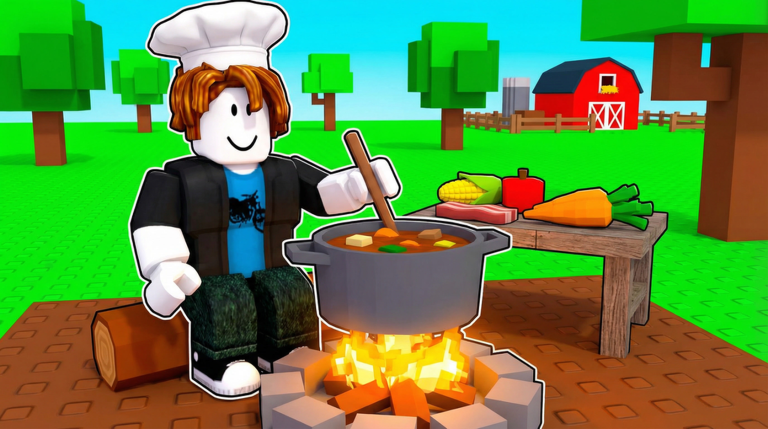
Welcome, aspiring chefs, to the bustling world of Cook a Recipe, the ultimate farm and kitchen tycoon experience on Roblox! Developed by [NEW GAME] Banana Games PLUS, this engaging simulation challenges you to combine ingredients, discover over 500 unique recipes, cultivate your farm, and sell delicious dishes to become a culinary mogul. While the core gameplay revolves around strategic cooking and resource management, understanding and optimizing your use of in-game codes can provide a significant boost to your progression, helping you unlock new possibilities and expand your empire faster. This guide will walk you through the essentials of the code system in Cook a Recipe, from where to find official announcements to how to redeem rewards efficiently.
How Code Rewards Fuel Your Culinary Progression
In Cook a Recipe, every action contributes to your journey from a humble cook to a master chef. You'll spend time farming ingredients, caring for animals, catching fish, and, of course, experimenting with combinations to discover new recipes. Code rewards, when available, are designed to enhance these core gameplay loops. While specific rewards vary, they often include valuable in-game currency, rare ingredients that are otherwise difficult to obtain, or temporary boosts that accelerate your production or earnings. These benefits directly impact your ability to progress by allowing you to:
- Acquire Essential Resources: Codes can provide a quick influx of cash, enabling you to purchase vital ingredients from the shop or invest in farm upgrades to boost your ingredient production.
- Unlock Advanced Recipes: With more resources at your disposal, you can experiment more freely and unlock higher-value recipes, which are crucial for increasing your profits.
- Upgrade Your Kitchen and Farm: Faster progression means you can afford to upgrade your cooking stations, expand your farm, and acquire better equipment, streamlining your entire operation.
- Speed Up Gameplay: Temporary boosts from codes might reduce cooking times, increase selling prices, or provide other advantages that make your culinary journey more efficient.
By strategically claiming and utilizing these rewards, players can significantly reduce the grind, allowing them to focus on the more complex and rewarding aspects of the game, such as discovering exotic recipes and dominating the market.
Where to Find Official Cook a Recipe Codes
For any Roblox game, the most reliable sources for codes are always the official developer channels. For Cook a Recipe, the primary developer is [NEW GAME] Banana Games PLUS. To ensure you're getting legitimate and active codes, always prioritize these sources:
- The Official Roblox Group: The [NEW GAME] Banana Games PLUS Roblox group is a central hub for the community. Developers often post announcements, updates, and sometimes codes directly within the group's feed or description. Joining this group is highly recommended for any dedicated player.
- Developer's Social Media: Many Roblox developers maintain active presences on platforms like Twitter (now X) or Discord. While specific links for Cook a Recipe's social media weren't explicitly found in general searches, it's a common practice for developers to share codes and updates there. Always check the Roblox game page description for any linked social media accounts.
- In-Game Announcements: Keep an eye on in-game notifications or announcement boards. Developers sometimes display new codes directly within the game itself, especially after major updates.
While community wikis and fan sites can be helpful resources, always cross-reference any codes found there with official channels to verify their authenticity and avoid expired or fake codes.
Redeeming Codes Quickly After Updates
New codes are frequently released in conjunction with game updates, special events, or reaching specific player milestones. To make the most of these limited-time opportunities, it's crucial to know how to redeem them swiftly.
Step-by-Step Redemption Process
The code redemption process in Cook a Recipe follows a standard Roblox format, making it intuitive for most players:
- Launch Cook a Recipe: Start the game on your preferred device.
- Locate the Code Redemption Area: Look for a 'Codes' button or a similar icon, often found on the side of the screen, within the settings menu, or as a dedicated interface element. While the exact placement can vary slightly between Roblox games, it's typically easy to spot.
- Enter the Code: A text box will appear where you can type or paste the code. Ensure you enter the code exactly as it's provided, paying close attention to capitalization and any special characters.
- Confirm Redemption: Click the 'Redeem' or 'Submit' button. If the code is valid and active, you'll receive a confirmation message and your rewards will be added to your account.
Timing Your Claims for Maximum Benefit
Optimizing your code claims isn't just about speed; it's also about timing. If a code offers a temporary boost, consider when in your gameplay session it would be most beneficial. For instance, a money boost might be best used just before a major ingredient purchase or an upgrade. Similarly, a cooking speed boost could be activated when you plan a long session of recipe discovery. Staying informed about upcoming updates from the official Roblox group can help you anticipate new code releases and plan your redemption strategy.
Signs a Code May Be Expired or Invalid
Not all codes last forever. Roblox codes are often time-sensitive or have a limited number of uses. Here are common indicators that a code you're trying to redeem might no longer be active:
- "Invalid Code" Message: This is the most straightforward sign. If the game returns an "Invalid Code" or "Code does not exist" message, it typically means the code has either expired, was entered incorrectly, or was never a valid code for Cook a Recipe.
- "Already Redeemed" Message: If you've used the code before on your account, you won't be able to redeem it again. Most codes are single-use per account.
- No Reward Granted: Sometimes, a code might appear to be accepted, but no rewards are added to your inventory or currency count. This can indicate an expired code that the system still partially recognizes but no longer grants benefits for.
- Lack of Official Announcement: If a code is circulating but isn't mentioned on the official [NEW GAME] Banana Games PLUS Roblox group or linked social media, it's best to be cautious, as it might be fake or for a different game.
To avoid disappointment, always try to redeem codes as soon as you find them from reliable sources.
Frequently Asked Questions About Cook a Recipe Codes
Q: How often are new codes typically released for Cook a Recipe?
A: While there isn't a fixed schedule, new codes for Roblox games like Cook a Recipe are often released during major game updates, special in-game events, or when the game reaches significant milestones (e.g., a certain number of visits or likes). Keeping an eye on the official [NEW GAME] Banana Games PLUS Roblox group is the best way to stay informed about potential new code drops.
Q: What kind of rewards can I expect from Cook a Recipe codes?
A: Codes in tycoon and simulator games like Cook a Recipe commonly offer rewards that directly aid progression. These can include in-game currency (like coins or cash), valuable ingredients that are rare or expensive to acquire through normal gameplay, or temporary boosts that increase cooking speed, profit margins, or resource gathering rates. The specific rewards are always designed to help players advance their culinary empire.
Q: What should I do if a Cook a Recipe code isn't working for me?
A: First, double-check that you've entered the code precisely as it appears, paying attention to capitalization and any numbers or symbols. Many codes are case-sensitive. If it still doesn't work, verify that the code is from an official source, such as the [NEW GAME] Banana Games PLUS Roblox group. It's possible the code has expired or you've already redeemed it on your account. If you believe there's a technical issue, you might consider reaching out to the game's support channels, if available, after confirming it's not an expired code.
Conclusion: Master Your Kitchen with Smart Code Management
Codes in Cook a Recipe offer a fantastic opportunity to enhance your gameplay and accelerate your journey to becoming a master chef. By staying connected with the official [NEW GAME] Banana Games PLUS Roblox group, understanding the redemption process, and acting quickly when new codes are released, you can reliably claim valuable rewards. These rewards, whether they provide a burst of cash, rare ingredients, or temporary boosts, are key to optimizing your culinary operations and ensuring your kitchen is always running at peak efficiency. Keep cooking, keep farming, and keep an eye out for those valuable code drops to truly master the art of Cook a Recipe!
This article was compiled by the RoUniverse automation pipeline in April 2026 using publicly available sources and is kept up to date as new information becomes available.
Active Cook a Recipe Codes (April 2026)
0 verified codes available for Cook a Recipe · 11 unverified
This article was researched and generated using AI tools, then reviewed by the RoUniverse editorial team.