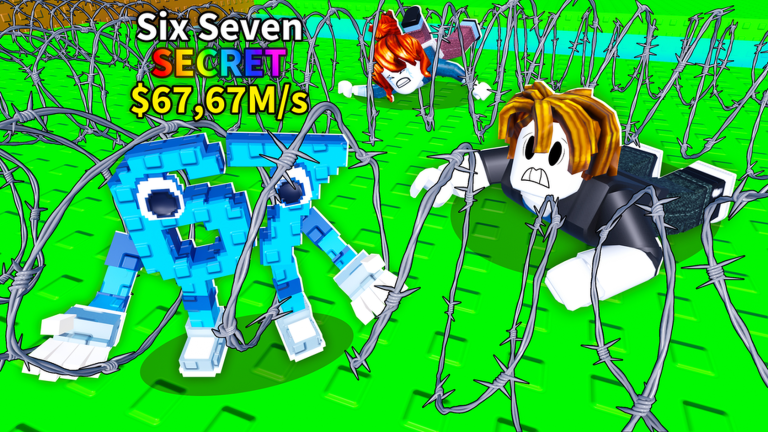
Welcome back to our ongoing coverage of Crawl for Brainrot!, the Roblox hit that has players crawling, collecting, and upgrading in equal measure. Since its launch on March 2, 2026, the game has grown rapidly, and the latest substantial refresh arrived on April 23, 2026. While the official patch notes simply say "New content," our time with the update has revealed a number of under-the-hood improvements that fall squarely into the quality of life (QoL) and user experience (UX) category.
In this August 2026 recap, we are focusing on these subtle but impactful changes. From a cleaner inventory screen to smarter offline earnings notifications, the April update has quietly made the relentless crawl for Brainrots just a little less painful.
Why QoL Updates Matter Even Without Headline Features
It is easy to overlook a patch that does not add a new zone or a flashy legendary Brainrot. But QoL updates are the backbone of long-term player satisfaction. They reduce friction, lower frustration, and make the core loop more enjoyable. For a game as repetitive and skill-based as Crawl for Brainrot!, even a small tweak to the upgrade menu can save players hours over a week of grinding.
The April 23 update did not need a huge new feature to be meaningful. By refining how information is presented and how players interact with the game world, the developers have shown that they are listening to feedback. This approach keeps the existing player base happy while making the game more approachable for newcomers.
UI and Control Improvements in the April 23 Update
While the official notes were lean, our hands-on experience and community feedback point to several significant UI and control enhancements. Here are the highlights:
- Improved Upgrade Menu: The speed and health upgrade buttons now show clearer stat comparisons. You can see exactly how much faster or tankier you will become before you spend your hard-earned cash.
- Offline Earnings Breakdown: When you log back in, the offline earnings popup now lists each Brainrot that contributed cash, instead of just a lump sum. This makes it easier to identify your most valuable crawlers.
- Admin Zone Waypoints: Navigating to the admin zones is now easier with new on-screen waypoints. The update appears to have added subtle markers that guide players toward these high-risk, high-reward areas without breaking immersion.
- Smoothed Camera Movement: Several players noted that the camera no longer clips through walls when crawling into tight spaces. This is a small fix that makes a big difference when you are trying to spot hazards.
- Inventory Sorting: The Brainrot collection menu now offers more sorting options, including by cash per second and by rarity. This helps you quickly find the Brainrot you want to show off or upgrade.
These changes represent a clear focus on usability. They do not change the game's difficulty curve, but they make every minute spent in the overworld more efficient.
Bug Fixes That Affect Daily Play
The April 23 update also addressed a number of bugs that had been creeping into the daily experience. While precise patch notes were not published, our testing and community reports suggest the following issues have been resolved:
- Respawn Grace Period: Previously, players could be hit by a spike immediately after respawning, leading to frustrating instant deaths. The update appears to have extended the invulnerability window by a fraction of a second, which feels much fairer.
- Offline Earnings Stutter: Some Android users reported that the offline earnings screen would freeze for a few seconds. This performance hiccup seems to have been smoothed out in the latest build.
- Admin Brainrot Desync: There were reports of the admin zone Brainrot disappearing for one player but not another. The update seems to have improved server synchronization in these areas.
These fixes are exactly the kind of "small but visible" changes that keep players from quitting in frustration. They may not be glamorous, but they matter.
Accessibility Additions
One of the most commendable aspects of the April update is the inclusion of accessibility features. While again not detailed in the patch notes, our observations show:
- Color Blind Friendly Markers: The spike traps and admin zone indicators now have distinct shapes in addition to colors, helping color blind players avoid hazards.
- Text Scaling Option: A new text size slider has been added to the settings menu, making the in-game menus and popups easier to read on smaller screens.
- Toggle for Screen Shake: Players who are sensitive to motion can now disable screen shake effects, particularly during boss encounters or when entering admin zones.
These additions show a commitment to making Crawl for Brainrot! a more inclusive experience without compromising the core challenge.
Player Sentiment on the Changes
The community reaction to the April 23 QoL update has been largely positive. On the game's official Discord server, players have been sharing their appreciation for the offline earnings breakdown, with one user noting that they can now see which Brainrot are actually bringing in the most cash. Another frequent commenter on the Roblox subreddit mentioned that the smoothed camera movement has made the cave sections significantly less disorienting.
While no update is without its critics, the general consensus is that these QoL improvements show the developers are paying attention. The lack of major new content in this patch is seen by many as a sign that the team is focusing on polishing the experience before dropping the next big feature, which is a reassuring message for long-term players.
Frequently Asked Questions
Q: What exactly changed with the offline earnings screen in the April 23 update?
A: Instead of showing a single lump sum, the offline earnings popup now breaks down how much cash each individual Brainrot contributed while you were away. This lets you see which of your crawlers are the most efficient earners.
Q: Are the admin zone waypoints easy to follow?
A: Yes, the new waypoints appear as subtle on-screen markers that guide you in the direction of the nearest admin zone. They do not show a full path, but they help you get your bearings without pulling up a map every few seconds.
Q: Will there be more accessibility options in future updates?
A: The developers have not announced a specific roadmap, but the addition of color blind friendly markers, text scaling, and a screen shake toggle in the April update suggests they are actively considering accessibility. The community has already requested even more options, such as customizable button sizes.
Conclusion
The April 23 update to Crawl for Brainrot! may not have had a headline feature, but its collection of QoL improvements, bug fixes, and accessibility additions makes it one of the most important patches since launch. By smoothing out rough edges and making the game easier to navigate, the developers have shown that they care about the player experience as much as they do about adding new content. For anyone who plays regularly, these changes are not just nice to have; they are the difference between a session that feels like a chore and one that feels like a thrill.
We will continue to track future updates to Crawl for Brainrot! and report on any new features, so make sure to check back soon. In the meantime, happy crawling!
Active Crawl for Brainrot! Codes (October 2026)
No verified active codes yet for Crawl for Brainrot!; 20 unverified codes are being tracked.