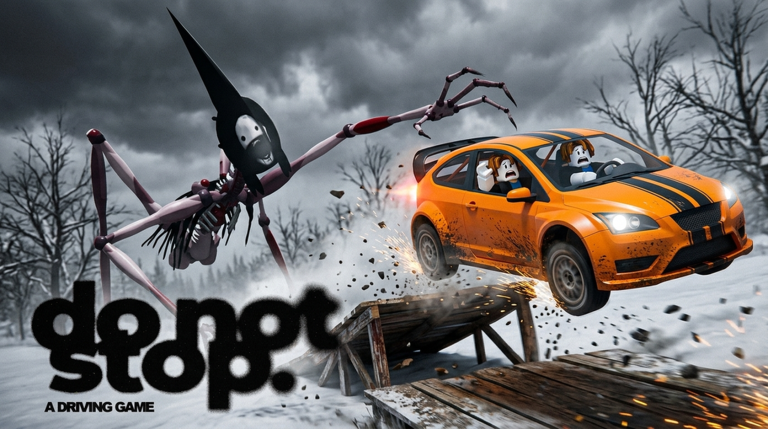
Do Not Stop is a first-person survival horror driving game on Roblox inspired by analog horror creatures and stories. It puts you behind the wheel with something terrifying on your tail, and stopping for even a moment can spell trouble. Codes matter in this game because they hand you free credits, which go straight into the Garage toward vehicle upgrades, speed boosts and cosmetic crates. Understanding how and when those codes appear is the difference between an upgraded car and a monster catching you on the road.
Why code drops follow updates in Do Not Stop
Across November 2026, coverage from Dexerto, Beebom, PCGamesN and GameRant all tracked the same pattern: new codes arrive in bursts that line up with game updates rather than on a fixed daily schedule. Dexerto added two new codes on November 17, Beebom mirrored that same update on the same day, and PCGamesN noted another pair added on November 22. That clustering is the useful takeaway for reward planning. When the developer pushes fresh content, expect a matching wave of codes, and expect quiet stretches in between.
What this page tracks for you
This page monitors six codes for Do Not Stop, each cross-checked across multiple independent outlets and community sources, with the last verification run on November 22, 2026. None of the tracked codes had expired at that point. Instead of a static list that quietly goes stale, the widget below reflects the currently verified state of the game's code pool, so you can grab what works and move on. The handoff is simple: use the live list below after the ad, then keep reading for redemption fixes and update tracking.
Active Do Not Stop Codes (November 2026)
6 verified codes available for Do Not Stop.
| Code | Reward | State | Votes | Copy |
|---|---|---|---|---|
| 250 credits | OK | |||
| 200 credits | OK | |||
| 150 credits | OK | |||
| 250 credits | OK | |||
| 250 credits | OK | |||
| 250 credits | OK |
How to redeem codes in Do Not Stop
- Launch Do Not Stop in Roblox and complete your first drive. The Shop and code redemption options stay locked until that first run is finished.
- Open the SHOP button on the left side of the screen. Some guides describe this as the Garage menu, but it is the same entry point.
- Select the CODES tab at the top of the window.
- Enter an active code in the text box, then hit REDEEM to claim the credit reward.
Why a Do Not Stop code might fail
Most failures come down to typing. Codes are case sensitive and easy to mistype while you are rushing back to the road, so pasting the entry directly into the box removes that risk entirely. Other common causes include trying to redeem before your first drive is complete, entering a code you already claimed, or using a code that has quietly expired. Codes do not stay valid forever, and once one drops off the verified list it will not work again.
Where developers announce new codes
The official Do Not Stop Discord server is the primary channel for announcements, and GameRant points players to that server directly. Content creators on YouTube also publish roundups whenever a batch goes live, which is handy for catching a drop the same day it lands. Bookmarking a tracked guide remains the most reliable habit, because new codes rarely announce themselves inside the game client.
Reading the update cadence and expiry signals
Do Not Stop's November 2026 window shows a clear rhythm: updates on the 17th, more additions by the 22nd, and no expired codes reported by any of the tracked outlets at the time of writing. When a code does expire, it will be pulled from the verified list rather than left in place to waste your time. Check the verification date near the live widget before you assume a code from an older guide still works.
Q: Can I redeem a Do Not Stop code before finishing my first drive?
No. The Shop and the CODES tab stay hidden until your first drive is complete, so finish that opening run before attempting any redemption.
Q: What do Do Not Stop credits actually buy?
Credits are spent in the Garage on faster, better performing vehicles and speed upgrades that help you stay ahead of the creature chasing you. They can also go toward crates containing vehicle skins and other cosmetic items if you would rather focus on looks.
Q: How often should I check for new Do Not Stop codes?
Check right after any content update, since November 2026's drops arrived in bursts tied to updates rather than on a daily rhythm. Between those moments, the live list on this page will tell you what is still verified.
Q: Why does one outlet list a code as new while another does not?
Outlets verify at different times. Dexerto and Beebom both refreshed on November 17 while PCGamesN updated on November 22, so timestamps differ even when the code pool is identical. Trust the verification date over the headline.
The bottom line for Do Not Stop is straightforward: treat codes as an update-tied resource, redeem them through the Garage's CODES tab after your first drive, and let the live verified list, not an old article screenshot, decide what still works. Keep driving, keep upgrading, and let the credits do the catching up for you.