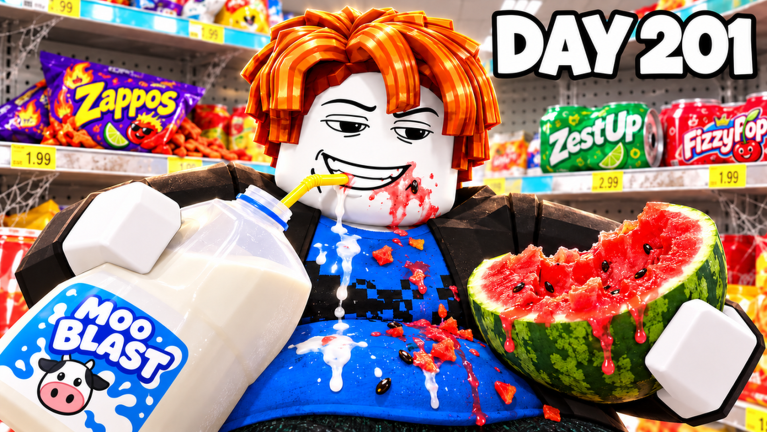
Why Rotation Order Decides Your Clear Speed
Eat Everything In A Grocery Store gives you a simple loop: enter a locked supermarket, eat every food item, collect calories, spend earnings, and clear the store. What separates a slow run from a leaderboard run is not appetite, it is sequencing. Calories Eaten and Fastest Store Cleared are both tracked, so every second you waste chewing shelf food at low bite power costs you a spot. This guide breaks down how to rotate your gym upgrades, how to route the store sections, and how to exploit hidden mechanics like the Golden Banana to clear the whole store faster, solo or with friends.
Advanced Upgrade Rotations: Hold to Eat, Speed, Multi Eat
The gym is where runs are won. The three upgrades that matter most are Hold to Eat, Speed, and Multi Eat, and the order you buy them changes your calorie curve dramatically.
- Hold to Eat first. Your opening rotation should put early cash into Hold to Eat. At the start of a run your bite power is low, so eating one item at a time is the bottleneck. Hold to Eat lets you keep chewing while you walk, which means you convert travel time between aisles into eating time instead of dead air.
- Speed second. Once you can eat continuously, movement becomes the limiting factor. Speed upgrades shorten the walk between the shelf food rows and the warehouse pallets, which are the two zones that take the longest to cross. Speed also improves your route efficiency in multiplayer, where multiple players split the floor.
- Multi Eat last but biggest. Multi Eat is the multiplier that lets you consume several foods at once. It is expensive, so buying it too early starves your Speed progress, but delaying it too long means you crawl through the large targets late in the run. The sweet spot is purchasing your first Multi Eat tier the moment the remaining store sections shift from many small items to clusters of large targets.
Think of it as a rotation, not a shopping list. Hold to Eat opens the run, Speed compresses the middle, and Multi Eat finishes it. Players who dump everything into Multi Eat early end up slow and stuck; players who never buy it spend the last quarter of the run chewing one pallet at a time.
Efficient Store Routes: Shelf Food, Pallets, Large Targets
The Food Index tracks 175 foods, and they are not distributed evenly. Shelf food is dense, small, and scattered across aisles. Warehouse pallets are bulky and clustered. Large targets are few but calorie heavy. An efficient route treats these as three phases.
- Phase one, clear the aisles while bite power is cheap. Sweep shelf food in long diagonal passes rather than straight lines. Diagonals let Hold to Eat keep working while you approach pallet clusters.
- Phase two, hit the warehouse pallets with Speed active. Pallets sit farther from spawn, so this is where Speed upgrades pay back. Clean them out in one loop instead of doubling back.
- Phase three, finish large targets with Multi Eat. This is the phase where eating several items at once is worth the most, because large targets are spaced out and each one takes longer to finish alone.
The Fast Clear Guide community resource calls these section plans out for a reason: speedrunners treat the store as a route, not a buffet.
Hidden Mechanics: The Golden Banana and 175 Foods
The Food Index lists all 175 foods, including one that does not appear on any shelf label: the hidden Golden Banana. It is easy to miss because it is not part of the standard section sweep, and players who never check for it lose the completion credit that pushes a run from good to full clear. Build a habit of checking the odd corners of the store after phase two, before you commit to the large targets, so a Golden Banana find does not force a detour.
Another hidden efficiency: calorie thresholds. Because the leaderboard ranks Calories Eaten, banking a full clear is not always better than a targeted high-calorie sweep when you are chasing a teammate's score. Know which one you are playing for before you start the rotation.
Practical Strategy Examples: Solo vs Group Runs
Solo run example. Prioritize Hold to Eat, run aisle diagonals, transition to pallets at mid run, buy your first Multi Eat tier, hunt the Golden Banana, then clean up large targets. Your goal is a full store clear with a strong calorie total.
Group run example. Multiplayer roles matter more than raw upgrades. Assign one player as the pallet runner, one as the large target specialist with the highest Multi Eat, and one as the aisle sweeper who also checks for the Golden Banana. Splitting the floor this way means nobody crosses the same aisle twice, and the Fastest Store Cleared timer drops hard. If your team is small, rotate roles halfway so everyone accumulates calories for the leaderboard rather than one player hoarding the score.
Frequently Asked Questions
Q: What upgrade should I buy first in the gym?
A: Hold to Eat. It converts movement between aisles into eating time, which matters more than raw Speed when your bite power is still low.
Q: Where does the hidden Golden Banana appear?
A: It is a hidden food in the Food Index and does not show up in the standard shelf food or pallet sweep, so check store corners after clearing pallets and before finishing large targets.
Q: How do multiplayer roles speed up a store clear?
A: Assign dedicated roles, such as pallet runner, large target specialist with high Multi Eat, and aisle sweeper, so no section is covered twice and the Fastest Store Cleared timer improves.
Conclusion
Eat Everything In A Grocery Store rewards players who treat a run as a rotation: Hold to Eat to open, Speed to compress the middle, Multi Eat to finish. Route the aisles diagonally, loop the warehouse pallets once, bank your large targets for last, and always keep an eye out for the Golden Banana. Run those habits solo and you climb Calories Eaten. Split them across roles with friends and you chase Fastest Store Cleared instead. Either way, the store does not stand a chance.
Active Eat Everything In A Grocery Store Codes (October 2026)
No verified active codes yet for Eat Everything In A Grocery Store; 1 unverified code is being tracked.