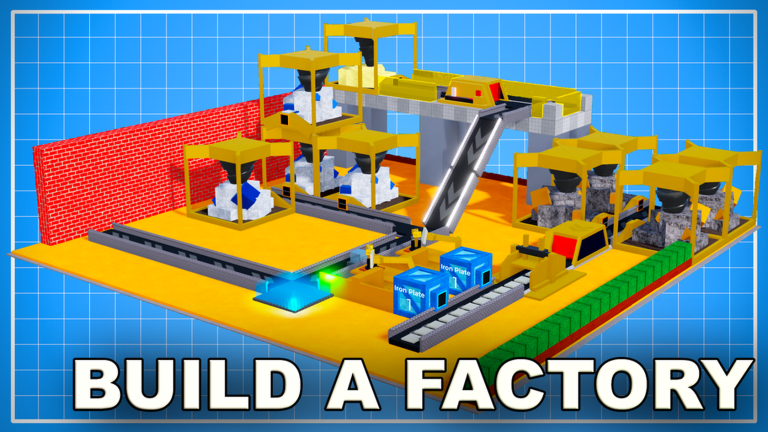
Introduction: Build Your Industrial Empire Without Wasted Time
Factory Simulator is a popular Roblox construction and management game from Gaming Glove Studios. Since its release in May 2021, it has drawn hundreds of thousands of players who cut trees, mine ore, refine oil, and build a massive factory from the ground up. In this guide, we are looking at Factory Simulator through a speedrunner's lens, because the fastest route to a thriving industrial empire is also the most fun. This article covers the early-game route, mid-game time saves, and late-game grind optimization. And if you are looking for free boosts, we keep this page updated with the latest code drops. Right now, there are none to redeem, but that can change at any moment.
Why Efficiency Matters in Factory Simulator
Factory Simulator rewards players who think ahead. Every wasted trip from a resource node back to a sell point is lost income. Speedrunners know that the order of purchases can save minutes. For example, a better tool might let you chop trees faster, but a second storage crate might eliminate a walk. In the early game, you are managing a single resource chain, but before long you are balancing wood, ore, oil, and advanced crates. Cash boosts and walk speed increases are common code rewards, but since there is nothing to redeem right now, you need to earn every coin through efficient play.
The Optimal Early-Game Route
Start at the spawn and follow this route to get moving quickly:
- Cut everything in the immediate area. Do not wait for a full inventory; sell small loads to build cash steadily.
- Buy the first upgrade that increases your selling value or walking speed. Speed is king in the opening minutes.
- Unlock the mining area as soon as you can afford it. Wood is easy, but ore sells for more.
- Place any unlocked production buildings near the resource node, not near the sell point. You want to minimize carrying distance.
- When you see the oil refining section, make that your next goal. Oil is a big step up in value.
This route is not about mashing buttons. It is about making every click count. If you can afford an auto-seller, buy it before you buy a cosmetic upgrade. If you see a double cash boost code appear in the live list on this page, use it early in a farming session to maximize your earnings. But remember: there are currently none to redeem.
Mid-Game Time Saves and Skip Strategies
Once you have multiple resource chains, time is spent travelling between them. The game offers various ways to cut that down. Look out for code rewards that give walk speed boosts or bonus cash. When a double cash boost is live, that is the perfect time to do a long farming session. Advanced crates from codes can also help you skip part of the grind.
Another time saver is knowing your map layout. Spend a few seconds after unlocking a new area to memorise where the resource nodes are in relation to your storage and selling points. Place your refineries and storage units in the right places. The difference between a messy base and an organised one is enormous. One tip from the community: always check the settings screen when you open the game. That is where code redemption happens, and it is also where you can adjust your audio and graphics. If your game runs slowly, lowering the graphics quality can make your farming much faster on a weak device.
Late-Game Grind Optimization
In the late game, you are combining many resource types. The fastest Factory Simulator players focus on the highest-value resource they can currently produce. If oil is available, spend most of your time there, only returning to wood and ore when you need them for a specific upgrade.
Codes remain an important tool for late-game players. A cash reward that takes ten minutes to earn manually can be claimed instantly with a code. But codes are not permanent. The developer releases them for milestones, events, and community celebrations, and they expire after a short period. That is why we check for code changes regularly. When a new code drops, it will appear in the live list. Until then, the best thing you can do is keep your factory layout clean and your upgrades balanced.
Tools and Settings That Help
Factory Simulator does not have an official speedrun mod, but you can make your game run smoother. In the Settings button, you will find the code redemption box and options to change graphics quality. If your device is struggling, turn the graphics down. You should also disable any visual effects that are not needed.
Another tool is your own memory. Learn the fastest path from each resource node to the area where you buy upgrades. Speedrunners often use landmarks to navigate without looking at the minimap. In Factory Simulator, the layout is fixed, so once you memorise it, you never waste time searching for nodes.
FAQ
Q: How do I redeem codes in Factory Simulator?
Open the game and click on the Settings button. In the new window, find the section that says "Enter the code". Type the code exactly as it appears, respecting uppercase, lowercase, and special characters. Then click the Activate button. You will see your reward in game.
Q: Why did my code expire?
Factory Simulator codes are time-limited. The developer releases them for special milestones like a number of favorites or YouTube subscriber goals. Once the event ends or the milestone is passed, the code stops working. Always redeem new codes as soon as you see them.
Q: Where can I find new Factory Simulator codes?
This page is updated whenever new codes are released. You can also join the official Discord server where the developer often posts announcements. Some codes are advertised in YouTube videos and social media posts, so stay active in the community.
Conclusion
Factory Simulator is an addictive mix of resource management and factory building. By following a speedrunner's mindset, you can grow your industrial empire much faster. Use the early-game route, plan your base layout, take advantage of boosts when they appear, and always keep an eye on the code section. Right now there is nothing to redeem, but that could change any day. Bookmark this page, check back often, and get ready to claim your rewards the moment they drop. Happy building!
Active Factory Simulator Codes (November 2026)
No verified active codes yet for Factory Simulator; 29 unverified codes are being tracked.