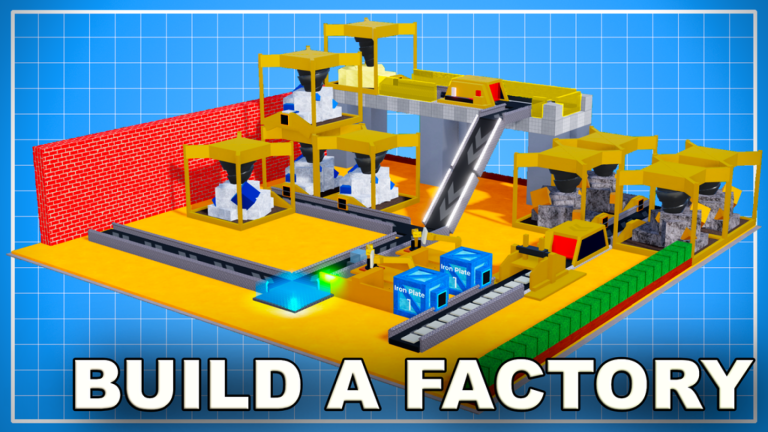
Top Tips for Factory Simulator
To truly excel in Factory Simulator, a strategic approach to your factory design and resource management is essential. Implement these top tips to boost your efficiency and earnings:
- Plan Your Layouts Meticulously: Before placing machines, plan an efficient layout that minimizes conveyor length and maximizes throughput. Optimal layouts are crucial for higher tiers, such as Tier 2, 3, 5, 6, and 7, to ensure a smooth flow of resources and products.
- Prioritize Machine Upgrades: Continuously upgrade your machines to their highest available tiers, such as Platinum and Ruby, as this significantly increases your production speed and income.
- Focus on Automation Early: Your ultimate goal should be a fully automated factory that generates passive income. Invest in machines and conveyors that allow for continuous production without manual intervention.
- Complete Missions for Rewards: Especially in the early game, actively complete missions. These often reward you with essential starter items like mines and valuable cash, giving you a significant head start.
- Invest in Larger Trucks: As your factory grows, you'll need to transport more resources. Acquire bigger trucks as quickly as possible to increase your cargo capacity and travel speed across the map.
- Utilize Vertical Space: Don't be limited by your initial plot size. Factory Simulator allows you to build on multiple layers, enabling you to expand your production vertically and scale your operations significantly.
Hidden Secrets & Undocumented Tricks
Uncover these lesser-known tricks to gain an edge in Factory Simulator:
- Stack Mines for Compactness: A clever trick allows you to stack mines. Build up five blocks, place a mine, then delete the blocks and place another mine underneath, creating a compact resource generation area.
- Crate Splitting for Efficiency: You can use a single crate to split items into two different output paths, which can save valuable space in your factory design.
- Conveyor Loop Distribution: Employ a stack crate to create a conveyor loop. This allows for the equal distribution of items to multiple processing machines, ensuring none are starved of resources.
- Ramps Without Shoots: While shoots are often used with ramps, they are not always necessary. Ramps can function perfectly fine without them, potentially saving space, though adding a shoot can resolve buggy item flow.
- Extended Item Pulling Range: Crates and machines can pull items from a distance of up to two blocks, offering more flexibility in your layout design than you might initially assume.
Pro Strategies for Maximum Efficiency
Elevate your factory to peak performance with these advanced strategies:
- Tier-Specific Optimization: Instead of rushing to the next tier, fully optimize your current tier's production. Develop efficient layouts for the materials and products of your current tier to maximize profit before advancing.
- Identify and Eliminate Bottlenecks: Regularly monitor your production lines to identify any bottlenecks – points where items accumulate or machines sit idle. Focus your upgrades and expansions on these areas to maximize overall throughput.
- Strategic Machine Chaining: Understand the optimal processing chains for different materials (e.g., Furnace -> Press -> Extruder for certain ingots). Arrange these machines in a direct sequence with minimal conveyors to reduce travel time and maximize output.
- Multi-Floor Specialization: Dedicate different floors of your factory to specific stages of production or different product lines. This helps in organizing complex setups and prevents resource cross-contamination.
- Early Game Quest Rush: In the very beginning, prioritize completing the initial quests like 'mine 10 rocks' or 'cut 10 trees'. The rewards, such as free mines and cash, are invaluable for quickly establishing your first automated setup.
Factory Simulator FAQ
Q: How do I get started in Factory Simulator?
A: Begin by completing the initial missions, such as mining rocks and cutting trees. These quests provide essential starting cash and free basic machines like mines, which are crucial for your first automated setup.
Q: What are the most important machines to acquire early on?
A: Early on, focus on acquiring basic processing machines like Cutters, Furnaces, Presses, Extruders, and Assemblers. As you progress, Dual and Advanced Assemblers become vital for crafting higher-tier products.
Q: How can I make money faster in Factory Simulator?
A: To earn money quickly, focus on building efficient automated factories, continuously upgrading your machines to higher tiers, and optimizing your factory layouts to ensure a constant flow of high-value products.
Q: Can I expand my factory beyond the initial plot?
A: Yes, you can expand your factory by building on multiple layers. This allows you to significantly increase your production capacity without needing more horizontal land.
Q: What is a bottleneck in Factory Simulator and how do I fix it?
A: A bottleneck is any part of your production line that slows down the entire process, such as a machine that can't keep up with its inputs or outputs. To fix it, identify the bottleneck and upgrade the responsible machine, add more machines, or optimize the conveyor system around it.
Conclusion
Factory Simulator offers a deep and rewarding experience for players who enjoy optimization and automation. By applying these advanced tips, hidden tricks, and pro strategies, you'll be well on your way to building a highly efficient and profitable factory. Remember to continuously experiment with layouts, prioritize upgrades, and always look for ways to streamline your production lines to dominate the game.
Active Factory Simulator Codes (April 2026)
0 verified codes available for Factory Simulator · 11 unverified
This article was researched and generated using AI tools, then reviewed by the RoUniverse editorial team.