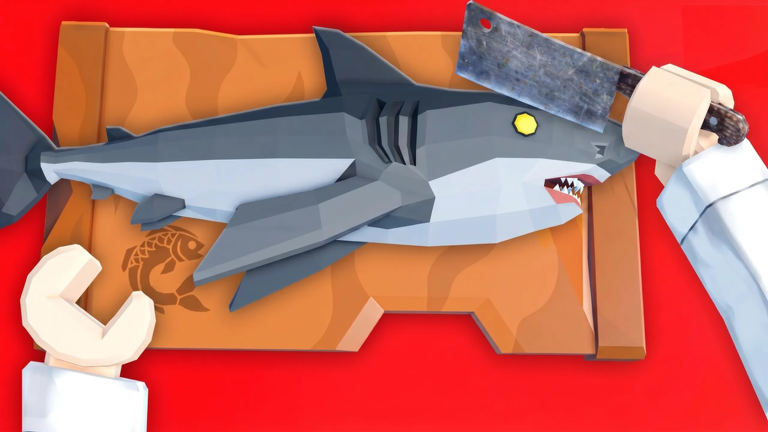
Fishing Chef turns the solo act of fishing into a bustling cooperative adventure. Set in the vibrant world of Mura, this Roblox experience combines catching fish, cooking gourmet meals, and running your own Night Market stall. While you can absolutely play alone, the game's social systems shine when you bring friends along. Server-wide luck boosts, shared events, and the thriving Discord community all encourage teamwork. In this guide, we break down the multiplayer and social features that make Fishing Chef more fun with a crew, and how you can use them to cook up bigger profits.
Overview of Social and Multiplayer Systems
At its core, Fishing Chef is an adventure MMO-lite where you spend your days sailing unique biomes, upgrading your boat, and reeling in rare exotic fish. When night falls, the kitchen opens and you serve hungry customers at your Night Market. The shared world of Mura means you'll run into other players constantly, both on the water and in the marketplace.
The most important social mechanic is the server-wide luck boost. Certain codes give everyone in the server a temporary luck buff, which increases your chances of catching valuable fish. Because these boosts apply to all players in the server, they naturally promote coordination. You'll want to friend up and plan when to activate these boosts for maximum effect.
Beyond that, the official Discord server acts as the game's social hub. It's where the developers announce new codes, and where players gather to share tips, find group members, and stay updated on events. Joining the Discord is the single best thing you can do for your long-term enjoyment of Fishing Chef.
How to Find or Form a Group
Forming a group in Fishing Chef is easy. Start by joining the official Discord server, which you can find from the game's Roblox page. Look for a "Channels and Roles" tab and navigate to the code channel or general chat to see players looking for others. Many players use Discord to arrange fishing trips and night market shifts.
Alternatively, add Roblox friends who enjoy the game and invite them to your private server. If you have a public server, use the in-game chat to ask if anyone wants to team up. The best groups have a shared goal, such as working toward a big boat upgrade or completing an event.
Building a Night Market Crew
A balanced Fishing Chef crew divides tasks based on players' strengths. One player can focus on fishing using a high-level rod, another on cooking the catch into premium dishes, and a third on serving at the Night Market during peak hours. This assembly line approach lets you process more fish and earn more Cash together than you could alone.
If you have a larger group, split into two teams: a fishing team that explores different biomes, and a cooking/serving team at the market. On server-wide luck boost days, the fishing team should go all out, while the cooking team stocks up. Rotate roles periodically so everyone gets to enjoy every part of the game.
Cooperative Mechanics and Server Boosts
The key cooperative mechanic in Fishing Chef is the shared luck boost. When one player activates a server-wide boost code, everyone in the server gets the benefit. This means your group can coordinate to activate boosts at the same time, but remember: luck boosts do not stack. Running multiple boosts at once wastes their duration. Instead, stagger them so you get continuous coverage over a longer period.
There's also a Night Market itself, which is a social space where players can show off their culinary creations. While the game doesn't have a formal trading system (as of this guide), the social aspect of the Night Market encourages players to gather, share recipes, and enjoy the atmosphere. Your group can organize themed nights or friendly cooking competitions.
Playing Solo Without Missing Out
If you prefer to play alone, Fishing Chef is still a great experience. You can redeem single-player luck potions (found in codes) that give you a personal buff instead of a server-wide one. You can fish at your own pace, upgrade your kitchen, and serve customers solo at the Night Market. The game's progression systems are all accessible without a party.
However, even solo players should join the Discord community to stay informed about new codes and events. You can also pop into public servers and briefly benefit from other players' activated server boosts without needing to group up. So, while teaming up is efficient, it is by no means mandatory.
FAQ
Q: Are luck boosts stackable in Fishing Chef?
No. The official guidance confirms that luck boosts do not stack. If you activate multiple boosts at once, they won't give compounded luck. Coordinate with your group to use them one after another.
Q: How do I redeem codes in Fishing Chef?
Launch the game, click the Shop icon on the left side of the screen, scroll to the bottom, type a working code into the Redeeming Code section, and press the green Redeem button. Your reward will be added instantly.
Q: Where can I find new Fishing Chef codes?
The best source is the official Fishing Chef Discord server. You'll find a link to it at the bottom of the Roblox game page. Once you join, check the code channel for updates. Our website's live codes widget also tracks the latest additions.
Conclusion
Fishing Chef is more than just a simple fishing sim; it's a social experience that rewards cooperation. From server-wide luck boosts to the thriving community around the Night Market, teaming up with friends unlocks the game's full potential. Make use of the Discord server, coordinate your boosts, and don't forget to check the codes widget on this page for fresh rewards to share with your crew. Happy fishing, and see you in Mura!
Active Fishing Chef Codes (October 2026)
No verified active codes yet for Fishing Chef; 24 unverified codes are being tracked.