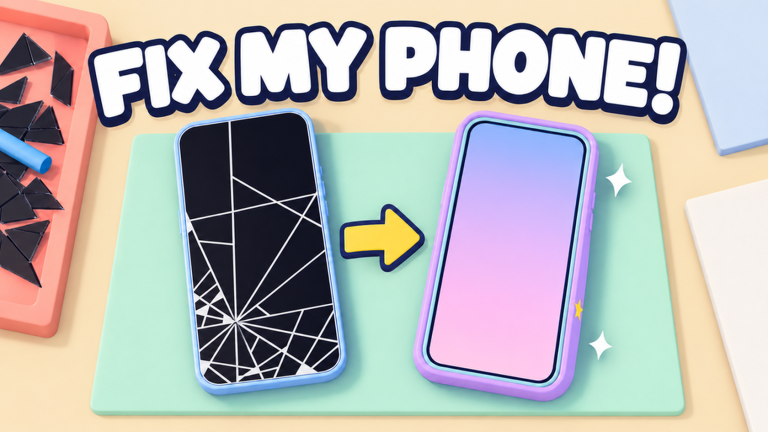
Fix My Phone! is the Roblox shop simulator where you repair cracked screens, swap batteries, and customise handsets before reselling them for profit. As your counter grows, you hire technicians, add workbenches, and take on bigger repair jobs. Codes sit alongside that loop as a small but steady stream of freebies, and the timing of those drops is what most players actually want to understand.
Why code timing follows the update calendar
In Fix My Phone!, codes tend to show up around developer communication rather than on a fixed daily schedule. Two independent guide desks both refreshed their Fix My Phone! pages in the same week of October 2026, GameRant on October 19 and Dexerto on October 21, and both landed on the same three working entries. That pattern is typical for this game: a batch appears, it stays live for a stretch, and the list only changes when the developer pushes something new or an older entry stops validating.
What this page is tracking
This page monitors the Fix My Phone! code pool by name only, without publishing the strings themselves. Right now the tracker holds three total entries, all three currently marked active, with zero entries logged as expired. The last grounded verification pass ran on October 24, 2026, backed by two independent sources, so the active count you see reflects a confirmed check rather than a guess.
Because rewards and availability shift quickly, treat the widget as the authority for what is live right now, and treat the prose around it as the explanation for why it changes. When the count ever drops to zero, this page switches to tracking mode and waits for verified active entries instead of implying anything is claimable.
Use the live list below after the ad, then keep reading for redemption fixes and update tracking.
Active Fix My Phone! Codes (October 2026)
3 verified codes available for Fix My Phone!.
How to redeem in the phone menu
There are no level gates or quest prerequisites on redemption. Everything happens inside the in-game phone:
- Swipe the phone screen upward from the bottom-right corner to open your device.
- Tap the CODES app in the phone menu.
- Type the entry into the text box that appears.
- Press REDEEM and confirm the reward lands before you close the app.
Why a code fails on the first try
Most failed redemptions come down to input, not to a dead code. Copy-paste can drag a trailing space or a wrong character into the box, and entries are frequently capitalised, so a lowercase version will be rejected. A freshly expired entry is the other common cause, and the only reliable way to tell the difference is to recheck the live list immediately before you type. If the widget still lists an entry and your attempt fails, clear the field completely and re-enter it manually.
Where the developer announces new codes
The game maintains an official Discord community, and that channel plus the game page itself are the primary places new entries surface. Guide desks then confirm them independently. If you want the earliest signal, watch those official channels after an update lands, then verify against the widget here before you spend time on it.
Update timing patterns to expect
Code drops in Fix My Phone! cluster around content pushes rather than arriving on a predictable rhythm. Expect short-lived entries tied to a new feature or event, a longer-lived core set, and gaps where nothing new appears at all. A batch verified within a couple of days across multiple outlets is a strong sign a drop just happened.
Expired-code signals
Once an entry stops validating everywhere, it moves out of the pool and the total count drops. If the tracker shows a shrinking active number while the total stays the same, entries are failing in place. If both numbers fall, the pool itself was trimmed. Either way, the widget is where that change shows up first.
Frequently asked questions
Q: Why does the CODES app reject a Fix My Phone! entry that the live list still shows as active?
A character mismatch is the usual culprit. Retype the entry in capitals with no spaces. If it still fails after a manual re-entry, recheck the widget, since a verification pass may have just moved it out of the active pool.
Q: Do Fix My Phone! codes expire without any warning?
They can. Expiry is often silent, which is why the tracker logs total and active counts separately. Watch for the active count falling while the total holds steady.
Q: When should I check for new Fix My Phone! codes after an update?
Check right after a content push, then again a day or two later, since guide desks usually confirm entries within that window.
Bottom line
Fix My Phone! rewards players who understand timing more than players who spam inputs. Track the update calendar, redeem through the phone menu, and let the verified widget decide what is actually claimable today.