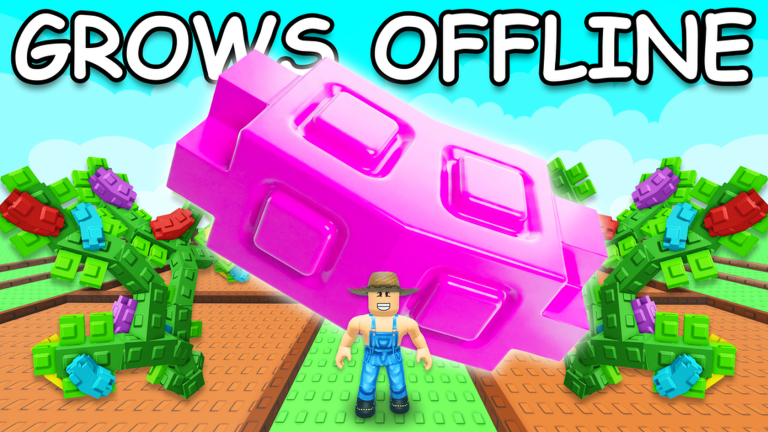
Welcome, aspiring horticulturists, to the vibrant world of Grow a Garden on Roblox! This immensely popular idle farming simulator invites players to cultivate their dream plots, harvest bountiful crops, and expand their virtual green spaces. Known for its engaging gameplay and a community that thrives on collaboration, Grow a Garden offers a relaxing yet rewarding experience where your garden continues to grow even while you're offline. A key element in accelerating your progress and enhancing your garden is the strategic use of in-game codes. These special codes, often released in conjunction with the game's frequent updates and exciting events, provide valuable boosts and unique items. Understanding the redemption flow and the typical update cadence is crucial for any player looking to maximize their gardening potential, especially with the highly anticipated Bizzy Bees 2026 event scheduled for May 9-16, 2026, bringing new plants, pets, and rewards.
The Grow a Garden Code Redemption System Explained
Redeeming codes in Grow a Garden is a straightforward process designed to quickly get rewards into your hands. To begin, launch Grow a Garden on the Roblox platform. Once you are in the game, locate the gear icon in the top-left corner of your screen. This icon represents the 'Settings' menu. Clicking it will open a panel with various options. Scroll down within this settings menu until you find the section clearly labeled 'Redeem Codes'. Here, you will see a text box, typically prompting you to 'Type code here...'. Carefully enter the code you wish to redeem into this box. After inputting the code, click the adjacent 'Claim' button. A message will then appear on your screen, confirming whether the redemption was successful and detailing the rewards you've received. Any items obtained from codes will be sent to the relevant inventory; for example, cosmetics will appear in your cosmetics inventory (accessed via the hammer and wrench icon), while other items will be found in your backpack. It's important to note that codes are case-sensitive, so precise entry is key to a successful redemption.
Where Players Usually Miss Redemptions
For players eager to get their hands on the latest codes, knowing where to look is half the battle. The primary and most reliable sources for official Grow a Garden codes are the game's developer-managed social media channels and community platforms. The official Discord server for Grow a Garden is frequently cited as a hub for new code announcements, particularly within the '#announcements' and '#updates' channels. Developers and community managers often post codes there to celebrate milestones, announce new updates, or kick off special events. Similarly, keeping an eye on the developers' social media profiles, such as X (formerly Twitter), can also yield new codes. The game's official Roblox group, "The Garden Game," is another potential source for announcements and community interaction. While community wikis and fan sites often compile lists of codes, always cross-reference with official sources to ensure accuracy and avoid expired or incorrect codes. Players often miss out on codes by not actively monitoring these official channels, or by encountering outdated information on less reliable platforms. New players, in particular, might overlook the 'Redeem Codes' field, as it is located at the very bottom of the Settings menu.
Understanding Code Release Cadence and Event Ties
Codes in Grow a Garden are not released on a fixed daily schedule; instead, their appearance is often tied to significant in-game events, updates, and community milestones. While some sources describe codes as "rare" and not sticking around for long, they are considered a "big big deal" when they do arrive, offering substantial benefits to players. The game is known for its consistent weekly updates, typically rolling out on Saturdays, which frequently introduce new seeds, pets, items, and events. Codes are often distributed as part of these updates or to commemorate special occasions. For instance, codes have been associated with major in-game happenings like the Lunar Glow Event, the Zen Update, and the game's appearance at RDC 2025. The current month of May 2026 is no exception, with the highly anticipated Bizzy Bees 2026 event bringing new plants, pets, and rewards from May 9-16. Additionally, "Admin Abuse" events, where developers often wreak havoc on servers and distribute rewards, are known to occur about an hour before major updates go live, offering another opportunity for players to snag valuable items.
Troubleshooting Failed Redemptions
Encountering an issue when trying to redeem a code can be frustrating, but several common reasons lead to failed redemptions. If you receive a message stating "Code is Invalid!", it typically points to one of two problems. The most frequent cause is an expired code. Grow a Garden codes are often temporary and tied to specific events or milestones, meaning they have a limited lifespan. Always try to redeem codes as soon as you find them to avoid missing out. Another common issue is incorrect entry. Codes are case-sensitive, and even a small typo, an extra space before or after the code, or incorrect capitalization will prevent it from working. It is highly recommended to copy and paste codes directly from reliable sources to ensure accuracy. Furthermore, most codes can only be redeemed once per account. If you have previously claimed a code, it will not work again. Occasionally, server lag or a temporary Roblox platform hiccup can interfere with the redemption process. In such cases, rejoining the game or restarting the Roblox application entirely might resolve the issue.
Update-Tracking Habits for Code Hunters
Staying ahead of the curve and ensuring you don't miss out on valuable Grow a Garden codes requires a proactive approach to tracking game updates and announcements. The most effective strategy is to regularly monitor the game's official communication channels. This includes frequently checking the official Grow a Garden Discord server, particularly the '#announcements' and '#updates' channels, where developers often post new codes and details about upcoming content. Following the developers' social media profiles, such as X, can also provide timely notifications of new code releases. Additionally, keeping an eye on the official Grow a Garden Roblox game page is beneficial, as major events and updates are often highlighted there. While community wikis and fan sites can be helpful, always prioritize official sources for the most accurate and up-to-date code information. By cultivating these update-tracking habits, you'll be well-prepared to claim new codes as soon as they become available, giving your garden the best possible boost.
Frequently Asked Questions
Q: How do codes impact my garden's progression in Grow a Garden?
A: Codes in Grow a Garden can significantly accelerate your progression by providing valuable in-game items such as seed packs, eggs, and unique cosmetic items. These rewards can give you a head start, offer boosts to your farming endeavors, or simply allow for greater personalization of your garden and character.
Q: Are Grow a Garden codes case-sensitive?
A: Yes, Grow a Garden codes are case-sensitive. It is crucial to enter them exactly as they are provided, paying close attention to capitalization, numbers, and any special characters, to ensure successful redemption. Copying and pasting the code is often the safest method.
Q: Where can I find the official Grow a Garden Discord server?
A: The official Grow a Garden Discord server can typically be found linked on the game's official Roblox page. Alternatively, you can search for the official server through Discord itself, looking for the one managed by "The Garden Game" developers, which is a primary hub for announcements and community interaction.
Conclusion
The code redemption system in Grow a Garden offers an excellent opportunity for players to enhance their farming experience with free in-game rewards. By understanding the straightforward redemption process, knowing where to reliably find new codes from official sources like the Discord server and developer social media, and staying informed about the game's event-driven release cadence, you can consistently boost your garden's growth. Remember to troubleshoot common issues like expired or incorrectly entered codes, and make a habit of tracking updates, especially during exciting events like May 2026's Bizzy Bees. Happy gardening, and may your virtual plots always be bountiful!
This article was compiled by the RoUniverse automation pipeline in May 2026 using publicly available sources and is kept up to date as new information becomes available.
Active Grow a Garden Codes (May 2026)
0 verified codes available for Grow a Garden · 30 unverified
This article was researched and generated using AI tools, then reviewed by the RoUniverse editorial team.