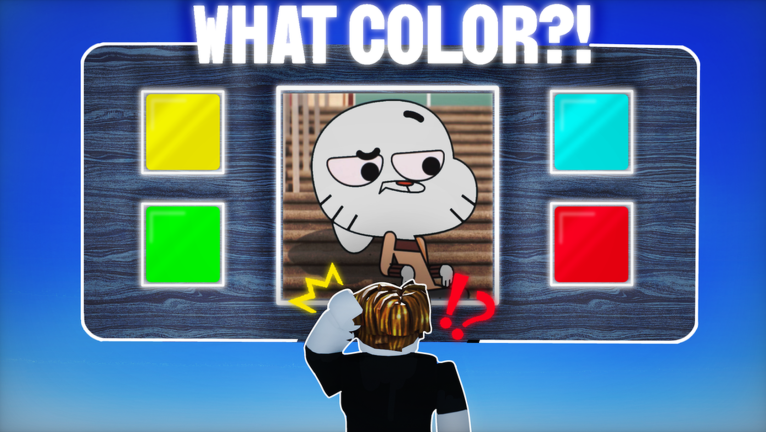
Guess the character color has turned a very simple idea into one of Roblox's most played duel games. Created by CineStars, the experience drops you into a 1vs1 duel where you pick the dominant color of a famous character, ranging from Gumball to Peppa Pig, and the closer call wins the round. The numbers behind it are hard to ignore: more than 126 million visits, over 219,000 favorites, and a peak of 38,856 concurrent players recorded on July 27, 2026. For a new player, that popularity means one thing above all else. Duels come fast, sessions are short, and the average playtime sits at just 8.38 minutes, so every decision you make in your first week matters. Codes also play a part in that opening boost, because a fresh redemption can hand you resources before you have built anything yourself, which is why this guide walks the whole onboarding path in order.
What New Players Should Focus On First
Your first goal is not a fancy shop item, it is consistency in the duel itself. Guess the character color is built entirely around head to head reads, and the description is blunt about the payoff: win the duel and you get to troll your opponent. That means accuracy is the only currency that keeps climbing.
- Learn the roster, not the timer. The character pool leans on well known figures like Gumball and Peppa Pig. Spending your opening duels memorizing which signature shade belongs to which character pays off far more than rushing the picker.
- Read the whole color field. The tag list for the game includes color picker and guessing game, and the picker is where most new players throw rounds by locking in an average of the character instead of its dominant color.
- Treat each session as a short block. With an average playtime of 8.38 minutes, one sitting is roughly two to four duels. Plan for accuracy in a small window rather than a long grind.
The Progression Loop: Duels, Leaderboards and the Perfect Score Badge
Progression in Guess the character color runs on a tight loop. You enter a duel, you read the character, you commit to a color, and the result feeds directly into your standing. The game carries a leaderboard climbing tag, and the real long term target is the Perfect score badge. That badge sits at a 0.4% win rate and has been awarded 154,899 times, which tells you two things at once: it is genuinely rare relative to the player base, and it is not impossible for a focused beginner.
The supporting systems around that loop are lighter than they look. Server capacity runs up to 26 players, so lobbies fill quickly and rematching is common. Gamepasses named troll gun, VIP and Bully payers all show as offsale in the current store data, which means your progression is effectively free to run. Community sentiment is mixed as well, with 36,470 upvotes against 22,939 downvotes for a 61% rating, so the meta shifts with updates. The game was patched only hours before this guide was checked, so re test any habit you build after a patch lands.
How Code Redemption Fits Into Your Progression
Codes are a supplement, not a substitute, for dueling skill. Earlier in 2026, community trackers recorded no active codes for this experience at all, and the live list has changed since. Because our site maintains a live codes database that updates automatically below this article, always check that widget first instead of any older page you find in search.
When a code is available, redemption follows the same simple pattern:
- Launch Guess the character color on Roblox and wait for the main menu to fully load.
- Open the in game menu or redemption area where rewards are claimed.
- Enter the code exactly as it appears in the live database, then confirm the claim.
- Rejoin a fresh duel and check your balance to confirm the reward landed.
Use redeemed rewards as a cushion for your first few duels. The advantage of a code is that it removes the early pressure to win, letting you focus purely on reading colors while your accuracy builds.
Game-Specific Mistakes to Avoid
- Confusing this game with its lookalikes. Character Color Race adds tower climbing, lava and gems, and Guess the Anime Color swaps in 100 plus anime characters. Those rules do not apply here, and carrying them over will cost you rounds.
- Buying comfort over accuracy. With all three gamepasses currently offsale, there is no shortcut to purchase. Your edge comes from roster knowledge only.
- Ignoring the downvote signal. A 61% rating and over 22,900 downvotes reflect a picky community that reacts to balance changes. If a patch lands, re calibrate your color assumptions before queuing ranked style runs.
- Playing for length instead of quality. An 8.38 minute average session means four sloppy duels teach you less than two careful ones.
Frequently Asked Questions
Q: How many players can be in a single Guess the character color server?
Server data shows a maximum of 26 players per server, and recent samples show active instances running near 23 to 26 players, so lobbies tend to be full and duels queue quickly.
Q: What exactly is the Perfect score badge?
It is the rarest achievement attached to the game, recorded at a 0.4% win rate and awarded 154,899 times. It represents a flawless duel performance, which is why it is the natural long term target after you stabilize your accuracy.
Q: Are the troll gun, VIP and Bully payers gamepasses worth buying right now?
None of them are worth planning around at the moment. All three show as offsale in the current store data, so your entire progression path runs on skill and any redeemed codes rather than purchases.
Conclusion
Guess the character color rewards players who treat it as a reading game instead of a reflex game. Lock in your roster knowledge, redeem whatever the live codes database currently lists, keep sessions short and deliberate, and aim steadily at the Perfect score badge. Jump into a duel today and start building the accuracy that separates a casual guesser from a consistent winner.
Active Guess the character color Codes (October 2026)
1 verified code available for Guess the character color.