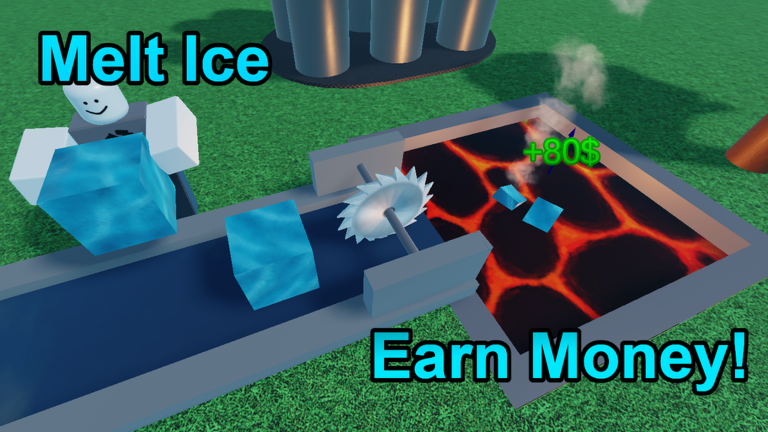
Ice Tycoon 2, developed by Slized Games, invites you to freeze water, melt it for profit, and upgrade your tools and machines. As with many Roblox experiences, codes are a quick way to earn free cash and boosts to accelerate your progress. However, not every code you find online remains active, and official announcements can be scattered across different platforms.
This page tracks verified active codes for Ice Tycoon 2 using data from the official game page, developer community channels, and reliable community sources. The live list below is updated whenever new codes are confirmed or existing ones expire. To make the most of it, check the list before each play session and redeem codes as soon as possible, because they often expire within days of release.
Use the live list below, then keep reading for redemption tips and update tracking.
Active Ice Tycoon 2 Codes (July 2026)
2 verified codes available for Ice Tycoon 2; 2 unverified codes are being tracked.
How to Redeem Codes in Ice Tycoon 2
Redeeming codes is straightforward. Launch Ice Tycoon 2 on Roblox. On the left side of the screen, look for a gear button (settings icon). Click it to open the settings menu. You'll see a text field labeled for codes. Enter each code exactly as it appears—codes are case-sensitive, so copy them precisely. After entering the code, click the Enter button or confirm prompt. If the code is still active, you'll receive the reward instantly, and a confirmation message will appear in the chat or on screen. If nothing happens, check the troubleshooting steps below.
Troubleshooting Failed Redemptions
A code might fail for several reasons. The most common is that the code has expired. Codes for Ice Tycoon 2 are often tied to milestones (like reaching a certain number of likes or visits) or limited-time events, and they vanish once the milestone is achieved or the event ends. Double-check your spelling and capitalization—a single wrong letter or extra space can cause a failure. Also, ensure you're in the correct server; sometimes codes are region-locked or require you to be in a fresh server. If the code is from a source that claims to be "official" but isn't verified by Slized Games, it may be fake. Stick to codes confirmed by the developer on the Roblox game page or their official community. As of now, there is no official Ice Tycoon 2 Trello, so be cautious of any Trello boards claiming to host codes.
Where New Codes Are Announced
Slized Games primarily announces new codes through the Ice Tycoon 2 game description on Roblox and their official Roblox community group. Occasionally, codes are shared during milestone celebrations on social media or in dedicated YouTube videos from trusted community creators. To stay up to date, check the game page frequently and keep an eye on the developer's community posts. Avoid unofficial Discord servers or websites that ask for your Roblox login or Robux—they are scams.
Code Update Cadence
Codes for Ice Tycoon 2 are released irregularly, often coinciding with game updates, player milestones, or holiday events. While there is no fixed schedule, you can expect a new code roughly every few weeks. The best practice is to redeem any new code within the first 48 hours to avoid missing out, as many expire quickly. Our live list is checked multiple times a day to ensure it reflects the most current active codes.
Frequently Asked Questions
Q: How do I know if a code is still active in Ice Tycoon 2?
A: The only reliable way is to try redeeming it in-game. Our live list above is updated with verified active codes, but codes can expire at any time. If a code is missing from our list, it has likely expired or been removed.
Q: Why did a code say it was valid but didn't work for me?
A: If a code was active moments ago but now fails, it may have just expired. Alternatively, you might have mistyped it—copy and paste the code from a trusted source to avoid errors. Also ensure you are in the correct game (Ice Tycoon 2, not the original Ice Tycoon) and that you haven't already redeemed that code on your account.
Q: Where does Slized Games post new Ice Tycoon 2 codes?
A: Slized Games posts codes in the game description on the Roblox game page and in the official Slized Games Roblox community group. Some codes are also shared by trusted community YouTubers, but always verify by checking the developer's official channels.
Keep an eye on this page for the latest working codes and redemption guidance. Happy tycooning!
This article was researched and generated using AI tools, then reviewed by the RoUniverse editorial team.