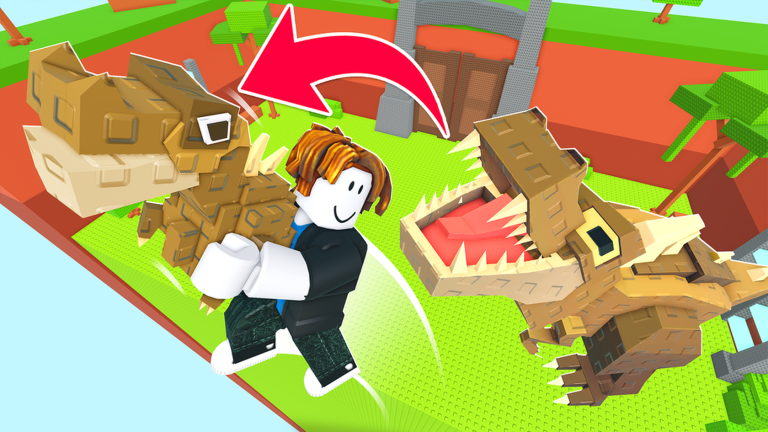
Jump for Animals! turns a simple errand into a tense sprint. You train your Jump Power, climb to the higher ledges of a barren biome, snatch a guarded egg, and race it back to your plot before the roaming animal catches you. Once the egg hatches into a stationary creature on your base, it quietly generates the income that funds your next upgrades. Codes sit beside that loop as a small head start, which is exactly why players watch release timing so closely.
What this page tracks for Jump for Animals!
This page exists for reward planning rather than for scattering code text through an article. We track how the game's code system behaves, verify each entry against grounded sources, and only then let it appear in the list. At the moment the tracker is monitoring for verified active codes in Jump for Animals!, and there are currently none to redeem. That is normal in the quiet stretch between updates, and the list fills itself the instant the developer publishes something new.
Treat the widget as your timing tool. If a code is live, you will see it there first, so you can redeem before an entry expires rather than reading a stale article. Everything below the widget explains how redemption works once an entry shows up, why codes fail, and where announcements land. Use the live list below after the ad, then keep reading for redemption fixes and update tracking.
Active Jump for Animals! Codes (September 2026)
No verified active codes yet for Jump for Animals!; 1 unverified code is being tracked.
How to redeem a code once one appears
Redemption in Jump for Animals! is deliberately short. Follow these steps when a code shows up in the list:
- Launch Jump for Animals! in Roblox and let the tutorial finish so the interface loads.
- Click the Codes button in the top-left corner of the screen.
- Type or paste the entry into the text box that pops up.
- Press Claim Code and confirm the reward lands in your account.
Claim as soon as you see an entry. Code systems like this one tend to be tied to update windows, and the developer can retire an entry without much warning, so a code you screenshot for later may be worthless by evening.
Why codes fail, and what to check first
A rejected entry is almost never a broken game. Work through these checks before assuming the worst:
- Extra spaces or the wrong case. Pasting from a chat message often drags a hidden space along. Delete the box contents and type the entry manually.
- An entry you already used. Most codes are one redemption per account, and the game will tell you it was already claimed.
- An expired entry. Entries pulled from older guides stop working once the developer rotates them out. Cross-check against the live list above.
- The wrong menu. There is only one codes interface, reached from the top-left button. Nothing is redeemed through the Roblox site or through chat commands.
Where the developer announces codes
The official Jump for Animals! Discord server is the primary channel. A link sits at the bottom of the game's page on Roblox. Join it, tick the game notifications box, and watch the announcements and updates channels, because new entries typically surface there first. The game's update notes are the second place to look, and community video coverage of secret updates often flags a drop within hours. Publisher guides from PCGamesN and Dexerto tracked new entries in mid-to-late September 2026, with GameRant noting a fresh drop on September 26, 2026, so entries tend to arrive in clusters around updates rather than on a fixed daily rhythm.
Frequently asked questions
Q: Where is the codes button in Jump for Animals!?
It sits in the top-left corner of the screen once you are in the game world. Pressing it opens a text box where you enter the entry and then press Claim Code.
Q: Why does a Jump for Animals! code say it was already used?
Redemptions are tied to your individual account, so an entry you claimed once will be rejected on a second attempt. The same message can appear if another player got to an expired entry first and the developer has since retired it.
Q: How do I know when Jump for Animals! gets a new code?
Join the official Discord from the Roblox game page and enable game notifications, then watch the announcements and updates channels. This page also verifies entries as they surface, so the live list refreshes whenever something new is confirmed.
The bottom line
Jump for Animals! rewards players who understand timing: sprint the eggs, hatch them for steady income, and treat codes as a bonus that expires if you hesitate. Keep this page open for the live list, redeem immediately when an entry appears, and follow the Discord so the next drop reaches you before it retires.