Unlocking Your Empire's Potential: A Guide to Mini War Code Redemption (April 2026)
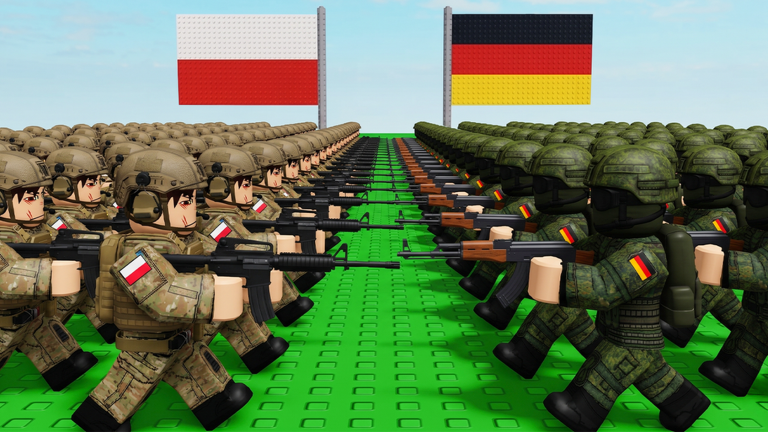
In the expansive world of Roblox's Mini War, where players build formidable countries, cultivate thriving economies, and command vast armies, every advantage counts. This real-time strategy (RTS) experience by VIREAL challenges you to dominate the map through careful planning and strategic execution. While diligent resource management and tactical unit deployment are paramount, a often-overlooked avenue for accelerating your progress and gaining a crucial edge lies in the game's code redemption system. Understanding how to reliably find, quickly claim, and effectively utilize these valuable codes can significantly impact your journey from a fledgling settlement to an unstoppable empire.
How Code Rewards Fuel Your Progression in Mini War
Codes in Mini War are not just fleeting bonuses; they are powerful catalysts for early-game acceleration and sustained growth. The rewards typically offered, such as Gems, Super Farms, and Gold, directly feed into the core mechanics of empire building and military expansion. Gems, for instance, are a vital currency that can be used to acquire battle passes, which in turn unlock faster leveling and access to potent weapons and valuable items from ultimate chests. This means that a timely code redemption can provide the resources needed to construct advanced factories, train elite soldiers, or unlock stronger units like Tanks, Planes, and Helicopters much sooner than through organic farming alone. Imagine establishing a robust economy with multiple Super Farms producing resources automatically, or having a significant gold reserve to quickly upgrade your industry and military infrastructure. These initial boosts translate into a stronger foundation, allowing you to expand your territory more aggressively, defend against rivals more effectively, and ultimately, achieve dominance faster.
Where to Discover Official Mini War Codes
Staying informed about new code releases is the first step towards optimizing your claims. Developers typically announce codes through official channels to engage their player base and celebrate milestones or updates. For Mini War, the primary sources for official code announcements include:
- The Official Roblox Game Page: Always check the game's description on its Roblox page. Developers often update this section with links to their social media or directly post new codes there.
- VIREAL's Official Discord Server: The developer's Discord server (often referred to as the "VIREAL Roblox community" or "Mini Empires Discord") is frequently the earliest and most reliable source for new codes. Joining this community allows you to receive direct announcements and engage with other players.
- Developer's X.com (formerly Twitter) Account: Following the game's developer, such as @Avallachi, on X.com can also provide timely updates and code releases.
- Roblox Community Forums and Groups: While less direct, keeping an eye on general Roblox community discussions or groups related to Mini War can sometimes alert you to new codes, though it's always best to cross-reference with official sources.
New codes are often released in conjunction with game updates, significant player milestones (like a certain number of likes or visits), or special in-game events. Therefore, actively monitoring these channels, especially around update times, is crucial for claiming codes before they expire.
Redeeming Codes Swiftly After Updates
Once you've found a new code, prompt redemption is key, as many codes have a limited lifespan. The process for redeeming codes in Mini War is straightforward:
- Launch Mini War: Start the game on the Roblox platform.
- Locate the Codes Button: In the game's interface, typically on the right side of the screen, you'll find a "Codes" button. This button might feature a bird icon, hinting at its connection to X.com announcements. In some similar RTS Roblox games, it might be found within a "Store" or "Settings" menu.
- Enter the Code: Click on the button to open a text box. Carefully type or paste the code into this field. It's vital to ensure the code is entered exactly as provided, paying close attention to capitalization and any special characters.
- Claim Your Reward: After entering the code, click the "Redeem" button or press Enter. If the code is valid and active, your rewards will be instantly added to your account.
To ensure you're always on the latest version of the game, especially after a new code is announced, it can sometimes be beneficial to exit and re-enter Mini War. This action can connect you to a fresh server where the most recent updates and, consequently, the newest codes are fully functional.
Identifying Expired or Invalid Codes
Not all codes you encounter will be active, and understanding why a code might fail is important for troubleshooting. Here are common signs and reasons a code may not work:
- Expiration: The most frequent reason for a code not working is that it has expired. Codes in Roblox games, including Mini War, are often time-sensitive and can become inactive without much notice.
- Incorrect Entry: Codes are typically case-sensitive and must be entered precisely. A single typo, incorrect capitalization, or missing character will render the code invalid.
- Already Redeemed: Most codes can only be redeemed once per player account. If you've used a code before, you won't be able to claim its rewards again.
- Server Issues: Occasionally, a newly released code might not work immediately if the server you're on hasn't fully updated. Rejoining the game can sometimes resolve this by placing you on a more current server.
If a code consistently fails, it's best to assume it has expired and focus on finding newer, active codes from reliable sources.
Frequently Asked Questions About Mini War Codes
Q: How frequently are new codes released for Mini War?
A: New codes for Mini War are typically released in conjunction with game updates, developer milestones, or special in-game events. While there isn't a fixed schedule, actively monitoring the official Discord server and the game's Roblox page around update announcements is your best bet for catching them early.
Q: What kind of rewards can I expect from Mini War codes?
A: Codes in Mini War commonly provide valuable in-game resources such as Gems, Super Farms, and Gold. These rewards are crucial for accelerating your economic growth, military development, and overall progression in the game.
Q: I entered a code correctly, but it's not working. What should I do?
A: If a code isn't working despite correct entry, it's most likely expired, as codes for Mini War can have a short lifespan. You can also try exiting and rejoining the game to ensure you're on an updated server, which sometimes resolves issues with newly released codes.
Conclusion: Optimize Your Conquest with Smart Code Management
In Mini War, the path to dominating the battlefield is paved with strategic decisions, and that includes how you approach code redemption. By understanding where to find official announcements, how to quickly redeem codes, and what to do if a code doesn't work, you can consistently leverage these free rewards to your advantage. The Gems, Super Farms, and Gold acquired through codes provide a significant boost, allowing you to build a stronger economy, train a more powerful army, and ultimately outmaneuver your opponents. Make code reliability and claim optimization a core part of your strategy, and watch your empire flourish in Mini War.
This article was compiled by the RoUniverse automation pipeline in April 2026 using publicly available sources and is kept up to date as new information becomes available.
Active Mini War Codes (May 2026)
0 verified codes available for Mini War · 30 unverified
This article was researched and generated using AI tools, then reviewed by the RoUniverse editorial team.