Unlocking Your Arsenal: Strategic Code Redemption in Missile Wars (May 2026)
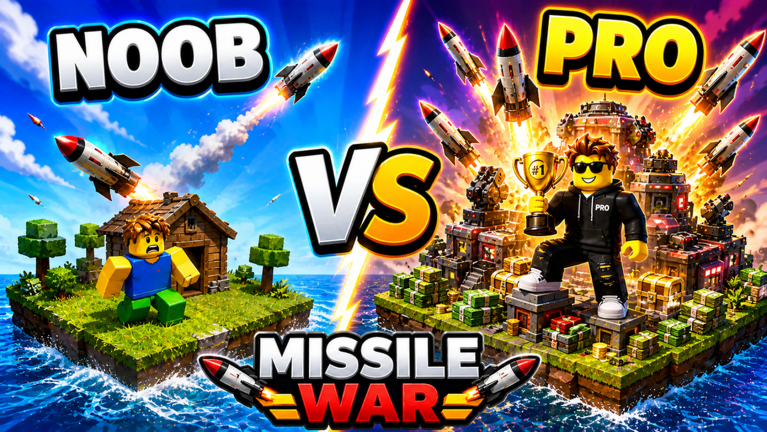
Welcome, aspiring commanders, to the dynamic battlefields of Missile Wars! This Roblox experience, developed by STRAY DYNAMICS, challenges players to build formidable missile command centers, generate income, and unleash devastating attacks while defending their own territory. With the recent 'New Content' and 'QoL and NEW CHANGES!' update on May 13, 2026, staying ahead means optimizing every advantage, including the strategic use of in-game codes. Understanding how to reliably find and redeem these codes can significantly accelerate your progression and dominance.
How Code Rewards Propel Your Missile Wars Progression
In Missile Wars, progression is all about scaling your base, enhancing your economy, and unlocking more powerful weaponry. Codes often provide valuable in-game resources that directly contribute to these goals. While specific rewards vary, they typically offer boosts to income generation, which is crucial for purchasing upgrades and expanding your operations. Imagine gaining a temporary 'Double Coins Boost' or 'Double Power Boost' – these can dramatically reduce the time it takes to acquire advanced missile systems or fortify your defenses. Such advantages are not merely cosmetic; they translate into a stronger economy, allowing you to deploy more destructive missiles and withstand enemy assaults more effectively. By strategically claiming these rewards, you can outpace rivals, secure vital upgrades faster, and establish an unshakeable presence on the battlefield. This is especially critical after significant updates, as new content often introduces higher-tier items or systems that codes can help you reach more quickly.
Where to Find Official Missile Wars Codes
The reliability of a code often depends on its source. For Missile Wars, the most trustworthy places to look for official codes are typically directly from the developers or through official community channels. Always prioritize these sources to avoid expired or fraudulent codes.
- Roblox Game Page: The official Missile Wars game page on Roblox is a primary source for announcements, including new updates and sometimes codes. Developers often include codes directly in the game's description or an 'About' section.
- Developer Social Media: Many Roblox developers, including STRAY DYNAMICS, utilize social media platforms like Twitter (now X) or Discord to communicate with their player base. These channels are frequently used for announcing new codes, game updates, and engaging with the community. For instance, other missile-themed Roblox games often share codes via their developer's X page or official Discord servers. Joining the official Discord server, if available, is highly recommended for real-time updates and community interaction.
- Official YouTube Channels: Developers or prominent community content creators sometimes release codes through YouTube videos, especially around major updates or milestones.
Always cross-reference information from multiple sources to ensure the code's legitimacy and to stay informed about the latest releases.
Redeeming Codes Swiftly After Updates
Redeeming codes in Roblox games like Missile Wars typically follows a straightforward process, often within the game itself. While the exact button or interface may vary slightly, the general steps are consistent:
- Launch Missile Wars: Start the game on the Roblox platform.
- Locate the Redemption Interface: Look for an in-game button or icon labeled 'Codes,' 'Shop,' 'Inventory,' or something similar. In many Roblox tycoon and simulator games, this is often found within a 'Shop' menu. For example, in Missile Simulator, codes are redeemed via a 'Shop' button at the bottom of the screen.
- Open the Code Entry Window: Click on the identified button to open the interface where you can input your code.
- Enter the Code: Carefully type or paste the code into the designated text box. Pay close attention to capitalization and spelling, as most codes are case-sensitive.
- Confirm Redemption: Press the 'Redeem' or 'Check' button to submit the code. A success message should appear if the redemption is successful.
Acting quickly after an update is crucial because codes are often time-sensitive. New codes frequently accompany major game changes, like the recent May 2026 'New Content' update, and claiming them early ensures you don't miss out on limited-time benefits.
Signs a Code May Be Expired or Invalid
Encountering issues when redeeming a code can be frustrating, but understanding common reasons for failure can help you troubleshoot. Here are the typical signs that a code might not be working:
- "Invalid or Expired" Message: This is the most common indicator. If you receive a message stating the code is "invalid or expired," it means the code is no longer active or was never a valid code to begin with.
- No Reward Received: If you enter a code, click redeem, and nothing happens, or no confirmation message appears, the code may have silently expired or been entered incorrectly.
- Typographical Errors: Codes are often case-sensitive and require exact entry. A single misplaced character or incorrect capitalization will render the code invalid. Double-check your input carefully.
- Already Redeemed: Most in-game codes can only be redeemed once per account. If you've used a code before, you won't be able to claim its rewards again.
If you suspect a code is expired, it's best to look for newer codes from official sources. Developers rarely reactivate expired codes.
Frequently Asked Questions About Missile Wars Codes
Q: How do codes in Missile Wars specifically help with base defense?
A: While codes don't typically grant defensive structures directly, the resources they provide, such as increased income or boosts, allow you to purchase and upgrade your base's defensive systems more rapidly. This includes stronger walls, advanced turrets, or even unlocking more resilient missile interceptors to protect your command center from enemy attacks.
Q: Are Missile Wars codes usually tied to in-game events or milestones?
A: Yes, it's common for developers of Roblox games like Missile Wars to release codes in conjunction with significant in-game events, major updates (like the May 2026 'New Content' update), or when the game reaches specific player milestones (e.g., a certain number of likes or visits). Keeping an eye on official announcements during these times is key.
Q: What should I do if a Missile Wars code isn't working, even if it's new?
A: First, double-check the code for any typos or incorrect capitalization. If it still fails, try restarting the game, as this can sometimes resolve temporary glitches. If the issue persists, verify the code's validity on official Missile Wars community channels or the Roblox game page, as codes can sometimes expire unexpectedly or be region-locked.
Conclusion
Codes in Missile Wars offer a fantastic opportunity to gain an edge, whether you're just starting your missile command or looking to solidify your dominance. By understanding where to find official codes, how their rewards impact your progression, and the best practices for timely redemption, you can ensure you're always making the most of these valuable boosts. Stay vigilant for new releases, especially following significant updates like the recent May 2026 'New Content' rollout, and keep your base expanding and your missiles flying!
This article was compiled by the RoUniverse automation pipeline in May 2026 using publicly available sources and is kept up to date as new information becomes available.
Active Missile Wars Codes (May 2026)
0 verified codes available for Missile Wars · 22 unverified
This article was researched and generated using AI tools, then reviewed by the RoUniverse editorial team.