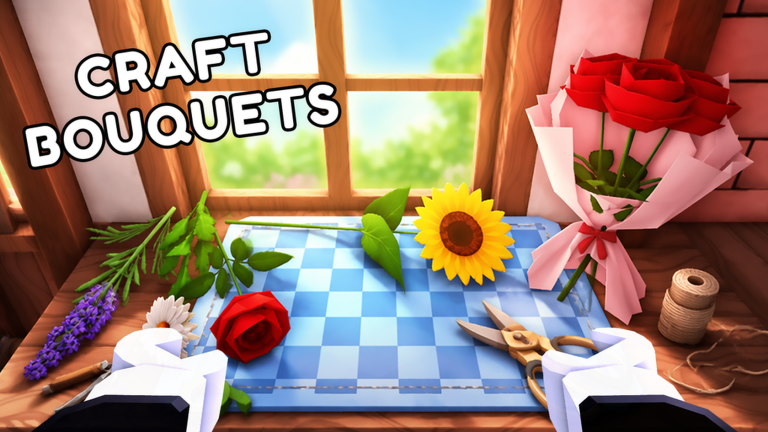
Welcome to My Flower Shop, a delightful Roblox experience developed by Magic Box Games where you start with a small flower stand and build it into a flourishing business. As of September 2026, the game remains a popular choice for players who enjoy incremental progression and cozy management sims. This guide is designed for beginners who want to progress quickly by understanding the game's core mechanics from the outset. A key part of the journey involves promotional codes that can offer temporary boosts, but it is important to know that there are currently none to redeem. This page is monitored and will update the moment codes are released by the developer, so you can focus on mastering the build path first.
What New Players Should Focus On First
When you first enter My Flower Shop, it is easy to get distracted by colorful decorations or random tasks. However, your initial efforts should concentrate on learning and repeating the fundamental shop loop. This loop consists of growing flowers, creating arrangements, serving customers, and reinvesting earnings. A critical early step is to plant seeds before logging out, as the game officially supports offline flower growth. This means seeds planted in your garden will continue to bloom while you are away, providing free progress that accelerates your leveling. Your primary goal should be to complete several full cycles of this loop, from planting to selling, to accumulate coins and solidify your understanding of the mechanics. Avoid spending coins on non-essential items until you have a steady income from sales.
How the Progression Loop Works
The heart of My Flower Shop is a four-step progression cycle that forms your daily routine. Mastering this cycle allows you to expand your shop efficiently and unlock new features.
1. Grow and Harvest Flowers
Begin by planting a variety of seeds in your garden plots. Water them and wait for them to bloom into different flower types. Each flower has unique attributes that matter for crafting. A major advantage is that growth continues offline, so always leave seeds planted before you exit the game to maximize passive progress. Harvesting is a simple interaction once flowers are ready, and maintaining a diverse garden ensures you have ingredients for various recipes.
2. Create Bouquets and Arrangements
After harvesting, use the crafting system to combine flowers into bouquets and arrangements. These are the products you sell to customers. Recipes are not explicitly listed in the game, so experimentation is key. You will learn through trial and error which combinations of flower types, colors, and quantities are preferred by customers. Successful crafting yields items that can be sold for higher profits, so focus on discovering these patterns early.
3. Serve Customers and Earn Coins
Customers visit your shop and request specific floral creations. Selling bouquets and arrangements directly earns coins, which are essential for all upgrades. Keep a stocked inventory to avoid idle time and ensure a steady flow of income. This step fuels your business growth, allowing you to purchase better seeds, tools, and shop enhancements.
4. Build and Improve Your Shop
With coins in hand, invest in upgrades that enhance the efficiency of the loop. Prioritize hiring employees to automate tasks like harvesting or crafting, as this frees up your time for other activities. Buy upgrades that speed up flower growth or expand storage capacity. Decorations for your shop and garden can be added later, as they primarily affect aesthetics rather than progression. This iterative improvement cycle is what transforms a tiny stand into a thriving store.
How Code Redemption Fits Into Progression
Promotional codes in My Flower Shop can provide helpful boosts such as extra currency or items to aid your early grind. However, as of September 2026, there are currently no codes available to redeem. This page is actively monitored, and the moment new codes are released by Magic Box Games, they will appear in the live list displayed on our site. The code database updates automatically, so you never need to search elsewhere.
When codes do become available, redemption is a straightforward process. Follow these general steps: open the game from the official Roblox page, complete any initial tutorial that unlocks the game menu, look for a panel labeled Codes, Rewards, Shop, or Settings, and enter the code exactly as provided. Codes often expire after game updates, special events, or developer milestones, so it is important to redeem them promptly to claim rewards that can give you a small advantage in the early stages of progression.
Game-Specific Mistakes to Avoid
To progress fast in My Flower Shop, steer clear of these common pitfalls that can slow your advancement:
- Ignoring offline growth. Always plant seeds before logging out. Empty garden plots waste free progress that helps level up your shop and unlock new features faster.
- Buying decorations before functional upgrades. Decorations only change the appearance of your shop, while upgrades like employee hires, speed boosts, and storage expansions directly improve the shop loop itself. Focus on function first to accelerate progression.
- Forgetting daily rewards. The game offers daily consecutive rewards for logging in each day. Checking in daily accumulates bonuses that add up quickly and provide a significant head start.
- Skiping the tutorial. The tutorial is essential as it gates access to key panels like crafting and codes. Skipping it can lock you out of features needed for smooth progression, so complete it thoroughly.
Frequently Asked Questions
Q: How do flowers grow offline in My Flower Shop?
The game confirms that flowers continue growing while you are away. When you plant seeds in your garden plots and leave the game, those seeds will bloom automatically over time. This offline growth is a core feature that allows for passive progress, so make it a habit to plant before logging out.
Q: What upgrades should I prioritize early in the game?
Early on, focus on functional upgrades that enhance the shop loop. This includes hiring employees to automate harvesting or crafting, purchasing speed boosts for flower growth, and expanding storage to hold more flowers and arrangements. Avoid spending coins on decorative items until these essential upgrades are in place.
Q: How does the daily reward system work in My Flower Shop?
The game features daily consecutive rewards where you receive bonuses for logging in each day. These rewards can include coins, seeds, or other helpful items. The benefits increase with consecutive logins, so make sure to check in daily to maximize your gains and support your progression.
Conclusion
My Flower Shop offers a rewarding build path that starts with mastering the core shop loop of growing, creating, serving, and improving. By focusing on offline growth, smart upgrades, and avoiding common mistakes, you can efficiently transform your small stand into a thriving business. While promotional codes are not active yet, this page will update as soon as they are released by the developer. Remember to plant seeds before logging out, experiment with crafting recipes, and invest in functional upgrades to progress quickly. Check back regularly for updates and happy flower arranging!
Active My Flower Shop Codes (September 2026)
No verified active codes are available right now for My Flower Shop.