My Wood Farm: Social Systems and Group Play in August 2026
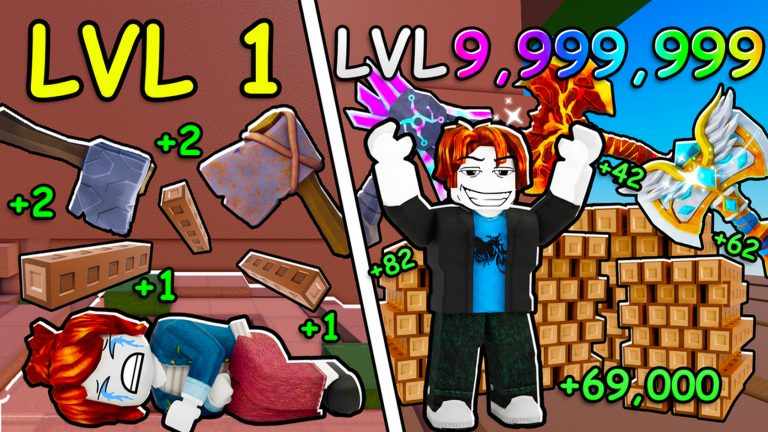
My Wood Farm is a Roblox wood tycoon developed by Did I Axe, where players chop trees, sell logs, and upgrade axes and plots to build a forestry empire. The core gameplay is designed as a solo experience, with no in-game multiplayer mechanics like trading or co-op farming. However, the game's community thrives through external social layers, primarily the official Did I Axe Roblox group. As of August 2026, there are currently no codes to redeem, but this guide breaks down how to leverage group strategies, coordinate with other players, and succeed both solo and socially.
The absence of active codes means players must rely on grinding and optimization, but the developer may release codes in the future. When that happens, the live list below this article will update automatically. For now, focus on understanding the social systems and how they complement the solo tycoon loop.
Overview of Social and Multiplayer Systems
My Wood Farm does not include traditional multiplayer features. There is no trading interface, no shared plots, and no way to transfer wood or cash between accounts. Every player earns resources individually, keeping the tycoon progression pure and self-contained. The social dimension exists entirely outside the game experience, centered on the public Did I Axe creator group on Roblox.
The official group offers two main tools: the group shout for announcements and the group wall for discussion. As of July 27, 2026 checks, no creator-owned Discord, Trello, or wiki links were publicly exposed, making the Roblox group the sole reliable hub for community interaction. Players use the wall to share observations from the July 22, 2026 update, such as changes to wood per minute, offline earnings, and upgrade costs, since the official record does not detail patch notes.
How to Find and Form a Group
To connect with other players, start by navigating to the official My Wood Farm Roblox page and clicking through to the Did I Axe creator group. Join the group to access the shout and wall. The group wall is ideal for posting questions, sharing data, or recruiting players for informal collaboration.
Since there is no official Discord, text coordination typically happens via Roblox chat or the group wall. You can create private chats with players who have similar play schedules. Use simple naming schemes for these chats, such as "upgrade testers" or "rebirth planners," to keep discussions focused. The game tracks individual stats, so you can compare notes without needing an in-game friends system.
Role Division and Team Composition Tips
Even though My Wood Farm is solo, groups can divide research tasks to optimize progress. Assign one player to test axe upgrades, measuring how different axes affect active wood per minute. Another player can focus on plot workers and passive income, evaluating whether investing in plot upgrades yields better offline earnings than a pure axe strategy.
Post all findings to the group wall so everyone can see which paths offer faster progression. For example, after unlocking the Stone Axe, a player can measure offline earnings multipliers and share the results. Additional roles could include a "code scout" to monitor official update surfaces for any future code announcements, and a "rebirth coordinator" to plan when members should reset their progress for optimal multipliers. Since there are currently no codes, the code scout watches for updates from Did I Axe, and if the July 22 update changed tree yields or costs, re-measuring and sharing data becomes crucial.
Trading and Cooperative Mechanics Explained
There is no trading system in My Wood Farm. You cannot send logs, cash, or upgrades to other players. This design ensures that each player must earn their own resources, preventing carry-throughs for new players. Group members cannot collaborate in-game to farm resources together.
What you can share is knowledge. If one player discovers that the Iron Axe becomes efficient at a specific plot level, that information helps everyone optimize their strategy. When the developer eventually releases codes, group members can alert each other instantly on the group wall. Until then, treat the group as a research collective rather than a co-op farm, focusing on data exchange to refine strategies.
Solo Alternatives for Group Content
Playing My Wood Farm fully solo is entirely viable. The rebirth system rewards permanent multipliers even when playing offline, so consistent short sessions are enough to progress. Focus on unlocking the Iron Axe early to boost efficiency, then shift upgrades toward plot workers for passive income. Use the group wall only as a reference for tips on specific upgrade orders or to stay informed about updates.
The game does not require group interaction to reach endgame content. There are no bosses, raids, or shared events. The primary reason to engage with the community is to stay updated on changes and potential codes. With no codes to redeem in August 2026, your progress depends on strategic grinding and applying shared insights from the group.
Frequently Asked Questions
Q: Was My Wood Farm updated on July 22, 2026, and what changed?
Yes, the official Roblox record confirms an update timestamp on July 22, 2026. However, no public patch notes explain the specific changes. Players should re-measure metrics like active wood per minute, offline earnings, and upgrade costs to determine any modifications, as the update list remains unverified.
Q: Are there any codes for My Wood Farm in August 2026?
No, there are currently none to redeem. The official Roblox page and creator group do not document codes or a redemption feature. If codes are released in the future, they will appear in the live list below this article, but no rewards can be claimed yet.
Q: How can I access the official social links for My Wood Farm?
The Did I Axe creator group on Roblox is the primary social hub. As of July 27, 2026, no creator-owned Discord, Trello, or wiki URLs were publicly exposed in logged-out checks. Join the group to use the shout and wall for community interaction.
Conclusion
My Wood Farm offers a deep solo tycoon experience with a unique external social layer through the Did I Axe Roblox group. By forming or joining groups, dividing research roles, and sharing knowledge, players can enhance their progression even without in-game multiplayer. Stay engaged with the group wall for updates and code announcements, and remember that the live code list will update automatically when rewards become available. Dive into the game, optimize your farm strategy, and leverage community insights to build your forestry empire in August 2026.
Active My Wood Farm Codes (October 2026)
No verified active codes yet for My Wood Farm; 5 unverified codes are being tracked.