Why Co-op Play Changes Everything in Pack an Order!
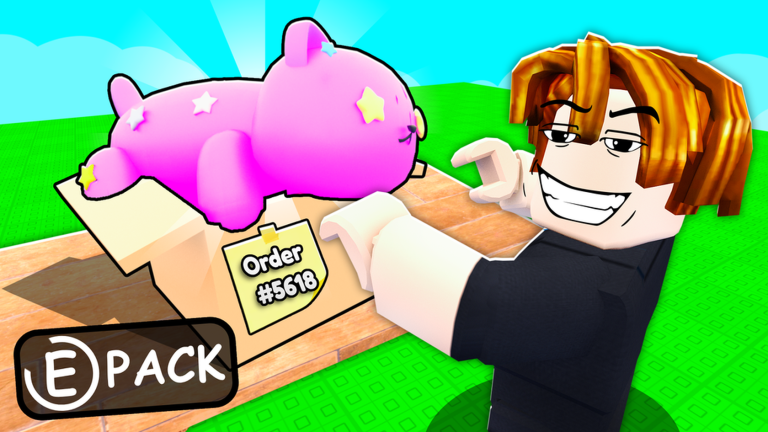
Pack an Order! is a co-op warehouse job simulator where players work together to grab items, pack them into boxes, and fulfill orders before time runs out. While the game can be played solo, its design shines brightest when you team up with friends or other players. As of September 2026, there are currently no codes to redeem, meaning all progression relies on skill and teamwork. This guide breaks down the multiplayer and social features, showing you how to leverage group play for maximum efficiency and fun.
The warehouse environment is built for collaboration, with shared order boards, overlapping workspaces, and mechanics that reward coordination. Whether you are new to the game or looking to refine your strategies, understanding how to form groups, divide roles, and use cooperative tools will transform your experience. Let's dive into the core of what makes Pack an Order! a standout co-op experience.
How the Multiplayer System Works
Pack an Order! supports real-time co-op on public or private servers. Players can join friends through Roblox's standard invite system or by searching for the game in the Play menu. Once in a server, all participants see the same order board and warehouse layout, allowing for synchronized efforts. The game does not have a formal party system, but players can naturally group up by focusing on the same set of orders.
A key social feature is the shared timer and score, which means successful packing benefits everyone. When multiple players complete orders quickly, the entire team earns coins faster, accelerating upgrades like Carry Capacity and Packing Speed. This creates a positive feedback loop where good teamwork leads to better rewards for all. Note that while the game is co-op friendly, there are no competitive modes or PvP elements; the focus is purely on cooperative efficiency.
Finding and Forming Effective Groups
To build a strong team, start by inviting Roblox friends who enjoy simulation games. Use the in-game chat to communicate and plan roles before diving into orders. For those without pre-made groups, public servers often have players willing to collaborate. Look for players who are not randomly grabbing items but instead studying the order board, as they are likely focused on efficiency.
When forming a group, aim for 2-4 players for optimal balance. Too many players can lead to clutter around packing stations, while too few may strain individual workload. Once in a group, agree on basic strategies, such as which player will handle fetching items and who will manage packing stations. This upfront coordination prevents confusion and maximizes output during timed orders.
Role Division and Team Composition Tips
In Pack an Order!, effective role division is crucial for speed. Common roles include the Fetcher, who retrieves items from shelves, and the Packer, who places items into boxes at the station. A third role, the Coordinator, can monitor the order board and call out priorities. Assigning roles based on player strengths, like quick clicking for Fetchers or precision for Packers, boosts overall performance.
For example, with a four-player team, you might have two Fetchers and two Packers. Fetchers should memorize shelf locations for common items to reduce travel time, while Packers focus on accurate placement to avoid penalties. As you level up and unlock Conveyor Belts and Auto-Fill, roles can evolve: one player might manage belt flow while another handles multi-order stacking. Flexibility is key, so discuss adjustments based on the order complexity.
Cooperative Mechanics Explained
Several mechanics in Pack an Order! are designed for cooperation. The order board displays tasks that can be tackled by multiple players simultaneously. For instance, if an order requires three different items, one player can fetch each while another packs them in sequence. This parallel processing significantly cuts down completion time compared to solo play.
Another mechanic is shared resource management. Players can pre-stack items on shelves near packing stations, creating a communal inventory that anyone can access. When using Conveyor Belts, positioning stations to feed items to multiple Packers ensures a smooth workflow. Additionally, at higher levels, the ability to hold up to three orders at once allows teams to group similar orders and pack them in batches, further enhancing efficiency.
Solo Alternatives for Group Content
If you prefer playing alone or cannot find a group, Pack an Order! remains fully playable solo, though it requires different strategies. Focus on upgrading Carry Capacity early to grab multiple items per trip, reducing the need for back-and-forth runs. Use the Classic camera mode for a top-down view to quickly spot items and packing stations. Practice the fetch-and-pack rhythm to build muscle memory, and prioritize orders that use items from nearby shelves to minimize movement.
Solo players should also leverage the progression system wisely. Invest coins in Packing Speed and Auto-Fill as soon as possible to automate parts of the process. While you won't benefit from team coordination, mastering these upgrades allows you to handle orders efficiently on your own. Remember, the code system is not yet active, so solo play relies entirely on skill-based progression.
Code Redemption Process and Future Updates
As of September 2026, there are currently no codes to redeem in Pack an Order!. The game does not have a code entry box, and no rewards can be claimed yet. However, when codes are released by the developer, lost to pc to game, they will likely appear around major updates or community milestones. Our page is monitored and updates the moment codes drop, so you can check the live list below for any new additions.
The redemption process, once available, will typically involve clicking a Twitter or codes button on the main screen. Enter the code in the provided field to receive rewards like coin bonuses or temporary boosts. Codes in Roblox games usually expire after a week or two, so prompt redemption is advised. Until then, focus on honing your co-op strategies to maximize earnings without external boosts.
FAQ
Q: How do I join my friends in Pack an Order! for co-op play?
To play with friends, have them search for Pack an Order! in the Roblox Play menu and join the same server. Alternatively, use Roblox's invite system by clicking the friends icon while in-game. Communication via chat or voice apps can help coordinate roles and strategies before starting.
Q: What are the best roles for a team in Pack an Order!?
The best roles depend on team size. For two players, one can focus on fetching items while the other packs. For larger teams, assign multiple Fetchers to cover different shelf areas and Packers to handle stations. Consider roles like Coordinator to manage order boards as you unlock advanced features like Conveyor Belts.
Q: Will there ever be a code system for Pack an Order!?
There is no code system as of now, but job simulator games often add codes later. The developer may release codes during updates or events. Our page is monitored and updates the moment codes drop, so you can redeem them quickly when they appear.
Conclusion
Pack an Order! thrives on co-op play, turning a simple packing loop into a dynamic team challenge. By forming groups, dividing roles, and using cooperative mechanics, you can achieve faster order completions and climb the progression ladder more efficiently. Even without codes, skillful teamwork and strategic upgrades provide a rewarding experience. Gather your friends, head into the warehouse, and start packing together to see how much smoother the process becomes. Check back for code updates, and keep an eye on our live list for any future rewards that might enhance your play.
Active Pack an Order! Codes (October 2026)
No verified active codes are available right now for Pack an Order!.