Paint My Keyboard! Wiki Refresh Unites the Community
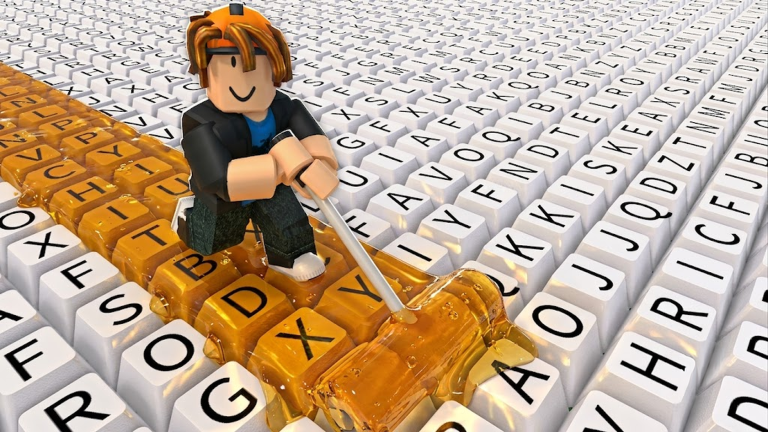
The Paint My Keyboard! community has a new rallying point in August 2026: the comprehensive refresh of the Paint My Keyboard Wiki. Published on June 10, the update introduced a fresh tier list, a practical calculator, and a revised codes page. While not a traditional crossover or game event, the wiki project has become a collaborative hub where community testers and guide creators work together to shape the meta. This article breaks down the collaboration, how to take part, and why the community remains divided.
What Is the Collaboration?
At its core, the Paint My Keyboard Wiki refresh is a collaboration between the wiki editorial team and the game's player base. The wiki openly labels its information sources as official (from Roblox and game creators) and community (from player testing). This transparent approach is the closest thing Paint My Keyboard! has to a formal developer partnership. The tier list, for instance, ranks upgrades from S to B tier based on a mix of confirmed game mechanics and player experiments. Better paints is rated as a high-value early investment, roller upgrades become critical as painting speed bottlenecks, and keyboard expansion is a lower priority until cash flow is solid.
Which IP or Brand Is Involved?
No external brand is attached to this collaboration. The only brands in play are Paint My Keyboard! itself and the unofficial Paint My Keyboard Wiki. The wiki explicitly states it is a fan-made resource and that Roblox and the game creators remain the source of record for official support. That distinction matters, because the wiki's rankings are not developer-verified. Players who trust the wiki are effectively buying into a community-driven brand of efficiency.
Exclusive Tools and Features
The refresh brings no in-game exclusive items, but it does offer exclusive planning tools. The new Paint My Keyboard Calculator lets players input their current progress and simulate upgrade decisions. According to the wiki, cash from painted keys is the verified core reward, so early decisions should protect steady earning before chasing unknown upgrades. The tier list itself is a community-exclusive resource, with detailed notes on ranking, substitutes, and update dates. The codes page also refreshes regularly, and the wiki's homepage surfaces the latest verified set for players who want to skip the grind.
Start and End Dates
The wiki refresh went live on June 10, 2026. There is no announced end date for the project; the wiki team has hinted at more advanced calculator features, such as formula-based simulations that account for paint speed multipliers. The community conversation has continued through July and into August 2026, with the wiki's calculator seeing increased usage. The upcoming Roblox Inspire 2026 runs from July 22 to August 3, but Paint My Keyboard! is not currently listed as a participant, meaning the wiki remains the go-to resource for the foreseeable future.
How to Participate
Participation is simple. Players can visit the Paint My Keyboard Wiki and use the tier list and calculator before spending in-game cash. Those who want to contribute can conduct their own tests and share results on Discord or social media. The wiki labels its sources carefully, so player-tested findings that contradict the current tier list can be submitted for review. The community thrives on this kind of open testing, and the wiki's source notes are designed to separate verified claims from speculation.
Community Excitement and Skepticism
The response to the wiki refresh has been split. One camp embraces the tier list as a reliable roadmap, sharing success stories on Discord and praising the S-tier focus on cash generation. The other camp questions the lack of official developer backing, noting that the rankings are based on community testing rather than hard data. Some players have posted results that contradict the wiki's suggestions, especially around roller upgrades versus keyboard expansion. The calculator has become a common ground for both sides, but the debate remains civil, driven by a shared love for the game.
Frequently Asked Questions
Q: Is the Paint My Keyboard Wiki tier list official?
A: No. The wiki is an unofficial fan-made resource. It labels its sources as official or community, but the tier list rankings are based on player testing and not directly confirmed by the game developers.
Q: What does the Paint My Keyboard Calculator do?
A: The calculator lets players input their current progress and simulate upgrade decisions. It is designed to reduce guesswork when spending in-game cash on upgrades like better paints, roller upgrades, or keyboard expansion.
Q: Are there any in-game rewards tied to the wiki refresh?
A: No. The wiki refresh does not grant exclusive in-game items or rewards. It only provides external planning tools and a codes page that tracks active codes separately from the game itself.
Conclusion
The Paint My Keyboard Wiki refresh has turned a simple resource update into a community-wide conversation. With its transparent source model, practical calculator, and debatable tier list, the wiki now serves as the central planning hub for new and returning players. Whether the developers eventually weigh in or the community continues to self-police, one thing is clear: collaboration is the heart of Paint My Keyboard!, and the wiki is its most visible battleground.
Active Paint My Keyboard! Codes (November 2026)
No verified active codes are available right now for Paint My Keyboard!.