Intro
Paint My Keyboard! is a Roblox incremental simulator that turns a simple keyboard into a canvas and a cash register. In August 2026, the game remains a popular pick for players who enjoy clicking, running, and watching numbers climb. This review focuses on the progression systems, the daily content loop, and how well the game keeps players coming back. We base this analysis on the Paint My Keyboard Wiki and its community tools, which have been updated as recently as June 2026.
Core Gameplay Loop
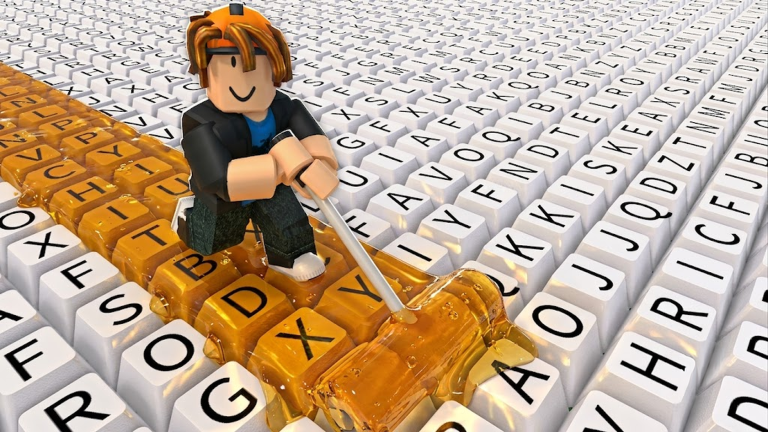
The core loop is straightforward: you run across an on-screen keyboard, and each key you touch gets painted. Every painted key earns you cash. That cash is then spent on upgrades that make the process faster and more profitable. The official Paint My Keyboard Wiki confirms that cash from painted keys is the primary reward, so every decision early on should be about protecting steady earning. Better paints, roller upgrades, and keyboard expansion are all confirmed upgrade paths. The loop becomes: paint keys, earn cash, upgrade paint or rollers, paint more keys, expand the keyboard, and repeat. It is a classic incremental structure with a colorful, tactile twist.
Strengths
One of the game's biggest strengths is its accessibility. There is no complex story, no difficult controls, and no steep learning curve. You can jump in and understand the goal within seconds. The visual feedback of a key changing color is immediately satisfying, and the incremental upgrades give you a constant sense of progress.
The community support is another standout feature. The Paint My Keyboard Wiki offers a tier list that ranks the best upgrade priorities, and a calculator that helps you decide where to spend your cash. These tools are invaluable for free-to-play players who want to avoid wasting their hard-earned money on inefficient upgrades. The wiki also tracks codes in real time, so players always know when a new reward drops.
Weak Points
The main weakness is repetition. The core action, running across the keyboard, does not change much over time. You are essentially doing the same thing from minute one to hour fifty, just with bigger numbers. The game does not introduce new mechanics or minigames to break up the monotony. This can lead to burnout for players who prefer variety over pure grinding.
Another weak point is the current lack of redeemable codes. The Paint My Keyboard Wiki and community videos have shared codes in the past, but as of this review, there are none to redeem. Players looking for a quick boost to their cash or speed will have to rely entirely on manual grinding. This is not a flaw in the core game, but it does remove one of the safety nets that many incremental games provide for their free players.
Progression and Monetization Analysis
Progression in Paint My Keyboard! is governed by the cost and effectiveness of upgrades. The Paint My Keyboard Wiki suggests a clear priority: focus on cash generation first, then better paints, then roller speed, and finally keyboard expansion. This means your early Robux-free choices have a big impact on how fast you advance.
From a monetization perspective, the game appears to keep the playing field level. There is no evidence of mandatory paywalls or premium currency locking core upgrades. All of the confirmed upgrade paths, paints, rollers, and expansion, can be earned through in-game cash. The absence of pay-to-win complaints in community resources suggests that any Robux purchases are likely cosmetic or convenience-based. This is a fair approach for a genre that often pushes players toward spending.
However, the lack of active codes means free players cannot benefit from temporary boosts. Codes in other Roblox games often provide cash or speed multipliers that shorten the grind. When new codes are released, they will appear in the live list on our site, and the wiki updates the moment they drop. Until then, the grind is the only path, and it can be long. The community calculator is a smart way to make that grind as efficient as possible.
Who the Game Suits
Paint My Keyboard! is best for players who enjoy incremental simulators and idle-style progression. If you like watching numbers grow, unlocking improved tools, and optimizing your upgrade order, this game will scratch that itch. It is also a good choice for younger players because the controls are simple and the content is family-friendly. On the other hand, if you need constant novelty, deep strategy, or a rapid payoff, you may find the loop repetitive and the pace too slow.
FAQ
Q: How do I earn cash in Paint My Keyboard!?
A: You earn cash by painting keys. Run across the keyboard and every key you paint generates cash. The better your paints and the faster your rollers, the more cash you earn per run.
Q: What is the best upgrade order for a free player?
A: According to the Paint My Keyboard Wiki tier list, focus on cash generation first. Upgrade your paint quality and roller speed before expanding the keyboard. Use the community calculator to see which upgrade gives you the best return based on your current cash.
Q: How do codes work and how often do they expire?
A: The developer releases codes through YouTube and the official Discord. When a code is active, you redeem it in-game for rewards like cash or speed boosts. Codes are usually time-sensitive and expire after a short period. The wiki tracks their status in real time, and our live code database updates the moment new ones are released.
Verdict
Paint My Keyboard! delivers a surprisingly engaging incremental loop with a clean visual gimmick and a fair free-to-play structure. Its strengths are accessibility, community tools, and honest monetization. Its weaknesses are repetition and the current absence of active codes to ease the grind. For players who love watching a keyboard light up while numbers climb, this is a worthwhile addition to the Roblox library. For those who need more variety, it may feel like a colorful but one-note experience. Overall, it earns a recommendation for genre fans, with the caveat that patience is required.
Active Paint My Keyboard! Codes (September 2026)
No verified active codes are available right now for Paint My Keyboard!.