Introduction
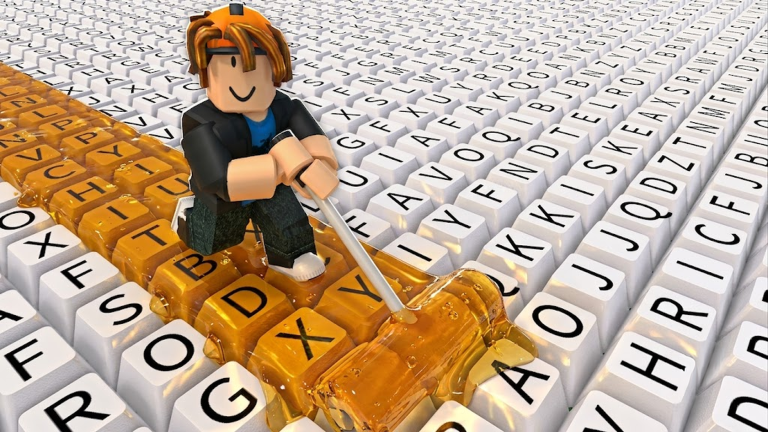
Paint My Keyboard! has come a long way since its May 28, 2026 launch. With over 9.7 million visits and a 98.1% rating, the incremental hit has been updating daily, and August 2026 brings a quiet but powerful meta shakeup. The game itself hasn't added a flashy new game mode, but the quality of life improvements and community-driven tools have changed how everyone plays.
Why QoL Updates Matter Without Headline Features
In any incremental game, the core loop is simple: paint keys, earn cash, buy upgrades. But the hook comes from the feedback loop. When you can see your income growing and know exactly which upgrade pays back fastest, the game becomes more satisfying. Quality of life updates are the glue that holds this loop together. They don't grab headlines, but they make every session smoother. Paint My Keyboard! has embraced this by supporting developer updates that polish the interface and the community tools that help you plan your next move.
Upgrade Planner and Rebirth Calculator Now Define the Meta
The biggest change to the meta is the rise of the upgrade planner and rebirth calculator. These tools, hosted on the fan hub, let you rank paint, roller, and keyboard expansion upgrades by payback time. Instead of guessing which upgrade is best, you can see the exact minutes until an upgrade pays for itself. The rebirth calculator does the same for prestige runs, showing your break-even time so you know whether to rebirth or keep grinding. These tools have essentially become the unofficial patch notes for a game that updates daily.
UI and Control Improvements
The in-game interface has also become more intuitive. The core actions, painting keys, upgrading your roller, and expanding your keyboard, are all accessible from a clean, minimal layout. Daily updates have smoothed out the controls, and the tier list from the fan wiki breaks the meta into four clear priorities: cash focus, cash value focus, painting speed focus, and area growth focus. That kind of clarity is a huge UX win, especially for players who are new to incremental titles.
Bug Fixes and Balance Tweaks
Daily updates mean bug fixes are a constant part of the experience. While precise patch notes are not published, the stability improvements are obvious from the game's high rating. Early progression chokepoints have been smoothed over, and paint costs feel more balanced against roller upgrades. The result is a grind that rewards thoughtful spending instead of random purchases.
Accessibility Additions
Paint My Keyboard! is naturally accessible because it relies on a simple click-to-paint mechanic. The recent updates have kept that simplicity intact while adding helpful layers like the payback formulas in the planner. There are no complex combos or timing windows, just clear decisions and immediate feedback. That makes it a great entry point for players who prefer chill, strategic progression over twitchy challenges.
Community Reactions
The fan hub's FAQ sums up the current community advice: "Start with the upgrade planner. It compares paint, roller, and keyboard expansion costs with the same payback formula used throughout the site." The tier list page echoes that with its directive to "start with the strongest current picks" for the best results. On YouTube, the playthrough from Dash, Baby Dash, and Anne turned the game into a fun race to get rich, highlighting how approachable the interface has become. The 132,064 favorites and 98.1% rating confirm that players appreciate the ongoing polish.
FAQ
Q: Is the upgrade planner required to play Paint My Keyboard! effectively?
A: No, but it helps a lot. The planner shows you which upgrade has the shortest payback time, so you don't waste cash on an expensive roller that won't earn back quickly. It's especially useful once you unlock multiple paint tiers and the upgrade costs start climbing.
Q: How does the rebirth calculator help with prestige decisions?
A: The rebirth calculator computes your break-even time, which is the point where rebirthing starts paying off compared to grinding with your current setup. If that break-even is short, rebirth now; if it's long, you're better off saving for a bigger upgrade first.
Q: What should I focus on in the early game according to the August 2026 meta?
A: The tier list prioritizes cash focus. Painted keys are the core reward, so you want to protect steady earning before chasing paint upgrades or expansions that might have a longer payback time. Use the planner to confirm your next purchase.
Conclusion
Paint My Keyboard! proves that a game doesn't need a massive content drop to feel fresh. The August 2026 meta shakeup is about clarity and smart tooling. With the upgrade planner, rebirth calculator, and a steady stream of polish updates, the path to building the biggest keyboard has never been clearer. Whether you're just starting or about to rebirth for the tenth time, now is the perfect moment to log in.
Active Paint My Keyboard! Codes (October 2026)
No verified active codes are available right now for Paint My Keyboard!.