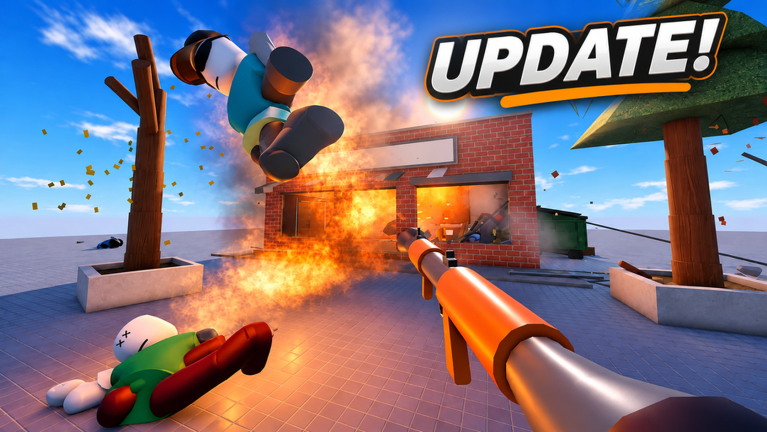
Ragdoll Destruction Playground is a Roblox sandbox built around ragdoll physics, where you test how a dummy reacts to weapons, ability effects, and natural disasters before flinging it into a tornado or dropping it into a black hole. Codes slot straight into that loop. They hand you extra items to play with, so a fresh session starts with more toys to experiment with and nothing spent from your balance.
What this page tracks and how to use the live list
Every entry shown here comes from grounded checks across developer and community sources, including the official Discord channel, established guide outlets, and dedicated Roblox code trackers. Each entry is marked active or expired, and the verification log behind this list has been checked as recently as 17 November 2026, so you can see which claims were confirmed and when they were confirmed.
That timing matters because codes in this game rotate fast. Entries tied to visit milestones and thank-you events tend to retire as soon as the next batch arrives, which means a code can move from working to expired in a matter of days. Reward planning is simple: redeem everything marked active the moment you spot it, since the sandbox has no reason to hold items back for later. Treat the live list as your source of truth for what to type, then read on for the redemption steps and the fixes that solve most failed claims.
Use the live list below after the ad, then keep reading for redemption fixes and update tracking.
Active Ragdoll Destruction Playground Codes (November 2026)
3 verified codes available for Ragdoll Destruction Playground; 6 unverified codes are being tracked.
When to redeem
Codes are redeemed directly from the Shop menu in-game, with no quests, level requirements, or group membership needed first. Follow these steps:
- Launch Ragdoll Destruction Playground in Roblox.
- Click the Shop button in the lower-right corner of the screen.
- Select the Codes tab on the left side of the menu that opens.
- Type or paste your entry into the text box exactly as it appears in the live list.
- Press Redeem and confirm the reward appears.
Do this as soon as you join a session. Code windows are short, and there is no benefit to waiting, since nothing in the redemption flow expires once claimed.
What to do after claiming
Close the Shop menu and check that your new items are equipped or available before you start testing. If a claim granted a spin type of reward, return to the Shop and spend it in the same session so you do not forget it later. From there, drop into the playground and try the new item against a dummy, since the whole appeal of the game is seeing how each addition interacts with the physics system.
Why codes fail, and how to fix it
Most failed claims come down to typing. Tracker guidance disagrees on whether entries are case sensitive, so play it safe and copy the entry exactly as the live list displays it, including capitalization, punctuation, and any exclamation marks. Also check for a stray space before or after the text, which is the most common invisible mistake.
If the text is clean and it still fails, the entry has probably expired. Code trackers log expiry within days of a new batch, and this list separates working entries from retired ones so you never waste a retry. One more thing to watch: expired entries keep their old reward history on some trackers, so trust the status column over any older guide you have bookmarked.
Where new codes are announced
Developer Speedwagon Gaming Foundation announces new codes in the official Ragdoll Playground Discord server. If you are verified for social and chat privileges on Roblox, you will find a link to that server at the bottom of the game page. Expect codes to arrive alongside game updates, community milestones, and special events, which is why visit-count style entries appear in bursts rather than on a fixed schedule.
Independent guides and trackers usually catch up within a few days. Confirmed lists were refreshed on 11, 15, 16, and 17 November 2026 across several outlets, so checking back every few days is enough to stay current without refreshing constantly.
Q: Why does the Shop menu reject my entry in Ragdoll Destruction Playground?
Usually it is a typo, a stray space, or an entry that has already expired. Copy the text exactly as the live list shows it, remove any spaces on either end, and confirm the status still reads active before retrying.
Q: Where do I find the official Discord link for Ragdoll Destruction Playground?
It sits at the bottom of the game page on Roblox, but you need to be verified for social and chat privileges on Roblox before the link becomes usable. That server is the primary channel for developer code announcements.
Q: How often does this code list change?
Entries appear in bursts tied to milestones and updates rather than on a daily schedule. The verification log behind this page has been checked as recently as 17 November 2026, and new batches typically push older entries into the expired list within days.
Redeem early, check often
Ragdoll Destruction Playground rewards players who redeem promptly. Use the live list to confirm an entry is active, claim it from the Shop menu in one clean copy and paste, then get straight back to testing your new items on a dummy. When an entry dies, the status list tells you immediately, and the Discord server plus a quick check back every few days keeps your sandbox stocked.