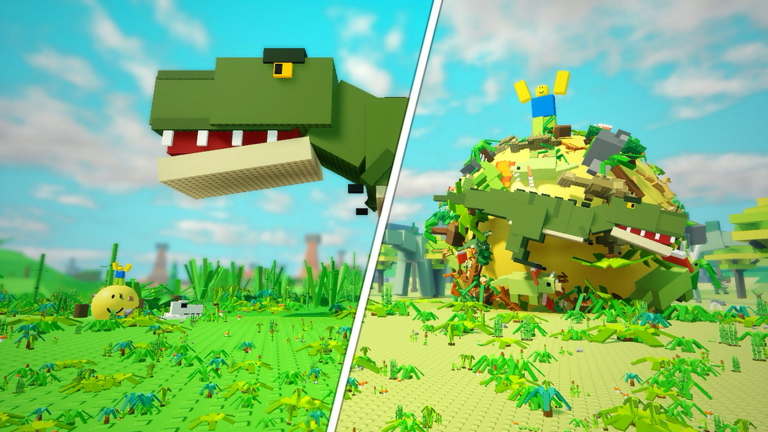
Roll the World starts as a tiny ball rolling through grass and eventually becomes a runaway planet-eating adventure. You pick up objects smaller than you, grow until bigger targets are in reach, and restart stronger after collecting Stars. The code system exists to give that run a small cosmic head start, so knowing how codes drop, how long they survive, and how the Shop redemption flow works matters more than memorizing any single entry.
Right now there are currently none to redeem. No rewards can be claimed yet for Roll the World, and this page is tracking for verified code releases as the developer pushes them out. When new codes are released, they will appear in the live list below. This page is monitored and updates the moment a new string is confirmed, which makes the widget the fastest place to look before you even open the game.
How long codes usually last in Roll the World
Codes here follow a milestone habit rather than a permanent calendar. The developer has historically tied releases to like counts on the experience, then layered another drop on top when engagement kept climbing. Because each string is tied to a moment instead of a season, its practical lifespan is short. A code introduced alongside a fresh milestone can be retired once the next push lands or once a later update overshadows it. The safe habit is to treat every string as temporary and enter it in the same session you notice it.
Use the live list below after the ad, then keep reading for redemption fixes and update tracking.
Active roll the world Codes (November 2026)
No verified active codes yet for roll the world; 3 unverified codes are being tracked.
Drop timing and how updates connect
Historically the pattern has been milestone first, follow up second. When the experience gained enough likes, a new string appeared, and when likes kept rising, another one arrived shortly after. Updates tend to work the same way: a build that adds fresh content or a new reason to keep rolling is usually the moment a developer wants players returning, and a code drop is a cheap way to pull them back in. Expect the heaviest traffic around those milestone and content moments, and expect the quiet stretches between them to produce nothing new.
Redeeming a code in Roll the World
There are no special requirements to worry about. The flow is short:
- Tap the Shop button on the right side of the screen.
- Open the CODES tab in the lower-left corner of the Shop window.
- Enter the string exactly as it appears, including capitalization.
- Press REDEEM and check your inventory for the confirmation.
When a redemption fails
- The string has already expired, which is the most common reason during a quiet stretch.
- A character was mistyped. These strings are usually uppercase, so a lowercase letter breaks the match.
- You redeemed it previously. Roll the World does not allow the same entry twice.
- You tapped REDEEM before the text box finished registering your paste.
Where the developer announces drops
The experience page itself is the primary surface, supported by community video coverage that rounds up whatever is currently accepting entries. Since drops follow likes milestones, watching the experience page for a rising like count is the clearest early signal that something new is coming.
Frequently asked questions
Q: Why is the CODES tab in the Roll the World Shop empty right now?
Because the developer has not retired a previous string and pushed a new one yet. The tab only accepts entries when a code exists, so an empty box during a quiet period is normal rather than broken.
Q: How can I tell if a Roll the World code has expired?
The clearest sign is a REDEEM button that returns nothing. Codes here are tied to like milestones, so once the next milestone drop lands, the older string is usually retired.
Q: Do Roll the World codes need a certain level or Star count?
No. Redemption is handled entirely inside the Shop window and carries no level, Star, or progression requirement.
Bottom line
Roll the World hands out codes in short bursts tied to likes milestones and content pushes, not on a steady schedule. Check the live list before you play, redeem immediately, and use the Shop CODES tab steps above when something new appears.