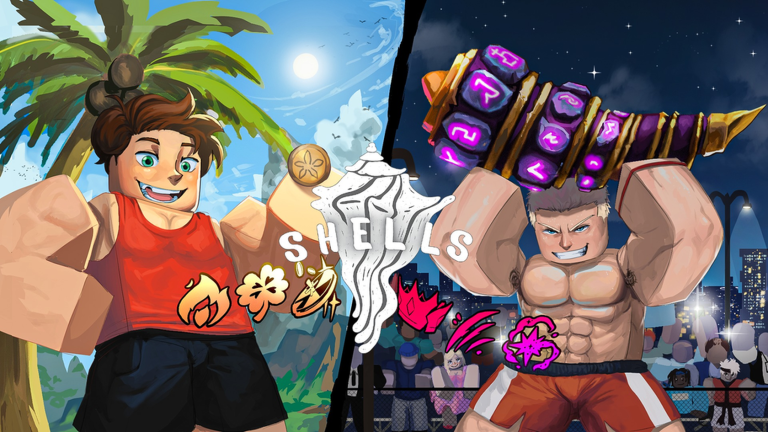
Why Team Up in Shells?
Shells invites players to serene beaches where every dig can unearth rare exoskeletons, similar to the popular collection game Fisch but with a beachcombing twist. While the game appears calm and solo-friendly, teaming up with friends can significantly boost your efficiency. By coordinating purchases, activating shared fast travel points, and dividing roles, you can accelerate your coin income and unlock exclusive items like the RGB Tide Claw. This guide breaks down the social and multiplayer systems in Shells, providing actionable strategies for group play. Note that while codes are available for free rewards like Pearls and Charms, this article focuses on gameplay mechanics rather than listing specific codes.
How to Redeem Shells Codes
Before diving into group strategies, it is helpful to understand code redemption, as it often requires social engagement. Here are the general steps:
- Launch Shells on Roblox and complete the initial tutorial to reach level 10.
- Exit the game temporarily.
- Like the game's page and join the official developer group, which is part of the redemption process.
- Reopen Shells and click the settings icon in the top-right corner.
- Scroll down to the code input field, enter a valid code, and press Enter to claim rewards like Pearls or Charms.
Remember, codes expire quickly, so redeem them promptly. Joining the group is essential, as it not only enables code redemption but also connects you with other players for team coordination.
Social and Multiplayer Systems in Shells
Shells lacks a built-in lobby or party system, so direct in-game interaction is limited to seeing other players dig on the same server. However, strong social support exists outside the game. The developer promotes an official Roblox group, a Discord server, and a Trello board for tracking updates. These platforms are where players find teammates, share tips on hotfixes, and plan cooperative runs. The official group, in particular, is integral to code redemption, making it more than just a community hub; it is a practical gameplay tool. Discord allows real-time chat for coordinating in-game names and island goals, while Trello reveals the development roadmap, helping you anticipate events or new features.
How to Find or Form a Group
Finding teammates in Shells starts with the official Roblox group page, where comments often have active players seeking crews. Discord servers are better for instant coordination, with many users posting their islands and availability. For forming a group, keep it small; a team of three is ideal because islands have limited digging spots. Use Roblox's friend system to add players and join the same server instance. Public servers are also useful for meeting strangers, but ensure everyone agrees on goals, such as unlocking boats or activating Waystones, to avoid disjointed play.
Team Roles and Composition Tips
Effective teamwork in Shells involves dividing roles to cover the resource grind efficiently. Here is a suggested breakdown:
- Coin Earner: Focus on selling common shells to the Merchant repeatedly. Prioritize buying the Gold Sifter at 500 coins to improve dig timing and increase earnings per minute.
- Explorer: Save 1,000 coins to unlock the boat and sail to new islands like Crescent Shore. Activate the Waystone there, then announce it to the crew for fast travel access.
- Backpack Manager: Invest in backpack upgrades to hold 50 or more shells per trip, reducing return trips to the Merchant and keeping the team stocked.
This division prevents everyone from investing in the same tools early on, speeding up midgame progression. Roles can shift as the team advances, such as when pursuing the RGB Tide Claw, which costs 5,000 coins and benefits from coordinated selling.
Cooperative Mechanics: Waystones, Charms, and the Merchant
Shells features several mechanics that enhance group play. The Waystone network is crucial: each island has a Waystone that, once activated, becomes a fast travel point for your session. When a scout activates a new Waystone, they should alert the crew, saving everyone from tedious sailing. Charms provide team benefits too. The Colossus Charm increases carry weight, allowing a player with it to stay on the beach longer while others handle Merchant trips. Charms like Tide Charms boost shell discovery rates, and coordinating charm use can optimize collection. Although there is no trading system, you can sync purchases; for example, selling to the Merchant simultaneously helps fund the RGB Tide Claw faster. The Hermit Crab companion, once unlocked, passively collects shells, and any crew member can manage it, adding another layer of cooperative farming.
Solo Alternatives for Group Content
All group content can be tackled alone, though it requires more time. The solo route involves completing the tutorial, grinding 500 coins for the Gold Sifter, saving 1,000 coins for the boat, and activating each Waystone yourself. The RGB Tide Claw at 5,000 coins becomes a long-term goal, and the Hermit Crab's passive collection aids in solo farming. Without a group, conserve Pearls for rerolling the RGB Tide Claw's traits later, as early tool purchases can drain resources. The game is balanced for single players, but a team simply accelerates the midgame by sharing the grind, making milestones like boat unlocks and charm acquisitions more achievable.
Frequently Asked Questions
Q: How do I join the official Shells group and why does it matter for gameplay?
A: You can join by visiting the game's Roblox page and clicking the group icon or searching for the developer's group. It matters because joining is required for code redemption, and it serves as a primary hub for finding teammates, sharing strategies, and staying updated on hotfixes.
Q: What are Waystones and how do they facilitate team exploration?
A: Waystones are fast travel points located on each island. Once activated by a player, they allow anyone in that server session to teleport to that island instantly. This saves time when exploring new areas like Crescent Shore and helps teams coordinate without redundant travel.
Q: Can I play Shells solo effectively, and what adjustments should I make?
A: Yes, Shells is designed for solo play, but progression is slower. Focus on personal milestones like unlocking the Gold Sifter and boat sequentially. Utilize the Hermit Crab for passive collection and save Pearls for late-game upgrades rather than early tools to maintain efficiency.
Conclusion: Embrace the Social Side of Beachcombing
Shells offers a relaxing yet engaging experience that shines when shared with others. By leveraging Waystones for fast travel, Charms for boosts, and strategic role division, teams can uncover rare shells and coins much faster. Whether you join the official group for code updates or form a crew with friends, the cooperative mechanics add depth to the game. Start by redeeming available codes for a boost, then dive into group play to maximize your beachcombing adventures in August 2026.
Active Shells Codes (September 2026)
1 verified code available for Shells; 27 unverified codes are being tracked.