Welcome to the World of Trending Meme Animations!
Step into Trending Meme Animations, the Roblox experience where creativity meets viral culture. This unique game offers players a dynamic platform to embody their favorite internet memes through a vast library of animations, all while customizing their avatar and choosing the perfect backdrop. Forget complex combat or intricate leveling systems; here, the focus is entirely on expression, discovery, and showcasing your flair for the trending. Whether you're looking to recreate a classic meme or experiment with the latest viral sensation, understanding the game's core systems for animation and map selection is key to becoming a true meme maestro.
The Core Experience: Your Personal Meme Stage
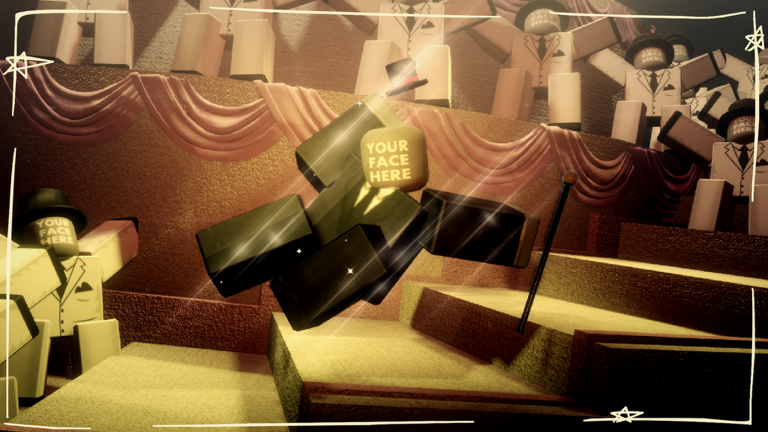
At its heart, Trending Meme Animations is about personalizing your meme experience. The game presents you with a large list of animations, allowing you to choose the one that best captures the meme you wish to portray. But it's not just about the animations themselves; you also have the freedom to select any avatar, including your own or even your friend's avatar, to star in these animated spectacles. This level of customization ensures that every showcase feels unique and personal. Beyond the animations and avatars, the game also features various maps, providing diverse environments to enhance your chosen meme. From a "FNAF Map" to a "Soccer Field," these locations can dramatically alter the mood and impact of your animation.
Getting Started: Your First Showcase
For new players, diving into Trending Meme Animations is straightforward and rewarding. Your first priority should be to explore the available content and create your initial showcase. Here's a simple step-by-step plan:
- Choose Your Avatar: Decide whether to use your default Roblox avatar, a customized look, or even a friend's avatar to star in your meme. The game allows for seamless avatar integration.
- Browse Animations: Navigate through the extensive list of animations. Look for popular or recently added memes to get a feel for what's trending. The game is constantly updated with new content, so there's always something fresh to discover.
- Select a Map: Pick a map that complements your chosen animation. A dramatic animation might look best on a more atmospheric map, while a silly dance could shine on a vibrant, open field.
- Experiment and Enjoy: Don't be afraid to try different combinations. The beauty of Trending Meme Animations lies in its flexibility and the endless possibilities for creative expression.
Expanding Your Animation Collection
To truly master the art of meme animation, you'll want to expand your repertoire of available content. The game regularly introduces "NEW ANIMATIONS" and "NEW MAPS" through updates, keeping the experience fresh and aligned with current trends. While many animations are readily available, some are designated as "PAID ANIMATIONS" or are part of "GAMEPASS" content, offering exclusive options for those looking to further customize their experience. To efficiently navigate the growing library, make use of the "Animation & Map Search Bar," a handy feature that allows you to quickly find specific animations or maps you're looking for. Keeping an eye on game updates and exploring the various categories will ensure you always have access to the latest and greatest meme content.
Crafting the Perfect Showcase
Beyond simply selecting animations, there are several practical tips to elevate your meme showcases and make them truly stand out:
- Optimize Visual Fidelity: The developers specifically recommend playing on maximum graphics settings. This significantly enhances the lighting and overall visual quality of the animations, making your showcases look their best. Adjusting your Roblox graphics settings to manual and moving the slider to the right can achieve this.
- Strategic Map Selection: The background plays a crucial role in setting the scene. Consider the theme of your meme and choose a map that enhances its impact. For instance, a spooky meme might be more effective on the "FNAF Map," while a joyful animation could pop on the "Park Map".
- Engage with the Community: If you plan to share your creations on other platforms, remember to mention the original product, as recommended by the game's creators. This not only supports the developers but also connects you with a wider audience of meme enthusiasts.
FAQ
Q: How do I find new animations in Trending Meme Animations?
A: New animations are regularly added through game updates, such as the "SUMMER UPDATE" which introduced several new meme animations. You can also utilize the "Animation & Map Search Bar" to look for specific animations or browse through different categories.
Q: Can I use my friends' avatars in Trending Meme Animations?
A: Yes, the game allows you to use any avatar, including your own or your friend's avatar, to perform the trending animations. This adds a fun layer of personalization to your showcases.
Q: What are the best graphics settings for Trending Meme Animations?
A: For the best visual experience, it is recommended to play on maximum graphics. This will improve the lighting and overall look of the animations, making your showcases more impressive. You can adjust this in your Roblox settings by changing the Graphics Mode to Manual and moving the slider to the right.
Conclusion
Trending Meme Animations offers a delightful and accessible way to engage with internet culture within Roblox. By mastering the art of animation discovery, strategically selecting your avatars and maps, and optimizing your visual presentation, you can create truly memorable showcases. Dive in, explore the ever-growing library of memes, and let your creativity shine. The world is your stage, and the latest meme is your script!
This article was compiled by the RoUniverse automation pipeline in May 2026 using publicly available sources and is kept up to date as new information becomes available.
Active Trending Meme Animations Codes (May 2026)
0 verified codes available for Trending Meme Animations
This article was researched and generated using AI tools, then reviewed by the RoUniverse editorial team.