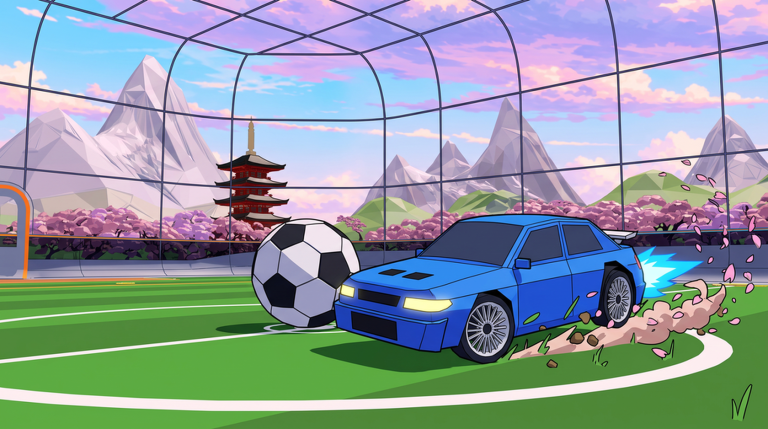
Turbo Soccer turns football into a Roblox car soccer game where you drive into the ball, compete in matches, and develop your skills across different arenas. Because the experience is still in Beta 1.0, the reward window matters: car parts, leaderboard positions, and customization options are all earned through play right now, and every extra session compounds. This guide is built around one goal, maximizing what you walk away with from each play session before the beta moves on.
What Beta 1.0 Currently Offers
Three reward tracks run at the same time in Turbo Soccer : Beta 1.0 - Car Soccer. First, competitive matches give you a place to improve your car control and climb the leaderboards. Second, progression through play unlocks cars, skins, wheels, decals, and boosts, which is where your visual and performance identity comes from. Third, playing with friends and building a team extends the experience beyond driving around the arena alone, which lets you stack match time with coordination practice.
The beta framing is the reason to prioritize now. Leaderboard placement resets the competitive picture whenever the experience moves forward, and customization items unlocked through play are the pieces you will actually show off in every future arena you drive in.
Priority List: What Is Worth Grinding First
- Leaderboard position in competitive matches. This is the only reward track that other players can see at a glance, and it is earned purely from match performance, so it is the highest value per hour you spend in the arena.
- Boosts. Boosts are the functional customization option, meaning they change how your car behaves during a match rather than just how it looks. Function first, then flair.
- Car unlocks. New cars expand what you can drive, so reaching them early gives you more time to learn each one's handling before you commit to a main.
- Skins, wheels, and decals. Purely cosmetic, and the correct choice once the performance items are covered. Decals in particular are the fastest way to make a build look finished in replays and screenshots.
Time-Efficient Routes and Methods
Control setup determines your first week of gains. On PC you use WASD and the mouse, on mobile the on-screen controls, and on console a compatible controller. If you are on mobile, move to on-screen layout adjustments before grinding, because a control scheme you fight against costs you touches on the ball in every single match. On PC, keeping the mouse free while steering with WASD lets you look around for the ball and for teammates simultaneously, which is the difference between a random clear and a directed pass.
Team up instead of solo queuing. The game explicitly supports playing with friends and building a team, and coordinated play converts the same number of matches into better leaderboard outcomes than solo driving around the arena alone. One friend who rotates back while you push forward doubles your effective possession time.
Use the settings menu deliberately. The Settings button sits at the bottom of the screen once the game loads, so settle your options at the start of a session instead of mid-session, keeping your playtime focused on matches rather than menus.
Daily and Weekly Caps to Be Aware Of
The current Turbo Soccer game information does not list any documented daily or weekly reward caps, so nothing forces you to stop early. That cuts both ways. With no cap, the efficient play is to treat leaderboard climbing as an uncapped, always-on track and customization unlocks as the byproduct, not the target. Play to a session length you can sustain rather than rushing a quota that does not exist.
What to Skip If You Are Short on Time
Drop cosmetic-only farming first. Skins, wheels, and decals do not change a single match outcome, so on a 20 minute day, spend it in competitive matches chasing leaderboard placement and leave the decal shopping for later. Also skip driving around the arena alone for practice; the same minutes inside a real competitive match improve car control against actual opponents. If you cannot finish a full session, one competitive match still advances the only uncapped track you have.
Frequently Asked Questions
Q: Which controls should I use for Turbo Soccer : Beta 1.0 - Car Soccer on each device?
PC players use WASD and the mouse, mobile players use the on-screen controls, and console players use a compatible controller. Pick the scheme that lets you steer and track the ball at the same time before you start grinding matches.
Q: Does playing solo around the arena help my rewards in Beta 1.0?
Not much. Rewards come from competitive matches and leaderboard placement, so solo driving around the arena is largely time spent outside the track that actually pays out. Build a team and queue matches instead.
Q: Are car customization items worth prioritizing over matches?
Only after boosts and car unlocks. Skins, wheels, and decals are cosmetic, while boosts and new cars affect how you drive, so cover the functional items first and treat decals as a finisher.
Conclusion
Turbo Soccer : Beta 1.0 - Car Soccer rewards the player who treats every session as leaderboard work first and decoration second. Set up your controls, queue competitive matches with a team, grab boosts and car unlocks ahead of cosmetics, and remember that no cap is going to limit you. Do that consistently through October 2026 and you will finish the beta with a ranked position and a garage that already looks the part.
Active Turbo Soccer : Beta 1.0 - Car Soccer Codes (October 2026)
No verified active codes yet for Turbo Soccer : Beta 1.0 - Car Soccer; 1 unverified code is being tracked.