Unlocking Your Garage's Full Potential: A Guide to Unbox Your Car Codes
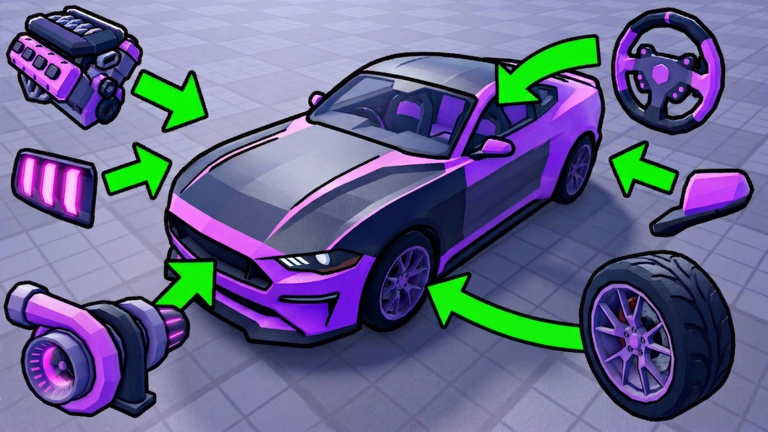
Welcome to the exciting world of Unbox Your Car, a Roblox experience where the thrill of discovery meets the satisfaction of building an impressive vehicle collection. In this engaging simulation game, players embark on a journey to open crates, acquire unique cars, collect cash from admiring visitors, and ultimately evolve their prized possessions into even better versions. While the core gameplay loop offers a rewarding grind, savvy players know that leveraging in-game codes is a crucial strategy for accelerating progress and optimizing their car evolution journey. This guide will delve into the mechanics of code reliability and claim optimization, ensuring you get the most out out of every opportunity in April 2026.
How Code Rewards Drive Your Car Evolution
In Unbox Your Car, progression hinges on continuously expanding and enhancing your garage. This involves acquiring new vehicles through crate openings, accumulating cash to purchase upgrades, and evolving your existing cars to boost their value and performance. The process can be time-consuming, but this is precisely where developer-provided codes become invaluable. These special codes often grant players essential resources such as in-game currency and various types of crates.
Receiving extra cash from codes directly translates to more opportunities to buy additional crates, increasing your chances of discovering rare and powerful cars. Similarly, receiving crates directly bypasses the need to earn cash for their purchase, allowing for immediate unboxing and collection expansion. Some codes may even offer temporary boosts, which can significantly increase your cash earnings for a limited period, further accelerating your ability to acquire and evolve vehicles. By strategically utilizing these rewards, players can significantly reduce the time spent grinding, allowing them to focus more on the exciting aspects of car evolution and garage customization.
Where to Find Official Code Announcements
Staying ahead of the curve with new codes requires knowing where the developers, Habit Games, make their official announcements. The most reliable sources for new Unbox Your Car codes are typically the game's official social media channels and community platforms. The official Discord server for Habit Games is often the primary hub where developers share hints and release fresh codes, especially following significant updates or when the game achieves new milestones, such as a certain number of likes or visits.
Players should also keep an eye on the developer's presence on platforms like X (formerly Twitter) and YouTube, as codes can sometimes be shared there. Furthermore, the Roblox game page description itself can occasionally feature active codes or announce upcoming code milestones, so it's always a good idea to check the game's official page regularly. By actively monitoring these official channels, you ensure you're among the first to know when new opportunities arise to claim valuable in-game rewards.
Redeeming Codes Swiftly After Updates
The developers of Unbox Your Car are known for their consistent updates, often releasing new content on a weekly basis. This frequent update schedule often correlates with the release of new codes, making timely redemption crucial. To redeem a code in Unbox Your Car, the process is straightforward:
- First, launch Unbox Your Car within the Roblox application.
- Once you are in the game, locate the 'Settings' button, typically found at the bottom right of your screen.
- Clicking this button will open a menu. Within this menu, you'll find a dedicated 'Codes' section or redemption window.
- Enter the code into the provided text box. It is absolutely vital to type or paste the code exactly as it appears, as codes are case-sensitive. Even a minor typo or an extra space can render the code invalid.
- Finally, click the 'Claim' or 'Redeem' button to receive your rewards instantly.
Redeeming codes quickly after they are announced, especially following a weekly update, is important because codes often have a limited lifespan. Being prompt ensures you don't miss out on valuable resources that can give you a significant edge in collecting and evolving your cars.
Identifying Expired Codes
While developers strive to provide generous rewards, codes in Unbox Your Car, like many Roblox games, do not last forever. They typically have a limited usage period and can expire. Recognizing the signs of an expired or invalid code can save you time and frustration. If you attempt to redeem a code and it doesn't work, you'll usually encounter an error message such as "Invalid Code" or "Expired Code."
Common reasons for a code failing include incorrect entry (always double-check for case-sensitivity, extra spaces, or typos), or the code having simply passed its active period. Less frequently, being on an older server session might prevent a code from working, in which case simply rejoining the game can resolve the issue. If you've confirmed your entry is correct and you're on a current server, it's highly probable that the code has expired. Developers typically do not reactivate expired codes, so the best practice is to redeem new codes as soon as they are released.
Frequently Asked Questions
Q: How do codes specifically help me evolve my cars faster in Unbox Your Car?
A: Codes in Unbox Your Car often provide free in-game cash and various types of crates, including enchanted ones. More cash allows you to purchase more crates, directly increasing your chances of acquiring new cars and duplicates needed for evolution. Crates, especially enchanted ones, can yield higher-value cars, giving you a stronger foundation for evolving your collection more quickly.
Q: What's the most reliable way to know when new codes are released for Unbox Your Car, especially with weekly updates?
A: The most reliable method is to join the official Habit Games Discord server, as developers frequently announce new codes there first, particularly after weekly updates or when the game reaches new milestones. Checking the game's official Roblox page and developer social media (like X/Twitter and YouTube) can also provide timely announcements.
Q: I entered a code exactly as shown, but it's not working. What could be the problem in Unbox Your Car?
A: If a code isn't working despite correct entry, the most common reason is that the code has expired. Codes have a limited lifespan, and once they're inactive, they can no longer be redeemed. Less common issues could include being on an outdated server, which can sometimes be resolved by simply rejoining the game.
Conclusion
Codes are an integral part of maximizing your experience in Unbox Your Car, offering a significant boost to your car collection and evolution efforts. By understanding where to find official announcements, redeeming codes promptly after weekly updates, and knowing how to troubleshoot common issues, you can ensure a smoother and more rewarding journey through the game. Keep an eye on official channels, claim your rewards efficiently, and continue building the ultimate car garage in April 2026!
Active Unbox Your Car Codes (April 2026)
0 verified codes available for Unbox Your Car · 4 unverified
This article was researched and generated using AI tools, then reviewed by the RoUniverse editorial team.