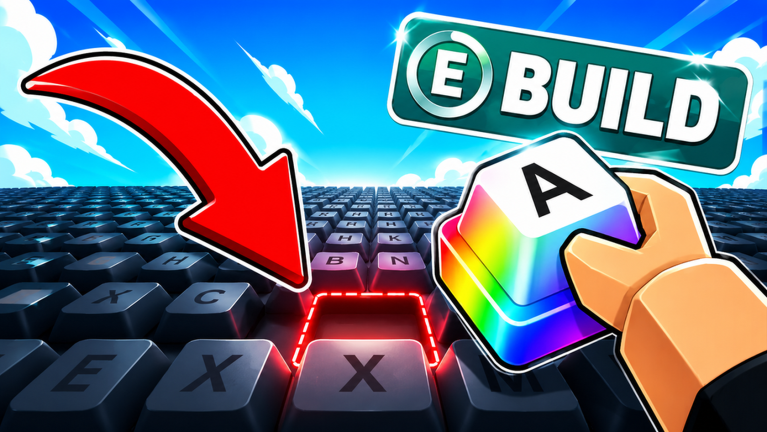
Progressing in Build A Keyboard quickly requires smart use of the rewards you earn from codes and gameplay. Whether you have Dumpling Boxes, XP boosts, or temporary money multipliers, knowing the optimal timing and route can separate casual players from seasoned veterans. This guide compares the best strategies for each reward type and shows you how to chain them together for maximum efficiency, from the early Showroom floors to the challenging Acoustics mode.
Dumpling Boxes: Open Immediately or Stockpile?
Dumpling Boxes contain random keyboard parts, including rare keycaps and plates. The decision to open them right away or save them depends on your current level and goals.
Early Game: Open for Immediate Parts
If you are below level 10, opening Dumpling Boxes as soon as you get them is the best strategy. You likely lack essential keycap profiles like SA or Cherry, which are required for high scores on the first five Showroom floors. Getting a rare keycap early can help you complete orders faster, earning more XP and cash to hire workers. I recommend opening every box until you reach level 12 and unlock the Lubrication Station.
Mid to Late Game: Save for Better Rewards
After level 20, the pool of possible items from Dumpling Boxes expands significantly. If you stockpile 15 to 20 boxes and open them after reaching level 25, you have a higher chance of pulling premium components like PBT keycap sets or aluminum plates, which are crucial for the Acoustics mode. However, this comes at the cost of slower early progression. Only use this strategy if you already have a solid setup and can afford to delay unlocking new features.
XP Boosts: When to Use for Maximum Gain
XP tokens provide a direct level boost. Levels unlock critical features like the Lubrication Station (level 12), the Workshop minigame (level 15), and the Heavy Metal challenge at level 25, which rewards the Full Aluminum Plate.
The best time to use an XP boost is when you are close to a level that unlocks a specific feature you need. For example, if you are just starting, use XP immediately to skip the tedious early orders and reach level 12 for lubrication. If you are at level 24, saving the XP to jump to level 25 gives you access to the Heavy Metal challenge, which provides a permanent upgrade. In most cases, immediate use is recommended for new players, while veterans should time their XP use for key milestones.
Money Multipliers: Timing Is Everything
Money boosts double your earnings for a short duration (typically 5 minutes). To get the most value, activate the boost right before a high-earning activity. The best opportunities are:
- During the Assembly minigame: Each keyboard built with a money boost active awards double cash. If you have several parts ready, you can earn a lot in a single session.
- Before closing the game: If you have hired workers and your workshop continues producing offline, activating a money boost just before logging off ensures that your offline earnings are also doubled.
- While completing Showroom orders: High-difficulty orders on later floors give more cash, so using a boost there maximizes the bonus.
Note that money boosts do not stack; using a second boost extends the duration. Therefore, plan to use one boost per session for the most efficient play.
Chaining Rewards for a Perfect Progression Route
With access to Dumpling Boxes, XP, and money boosts, you can create a powerful sequence to accelerate your growth. Here is a step-by-step route that works well for players at any stage:
- Use an XP boost to reach a new level that unlocks a feature. For example, if you are level 11, use XP to hit 12 and unlock lubrication.
- Open one Dumpling Box to get a random part. If you are lucky, it might be a keycap that synergizes with your new lubrication ability.
- Activate a money boost and jump into the Assembly minigame or take a high-value Showroom order. The double cash will help you afford a worker upgrade or a premium plate material like brass.
- Hire a new worker with the extra cash. Workers automate keycap production and allow you to earn money even while offline, compounding your gains.
- Repeat the cycle as you earn more rewards. Save additional Dumpling Boxes for after level 20, but use XP and money boosts as soon as you have them.
This route ensures you never waste a reward and always progress toward the next major feature. Keep an eye on developer announcements for future rewards tied to milestones like 50,000 likes.
FAQ
Q: Should I open Dumpling Boxes when I am below level 10?
A: Yes, opening them immediately gives you a chance to get rare keycaps that help complete Showroom orders faster. This boosts your XP and cash early on.
Q: What is the best way to use a money boost in Build A Keyboard?
A: Activate it just before starting the Assembly minigame or before logging off if you have workers hired. The doubled earnings apply to both active and offline production.
Q: When should I save XP instead of using it right away?
A: Save XP only if you are one or two levels away from a major unlock, such as the Heavy Metal challenge at level 25. Otherwise, using it immediately is more beneficial.
Conclusion
Mastering Build A Keyboard requires more than just building keyboards; you need to manage your resources wisely. By timing your Dumpling Box openings, using XP and money boosts at the right moments, and chaining rewards into a cohesive route, you can reach the highest Showroom floors and dominate the Acoustics mode faster than ever. Experiment with these strategies and adjust based on your current progress. Happy building!
Active Build A Keyboard Codes (October 2026)
3 verified codes available for Build A Keyboard.