Introduction
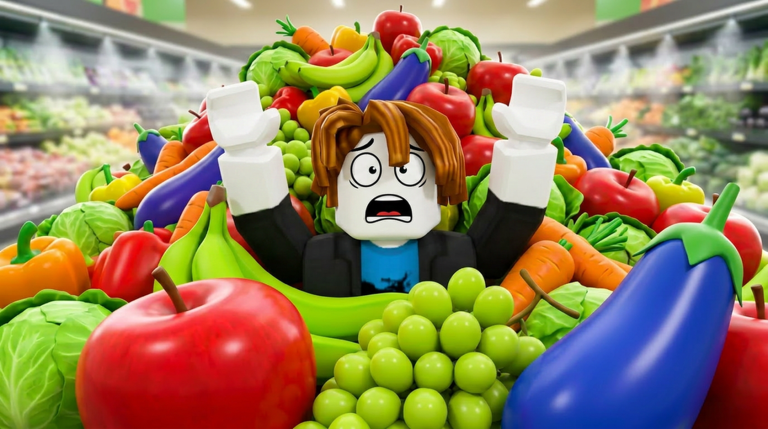
Clean the Supermarket! is a Roblox sorting puzzle by Tidyverse where players must organize hundreds of scattered products back onto shelves in an endless, expanding store. Speedrunning has become a popular challenge, with dedicated players aiming for the official 3-hour, 2-hour, and 1-hour completion badges. Currently, there are no active codes to redeem for Clean the Supermarket!, but this page monitors for any releases and will update when codes drop. Focus on mastering the speedrun route to optimize your gameplay and chase those badges.
Why Efficiency Matters in Clean the Supermarket!
Efficiency directly impacts your earnings and progression in Clean the Supermarket!. Each sorted shelf earns cash, which you spend on upgrades that make sorting faster, such as increased carry capacity or movement speed. Without an optimized approach, you waste time on unnecessary trips, delaying upgrades and badge completion. The 3-hour, 2-hour, and 1-hour badges are real targets confirmed by official badge data, but achieving them requires a strategic early game, mid-game shortcuts, and late-game optimization. This guide breaks down the proven strategies from the community to help you reach the 1-hour badge.
The Optimal Early-Game Route
Begin by focusing on one quarter of the store to learn item locations and shelf patterns. The official controls on PC use E to pick up, F to drop, click to place on a shelf, and T for Wipe Save to checkpoint progress. Start with a small area to clear all shelves, as completing events like wiping a section rewards you with cash. Your first upgrade should be carry capacity, as more items per trip reduce backtracking and can cut early game time by 20 percent or more.
Memorizing Shelf Colors
Clean the Supermarket! uses color-coded shelves for different product categories. For example, red shelves might hold snacks, while blue shelves hold beverages. Memorizing these associations allows you to place items without hesitation, speeding up sorting. Community tools like the item locator can help you quickly identify where items belong, accelerating this learning process without reading every label.
Mid-Game Time Saves and Skip Strategies
Once you have a few upgrades, your trips become longer, making shortcuts more important. Always check the map before picking up items to plan efficient routes. Pick up items that are on your way to target shelves, avoiding detours. This route adjacency strategy minimizes wasted movement, a key tactic used by speedrunners. Use the Wipe Save shortcut frequently to checkpoint your progress, especially before risky sections. If you make a catastrophic error, you can reset without losing all progress.
Avoiding Cheats and Using Calculators
Never use autosort scripts or automation tools, as the game's anti-cheat system flags them, leading to permanent bans. Instead, use community tools like the trip calculator to estimate how many laps you need based on your carry capacity. This helps you decide whether to grind for more cash or proceed with upgrades, ensuring you stay on pace for badges. The calculator integrates with your gameplay strategy by providing data-driven decisions.
Late-Game Grind Optimization
For badge hunting, every second counts. Upgrade order is crucial: prioritize movement speed to cover distance faster, then carry capacity for fewer trips, and any auto-sort passives that reduce manual steps. The official game description confirms upgrades exist, but exact names and costs are not fully public, so read the in-game purchase menu carefully. For the 1-hour badge, start near dense item clusters and use clear abilities only when necessary. Many speedrunners prefer PC for faster mouse placement, though the game supports mobile and console, with keyboard and mouse offering the best precision for speedruns.
Tools and Settings That Help
Utilize the item locator to find any item's aisle and shelf color instantly. Keep it open while playing for quick reference, avoiding delays from searching manually. The trip calculator helps estimate run time and upgrade ROI, ensuring you meet badge targets. Adjust game settings for performance, such as lowering graphics to reduce lag. The game supports multiple platforms, but for optimal speedrunning, keyboard and mouse controls on PC are recommended by the community.
Frequently Asked Questions
Q: What are the official speedrun badge targets in Clean the Supermarket!?
A: The game has three official badges: a 3-hour completion, a 2-hour completion, and a 1-hour completion badge. These are confirmed by the Roblox badges API and are the primary goals for speedrunners aiming to optimize their routes.
Q: How do I use the item locator tool effectively?
A: The item locator is an external tool that lets you search for any grocery item to find its aisle and shelf color. Keep it open on another device or window while you play to quickly match items without memorizing every location, saving time during runs.
Q: Can I use scripts to automate sorting and speed up the game?
A: No, using autosort scripts or any automation tools is against the rules and will trigger the anti-cheat system, resulting in a permanent ban. Stick to manual strategies and community-approved tools like calculators to maintain fair play.
Conclusion
Clean the Supermarket! offers a deep speedrun experience with its endless sorting and upgrade systems. By following the optimal early-game route, leveraging mid-game shortcuts, and optimizing your late-game grind, you can work towards those coveted badges. Remember, no codes are currently active, but this page is monitored and updates the moment codes drop. Use the tools and strategies outlined here to master the speedrun route and become a top sorter in August 2026.
Active Clean the Supermarket! Codes (September 2026)
No verified active codes are available right now for Clean the Supermarket!.