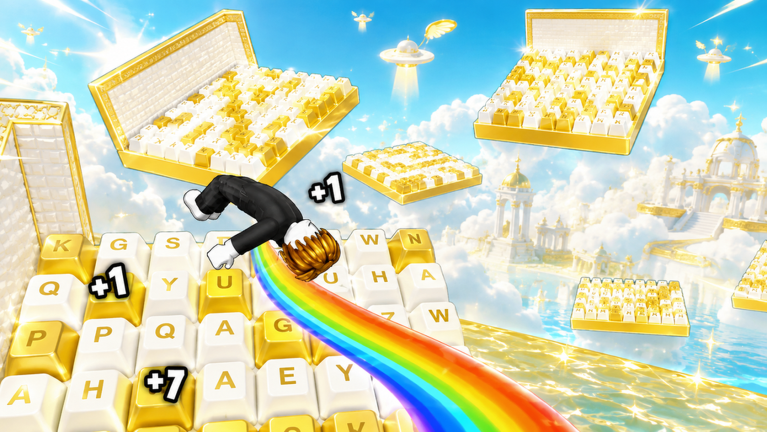
Dream Keyboard Escape drops you into a world built from candy-coated keyboard keys, where every step on the treadmill and every leap across the obby makes you faster. The satisfying ASMR click of each key sets the rhythm, but the game truly changes when the Admin Abuse events start. You might suddenly become a chicken or face a boss, and whether you are playing alone or with a crew, your play style has to adapt. This guide breaks down the best solo and squad approaches in Dream Keyboard Escape, using the game's unique mechanics to give you the edge you are missing.
Solo vs Group Play: The Key Differences
In solo play, you control every variable. Your treadmill intervals, your boost purchases, and your route through the obstacle course are all yours. The speed increases come faster because you are not waiting for anyone, but so does the pressure when obstacles tighten. Group play flips that around. You can share the burden of Admin Abuse boss fights, but the shared keyboard audio and the unpredictability of other players turning into chickens mean you have to stay flexible. The biggest difference is how you handle speed boosts: solo players need to time them perfectly, while squad players can afford to take turns.
Best Strategies When Playing Alone
When you play alone, start with a treadmill session before attempting any advanced stage. The speed you earn on the treadmill carries into the obstacle course, and an extra bit of momentum can be the difference between a clean landing and a fall. Spend your earnings on boosts before you hit a difficult halfpipe or long jump, because the game's pace ramps up quickly. Customize your keyboard sounds to something you can comfortably tap along with; this keeps your rhythm steady during long runs. In Admin Abuse events, a solo player has no backup. If you become a chicken, slow down and stick to flat ground until the effect wears off. When facing a boss, circle around it and use the environment to avoid its attacks. Finally, keep an eye on the official Discord server for the latest Social Codes. These unique, one-time codes, redeemed through the Code button in the top left corner, can give you a free speed boost that is especially helpful early on.
How to Adapt When Playing in a Group
In a group, communication is everything. Before a run, decide who is going to use the treadmill first. If everyone jumps on at the same time, the mixed ASMR sounds can make it hard to hear incoming hazards. Assign a caller who announces when the group should switch stages. During Admin Abuse events, the chaos multiplies. If one player becomes a chicken, the others should cover the stage and wait for them to recover. Boss fights become easier when you spread out, because a single smash will not hit the entire team. Also, only one player needs to check Discord for new Social Codes. Once the code is redeemed, the reward applies to that player only, so decide in advance who gets it or rotate through the group.
Role Suggestions for Team Play
To optimize a group run, try these roles: the Runner focuses solely on clearing the stage and reaching the next checkpoint. The Booster spends earnings on speed boosts and marks the safest route. The Treadmill Master lingers on the treadmill to generate extra speed, then swaps with the Runner on long stages. During Admin Abuse events, add a Distractor. The Distractor draws the boss's attention while the Runner and Booster complete the objectives. If you only have two players, the Runner and Booster can swap roles between stages. Rotate every few stages so everyone experiences each job.
When to Switch Between Solo and Squad
There is no permanent right answer. Solo play is ideal for practicing difficult obstacle sections and grinding early speed. You can pause at any moment and adjust your keyboard sound settings without slowing anyone down. Squad play shines during Admin Abuse events, where the sheer chaos is more fun with friends. It also helps when you want to break through a stage with tight timing: a teammate can call out jumps before you make them. If you are solo and stuck on a boss, consider inviting a friend to create a distraction. If you are in a group and everyone is falling off the same jump, split up and try individual practice in a private server.
Q: How do Social Codes work in Dream Keyboard Escape?
A: Social Codes are unique, one-time codes distributed through the official Discord server. To redeem one, click the Code button in the top left corner, paste the code into the field, and press OK. Each code grants a free speed reward, and unlike traditional codes, they are personal, so only one player can use each one.
Q: What should I do when I become a chicken in an Admin Abuse event?
A: When you transform into a chicken, your usual movement is changed. Avoid big jumps and stick to safe, flat paths until the effect ends. In a squad, let your team know and they can cover the objective area while you recover.
Q: Does customizing keyboard sounds matter in multiplayer?
A: Yes. Your keyboard sound preference can help you stay in the ASMR rhythm, but in a group the sounds overlap. Set a reasonable volume and use voice chat or Discord to stay alert to game events like boss attacks and chicken transformations.
Conclusion
Whether you prefer the focused grind of solo play or the shared chaos of squad runs, Dream Keyboard Escape rewards players who adapt their style to the situation. Use the treadmill to build early speed, spend boosts wisely, tune your keyboard sounds, and treat Admin Abuse events as opportunities to test your flexibility. Pair those fundamentals with smart Social Code usage and clear team roles, and you will have the edge you have been missing.
Active Dream Keyboard Escape Codes (September 2026)
1 verified code available for Dream Keyboard Escape.