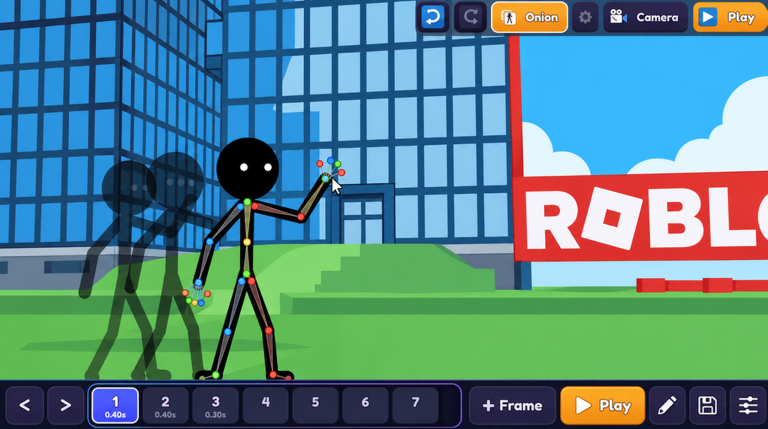
Choosing a Route or Loadout in Make a Cartoon!
Every Make a Cartoon! run really comes down to two questions: how are you handling your controls, and how are you turning that handling into a Go Viral moment that pushes your Stars upward. The community guide covering this game walks through all of the controls, the viral mechanic, and how to earn Stars fast, and it makes one thing obvious. Players who pick a single route and stick to it outperform players who improvise mid session.
This guide compares the two strongest options available right now, the Viral Push build and the Steady Stars build, then breaks down exactly when each one earns its place.
Compare the Two Strong Options
The Viral Push Build
This build leans entirely on the Go Viral system. You commit your inputs to whatever action triggers the viral spike, then you spend that window pushing output as hard as the control scheme allows. The upside is a sudden burst of Stars that can jump you past a plateau in a single push. The downside is timing. Viral windows do not wait for you, so this build punishes slow reaction and sloppy control layout more than any other option in the game.
The Steady Stars Build
This build ignores viral spikes on purpose. Instead you keep a consistent rhythm on the basic controls and treat every Star as incremental progress. It never produces a dramatic jump, but it also never wastes a session on a missed viral window. If you are still learning the full control list, this is the safer starting loadout because it rewards repetition rather than precision.
When Each Loadout Works
The Viral Push build works best once your muscle memory on the controls is automatic. If you are still looking at the screen to find the right input, the viral window will close before you capitalize on it. Use this build when your session is short and you want maximum upside per minute, or when you are within reach of a Stars milestone that a single viral burst could clear.
The Steady Stars build works best in longer sessions, on a fresh account, and any time you are still learning how the control list maps to the screen. It is also the right pick when you cannot guarantee quiet focus, because it tolerates interruptions far better than a build that depends on catching a narrow timing window.
Game-Specific Examples
Control layout first. The community guide makes the full control walkthrough the backbone of the video for a reason. Before changing builds, remap or relearn the inputs so the viral action sits somewhere your hand reaches without hesitation. A Viral Push build on a bad control layout is strictly worse than a Steady Stars build on a good one.
Read the Stars counter, not the clock. Stars are the actual progress metric, so make your decision off the counter. If Stars are climbing steadily, stay on the Steady Stars loadout. If the counter has flattened, that is your signal to switch to Viral Push and hunt the spike.
Sequence your attempts. Open a session with two or three Steady Stars cycles to confirm your inputs are landing cleanly, then move into Viral Push attempts. Cold inputs are where viral windows get dropped, and one clean warmup cycle removes most of that risk.
Reset instead of forcing it. When a viral attempt whiffs, do not immediately spam the same input chain. Return to the Steady Stars rhythm for a cycle, rebuild your pace, then re-engage. The guide's whole framing is about fast, repeatable Stars, and recovered cycles keep that pace intact.
FAQ
Q: Which build should a brand new Make a Cartoon! player start with?
Start with the Steady Stars build. It depends on consistent control repetition instead of catching the Go Viral timing window, so you can learn the full control list without losing progress every time you miss a spike.
Q: What signals that I should switch from Steady Stars to Viral Push?
A flat Stars counter. If your Stars per cycle stop moving despite clean inputs, the incremental route has hit its ceiling and a viral window is the fastest way to break through it.
Q: Does the Viral Push build work if I still have not learned all of the controls?
No. Viral Push lives or dies on input speed, so an unfamiliar control layout will close the window before you act. Lock down the controls first, then move to the viral route.
Conclusion
Make a Cartoon! rewards players who treat builds as tools rather than identities. Run Steady Stars while you learn, swap to Viral Push when the Stars counter stalls, and always fix your controls before you change strategy. That loop, control clarity first, Stars tracking second, viral timing third, is the fastest progress path the current guide points to.
Active Make a Cartoon! Codes (November 2026)
No verified active codes are available right now for Make a Cartoon!.