Introduction
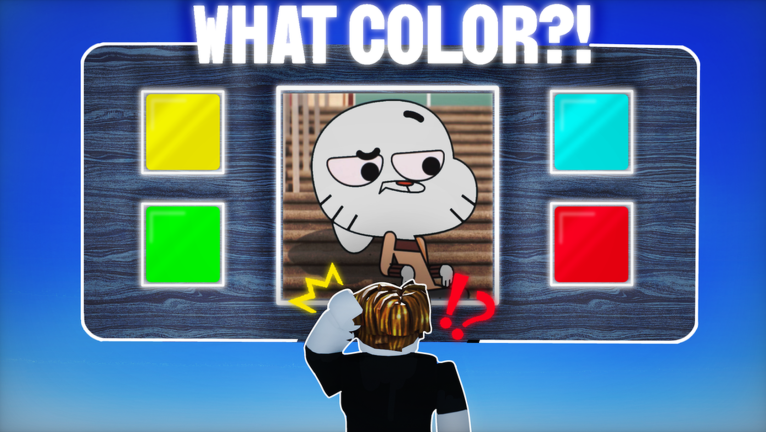
Guess the character color continues to captivate Roblox players with its intense 1v1 color-guessing duels. As of August 2026, the game has amassed over 9.9 million visits, yet it still features no code system or redeem box, making skill the only path to victory. The core challenge is simple: identify a character's primary color before your opponent does. However, the optimal approach shifts dramatically between solo play and squad play. This guide dives deep into the nuances of each style, leveraging specific game mechanics like the outfit reset pass and VIP video library to give you a competitive edge. Whether you are battling alone or coordinating with friends, these advanced tips will help you adapt and dominate.
Differences Between Solo and Group Approaches
In solo mode, every decision rests on your shoulders. You must rely solely on your reaction time, color memory, and strategic use of limited resources. There is no backup if you hesitate or misjudge a shade. The outfit reset pass, for instance, becomes a risky tool because activating it consumes precious time that could be used for guessing. In contrast, group play allows for role specialization and parallel processing. Teammates can scan different parts of a character simultaneously, share the mental load, and delegate tasks like using the outfit reset pass to a designated player. This coordination transforms the game from a frantic guess into a structured assault on color identification.
Best Strategies When Playing Alone
Solo success hinges on efficiency and smart resource management. Focus on these tactics tailored to Guess the character color mechanics.
Leverage the VIP Video Library for Pre-Match Training
The VIP pass unlocks all in-game videos, which serve as more than entertainment. These clips showcase a wide range of character color examples, from Mordecai's blue jay hue to Scooby's specific brown shade. Spend time before each session watching these videos and verbally naming colors. This trains your brain to instantly recognize common RGB values and subtle variations, reducing guess time during live rounds. Since there are no codes to redeem, this pre-match study is your best investment.
Implement the Two-Second Scan Technique
When a round begins, avoid analyzing every pixel. Instead, focus on the largest color block on the character. For example, if a character wears a dominant red shirt, guess red immediately. If the outfit is primarily white with small yellow accents, white is almost always the correct answer. This method prioritizes speed over perfection. In a 1v1 duel, a quick correct guess beats a slow one, even if both are accurate. Practice this scan on characters from the VIP videos to sharpen your reflexes.
Use the Outfit Reset Pass Strategically
The outfit reset pass allows you to change another player's outfit, but in solo play, it demands careful timing. Only activate it when you are completely stuck and the timer has more than five seconds left. Otherwise, guess a common color like blue or green based on the dominant hue. Overusing the pass wastes time and can put you at a disadvantage. Reserve it for high-stakes moments where the current character's color is ambiguous.
How to Adapt When in a Group
Group play unlocks advanced strategies by dividing tasks and enhancing coordination.
Divide the Character Into Scan Zones
Assign each teammate a specific region of the character to monitor. One player focuses on the head and torso, another on the arms and legs, and a third on accessories or details. This way, the entire character is scanned in under a second. As soon as one player identifies a confident color, such as Mordecai's blue or Fern's green based on his name, they call it out and the group locks it in. This eliminates delays from individual hesitation.
Designate a Resetter for Seamless Transitions
Make the outfit reset pass a team asset by giving it to the player with the steadiest hand. If the round is ambiguous and no one is confident, the resetter can trigger the pass to generate a new outfit. In a squad, the rest of the team can pre-position their eyes on the new character while the reset animation plays, minimizing downtime. This contrasts with solo play, where the same action costs you valuable seconds.
Utilize the VIP Library as a Team Drill
Between rounds, the entire squad can watch a short VIP video clip together and quiz each other on the colors shown. For instance, identify the exact shade of a character like Scooby or a generic avatar. Discussing colors reinforces memory and improves collective speed. The VIP pass ensures all teammates have access to this training material, creating a unified skill base.
Role Suggestions for Team Play
For optimal performance in groups, assign clear roles based on player strengths. In a three-player squad, consider these positions:
- The Scanner: The player with the fastest reaction time. They call out the dominant color immediately upon scanning, such as shouting "blue" for a character like Mordecai.
- The Confirmer: A patient player who double-checks the scanner's call, focusing on rare shades like purple or gray that might be missed in a quick scan.
- The Resetter: The owner of the outfit reset pass. They only act when the scanner and confirmer disagree, triggering a new outfit to avoid stalemates.
For duos, split the scan vertically: one player handles the upper half, the other the lower half. If they disagree, the tiebreaker can go to a quick re-scan or a strategic reset.
When to Switch Approaches
Knowing when to shift between solo and group tactics is key. In solo play, if you consistently struggle with complex characters, consider playing with friends to share the load. Conversely, if your squad faces coordination issues, practice individual scanning techniques to improve personal speed. The game's mechanics, like the 1v1 duel format, reward adaptability. Monitor your win rate and adjust based on whether you are dominating solo or thriving in groups.
Frequently Asked Questions
Q: How does the outfit reset pass work in Guess the character color?
The outfit reset pass allows you to change another player's outfit to a new random one. In solo play, it costs time to activate, so use it only when the current character's color is unclear and the timer is above five seconds. In group play, it can be delegated to a teammate to maintain scanning flow.
Q: What is the best way to use the VIP video library for training?
Watch the VIP videos before playing to familiarize yourself with common color combinations. Name each color out loud, focusing on characters like Mordecai (blue) or Scooby (brown). This pre-match routine builds muscle memory for faster recognition during live duels.
Q: Can I play Guess the character color with friends, or is it only 1v1?
The core mode is 1v1 duels, but players can form squads to strategize together outside of direct competition. Groups can practice by taking turns in duels while using shared roles and training, enhancing overall performance in the game's fast-paced environment.
Conclusion
Guess the character color thrives on quick thinking and adaptability. Whether you play solo or in a group, mastering specific mechanics like the two-second scan, outfit reset pass timing, and VIP video training can elevate your gameplay. Solo play demands efficiency and resourcefulness, while squad play benefits from role specialization and coordinated scanning. By applying these tailored strategies and understanding when to switch approaches, you can consistently outperform opponents and climb the ranks. Remember, the game has no codes or shortcuts, so sharpen your skills and embrace the challenge.
Active Guess the character color Codes (October 2026)
1 verified code available for Guess the character color.