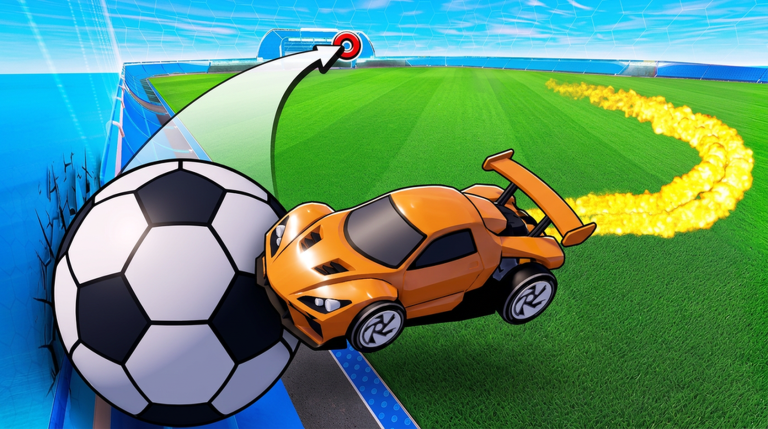
Turbo Soccer : Beta 1.0 turns football into a Roblox car soccer game by zDashi. You take the field, drive into the ball, play competitive matches, climb leaderboards, and rank up. Playing earns Credits and rewards, unlocks exclusive cars and items, and opens up customization for skins, wheels, decals, and boosts. Codes sit inside that reward loop as a small developer handout, usually issued to mark an update or a milestone, and every entry you submit in the Settings screen resolves into something you can open after a match.
What this page tracks and how to use the list
This page is built as a redemption flow, not a static mirror. The live widget below carries the current strings for Turbo Soccer : Beta 1.0, so this guide never repeats them in prose. At the time of writing the tracker holds four recorded entries, with one verified active code and zero expired entries, last grounded on October 22, 2026. Those figures come from checking the same game across independent sources, including PCGamesN (updated October 22, 2026), UrGameTips (updated October 11, 2026), GameRant (published October 4, 2026), and the fan-maintained community wiki (last updated October 15, 2026).
How to work with it: open the widget, copy the entry you want, then keep this tab open for the redemption steps and the fix list further down. If the tracker shows no verified active code at a given moment, it is still working as intended and is holding out until a source confirms an entry rather than showing a stale string. Use the live list below after the ad, then keep reading for redemption fixes and update tracking.
Active Turbo Soccer : Beta 1.0 Codes (October 2026)
1 verified code available for Turbo Soccer : Beta 1.0; 3 unverified codes are being tracked.
How to redeem codes in Turbo Soccer : Beta 1.0
- Launch Turbo Soccer : Beta 1.0 on Roblox and wait for the experience to fully load.
- Open the Settings button at the bottom of the screen, then find the codes option near the bottom of that panel.
- Paste the entry exactly as the widget shows it, with no leading or trailing spaces.
- Press redeem and read the game response before you leave the panel.
Why a redemption fails
- Typing instead of pasting: a single wrong letter or a shift in capitalization is enough to reject the entry. Use the copy and paste route.
- Hidden spaces: characters at either end of the text box are the most common reason an otherwise correct entry is refused.
- Already redeemed: an entry generally works once per account, so a second attempt on the same profile returns a rejection.
- Expiry: entries do age out. Check the widget state instead of trusting a screenshot from an older guide.
- Wrong panel: the codes option lives inside Settings at the bottom of the screen, not in the garage or the shop.
Where new codes get announced
The developer is the source, so codes tend to arrive alongside updates and milestones. Turbo Soccer : Beta 1.0 launched in Beta 1.0 form with a creation date of September 19, 2026 UTC, and community trackers have shown a new entry dropped as recently as October 22, 2026. Beyond the in-game panel, watch zDashi's Roblox profile, the official experience page, and the game's Discord server, then confirm through a tracked code page before you redeem anything you saw in a comment section.
FAQ
Q: Where exactly is the codes box in Turbo Soccer : Beta 1.0?
A: Open the Settings button at the bottom of the screen after the match loads, then look for the codes option near the bottom of that panel. It is separate from car customization, so skins, wheels, decals, and boosts screens will not accept an entry.
Q: Can I redeem Turbo Soccer codes on mobile or console?
A: Yes. The Settings panel is the same on PC, mobile, and controller setups. You drive with WASD and the mouse on PC, on-screen controls on mobile, or a compatible controller on console, and the redemption flow does not change with your input method.
Q: Why does Turbo Soccer : Beta 1.0 say an entry is unavailable when the tracker lists it as active?
A: The most likely cause is that the entry was already redeemed on your account, or that it expired between page checks. Confirm the spelling matches the widget exactly, then read the game response before assuming the entry is dead.
Conclusion
Turbo Soccer : Beta 1.0 keeps its code system deliberately simple: one Settings panel, one entry at a time, and rewards that feed straight into car customization. Track the widget, redeem through Settings, and watch the official channels when a new update lands.