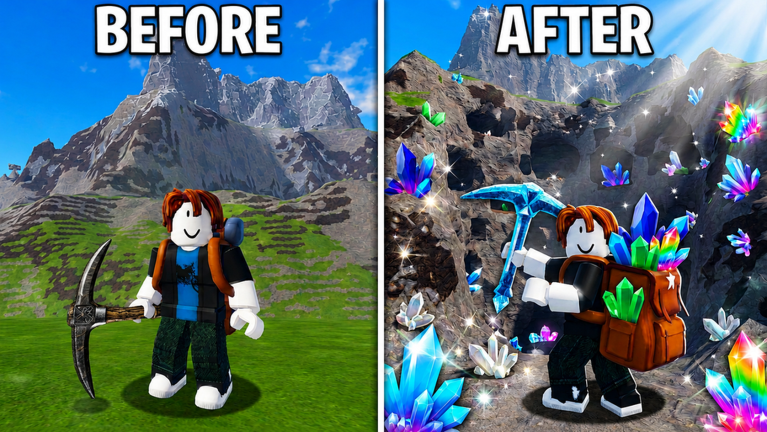
In Mine a Mountain, every upgrade choice directly impacts how quickly you climb to higher-value crystals. The core mechanic revolves around three upgrade categories: warmth, pickaxe, and backpack. According to the community wiki and tier list, there is no universal best upgrade. Instead, each category becomes the top priority only when it fixes the problem ending your current run. This principle changes dramatically between solo and squad play, making optimization strategy-dependent.
Solo vs Group: Different Bottlenecks Require Different Approaches
When playing alone, you personally face every bottleneck. The official tier list preview confirms that warmth is the safest first priority because freezing stops your run before you can mine anything. In solo play, you almost always need to buy warmth upgrades first to survive in cold zones. Once you can endure the cold, the next limitation becomes obvious: either mining speed (pickaxe) or capacity (backpack). This forces a sequential upgrade path where you address one constraint at a time.
In a squad, the dynamic shifts entirely. Your team can pool resources and assign roles. One player can focus on warmth to unlock higher altitude zones for everyone. Another can invest in pickaxe upgrades to mine crystals faster for the group. A third can handle backpack capacity to reduce sell trips. This specialization lets squads reach green crystals and other valuable ores much earlier than solo players who must balance all three paths.
Best Strategies for Solo Players
Playing solo requires a clear upgrade order based on your current limitation. Start with warmth to survive the first cold zone. Use the Mine a Mountain calculator to determine the exact warmth needed for your target zone, as overspending on warmth beyond that point is wasteful.
Start with Warmth Upgrades
Your initial purchases should be warmth upgrades to extend your survival in cold areas. Push warmth until you reach a zone with better crystals, such as the area that drops green crystals. These crystals sell for more coins, making all subsequent upgrades easier to afford.
Identify and Fix Your Bottleneck
Once you can survive in a cold zone, choose between pickaxe and backpack upgrades based on what stops you. The tier list states that pickaxe upgrades matter most when crystals take too long to mine and your backpack is not the bottleneck. If you constantly return to base with a full load, backpack upgrades help more by extending your mining route. A simple test: if you can mine for two minutes before filling up but each crystal takes five seconds, a pickaxe upgrade might reduce mining time. If you fill up in one minute, prioritize backpack. Always use the calculator to verify before spending coins.
Adapting Upgrade Paths for Squad Play
In a squad, stop trying to cover every role. Instead, specialize based on what your team lacks. The wiki emphasizes that each upgrade category moves to the front only when it fixes the current problem ending the route. Apply this to the group: who is stopped by cold? Who cannot mine fast enough? Who is always at capacity?
Effective Role Assignments for Teams
- The Warmer: Invests in warmth upgrades to unlock higher altitude zones for the whole squad. This player should climb ahead and test the next cold area, ensuring the team can advance safely.
- The Miner: Focuses on pickaxe upgrades to break crystals quickly. This role is critical when the team reaches a rich crystal pocket, like green crystal veins, but mining speed slows progress.
- The Hauler: Puts coins into backpack capacity so the squad can stay out longer. This reduces the number of sell trips, making the route more efficient and allowing more time for mining.
For a duo, combine the Warmer and Miner into one player while the second handles the Hauler role. For a trio, assign one player per role. Check the tier list before locking in a role to ensure you pick the right upgrades for your current progression level.
When to Shift Your Upgrade Focus
Even with role specialization, bottlenecks shift during a session. If your squad reaches a new cold zone but mining speed becomes the limiting factor, the Miner should prioritize pickaxe upgrades, even if the Warmer planned to climb higher. Conversely, if the whole team keeps walking back to sell, the Hauler should spend next. The hourly mountain cadence mentioned in the official description may change conditions regularly, so re-evaluate using the calculator and tier list after each session to adapt your strategy.
Q: How do I use the Mine a Mountain calculator to decide my next upgrade?
The calculator helps you plan warmth, pickaxe, or backpack upgrades based on your target zone and current stats. Input your coin count and progression to see which upgrade gives the best return for surviving longer or mining faster. It is especially useful for solo players to avoid overspending on warmth beyond what is needed for a specific area like the green crystal zone.
Q: What should I do if my squad has no designated Hauler and we keep running out of space?
If your team lacks a Hauler, consider reassigning roles temporarily. One player should invest in backpack upgrades to extend the team's mining route. This reduces sell trips and lets everyone focus on mining or climbing. Use the tier list to ensure the chosen backpack upgrade aligns with your current progression, such as unlocking capacity for higher-value ores.
Q: Are there any specific crystal locations that influence upgrade priorities?
Yes, zones with green crystals or other valuable ores often change upgrade priorities. These crystals sell for more coins, making them a key target. Warmth upgrades may be needed first to reach these zones, but once there, pickaxe speed can maximize earnings. Always check the calculator to balance survival with mining efficiency for these high-value areas.
Mastering Mine a Mountain means adapting your upgrade strategy to your play style. Whether solo or in a squad, focusing on the right bottleneck at the right time ensures you climb faster and mine more valuable crystals. Use tools like the calculator and tier list to make informed decisions, and remember that flexibility is key as bottlenecks shift during your grind.
Active Mine a Mountain Codes (September 2026)
No verified active codes are available right now for Mine a Mountain.